Forum Discussion
71 Replies
 FederalConvict8 days agoNew Rookie
I had to do the power drain trick twice for it to work. It was giving me the error message while I was pinging the servers. I could see the server but not join. I can tell when game will work or not based on how fast it loads. If it tries to resume further along the boot process then I know it wont work. If the game shows me long full introduction and says "Connecting to online services" and has the spinning thing as it connects, then I know it will work.
- munchkincoupe9 days agoNew Rookie
Still happening except the power removal and plug back in trick now doesn't work either !?!
 qndz1ci669z023 days agoNew Novice
Same here. Pain to do this but it works. Not good customer service to not fix it. !
- FederalConvict23 days agoNew Rookie
No. I still have to do the power drain method for 2 minutes then hold power button 10 seconds then plug it back up.
- mginbolton24 days agoSeasoned Newcomer
Did you get sorted ? i get the same error
- FederalConvict30 days agoNew Rookie
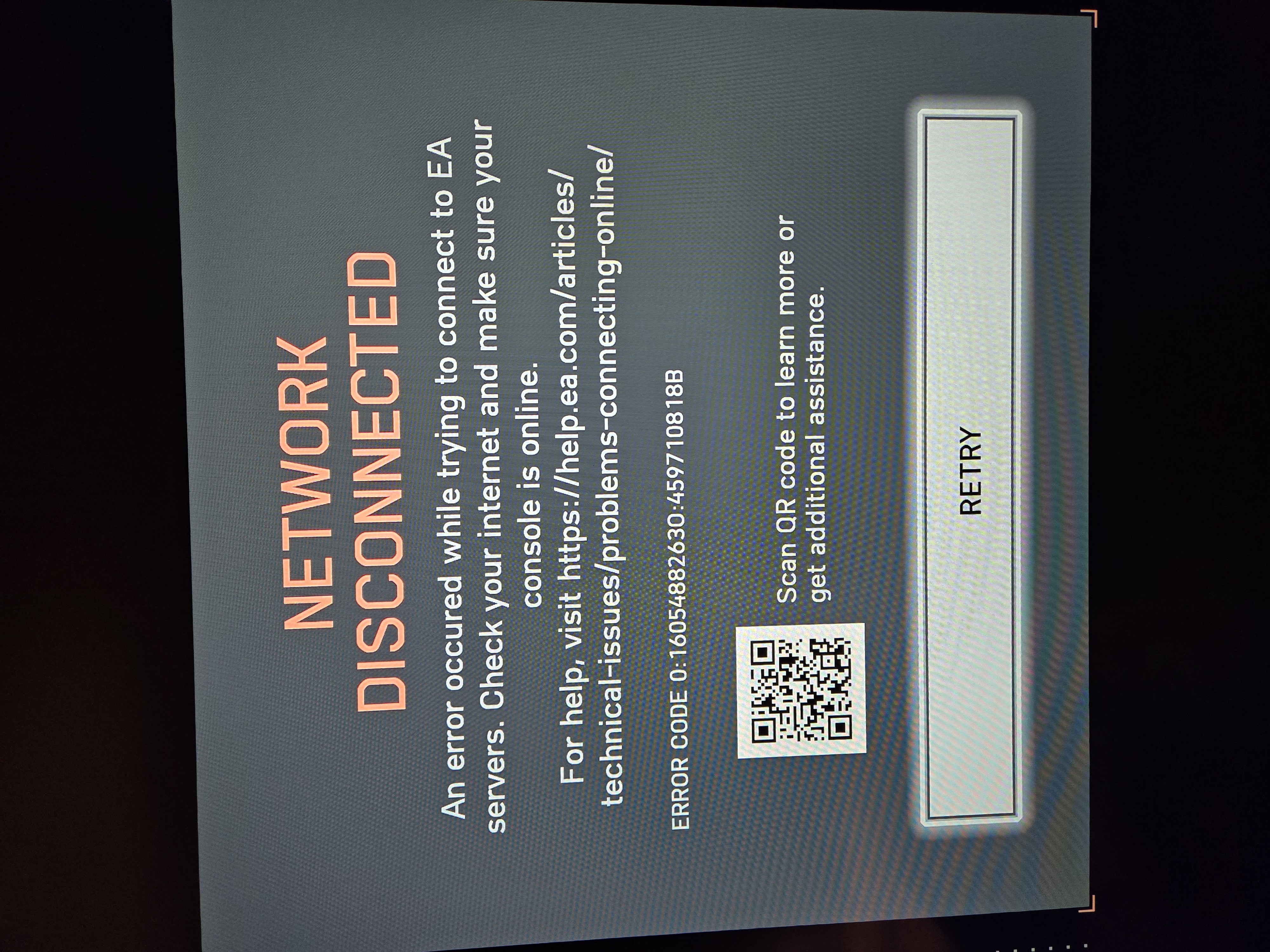
Only thing that works until next reset is the power drain of the 2 minutes with cord unplugged then 10 seconds holding power button in for my Xbox. Last you can plug it back up and power it on. Its not the router or wifi or anything on my end because it worked until the season 2 was released. And you can see people from different parts of the world with different isp and hardware all having same problems after season 2 was released. I get 5or 6 different error messages plus sometimes even a black screen after pressing play on screen and I can hear the background sounds have a echo to them. So it really never the same error message but the power drain reset does fix it until next reset. I have 7 photos of error codes. I have seen maybe 6 or more different error codes plus a black screen after pressing play and the sound in background has a echo like it under water. I black screen not the error code that happens a lot but it does happen. It will the game ended you have been disconnected from the game then it gives you a black screen with sound effects echoing in background like it underwater. And game just downloaded a 2.07 gb update with no help to this issue. I included 7 photos of errors. Just got another error. I included a photo of when im trying to connect. But I seen error message also when im trying to ping servers on community. Here is one more error code almost same number but little different on end.
 EA_Pulsar1 month ago
Community Manager
Hi everyone,
If you’re still getting these errors and can’t access multiplayer, please try the basics below and then reply with the details so I can share them with the team.
Steps to try
- Fully quit BF6 and reboot your platform.
- Xbox only: power off, unplug console power for 2 minutes, hold the console power button for 10 seconds, plug back in and start up.
- Try a different connection: switch wired/Wi-Fi, restart your router, and if possible test on a mobile hotspot.
- PC only: run EA Javelin AntiCheat “Repair” from the game install folder (EA AntiCheat/EAAntiCheat).
- Check available space on your hard drive
If it still happens, please reply with:
- Platform + launcher (Xbox Series X|S / PS5 / PC, and Steam vs EA app)
- Gamertag/Username/PSN id
- When it fails (on boot, searching matchmaking, joining party, loading into a match)
- For Xbox: did the power-drain reboot work at all, and for how long (one session, until restart, etc.)
- Network type (wired or Wi-Fi)
- Screenshot/photo of the error screen showing the full code
Thanks.
- Seal26101 month agoNewcomer
Hi, did u know what was the problem? I have the dame code.... thxs
- blerimmuriqi21851 month agoNewcomer
battlefield 6 Error code 0:141003S:52004S
- FederalConvict1 month agoNew Rookie
https://forums.ea.com/discussions/battlefield-6-technical-issues-en/disconlineerror-unknown-225002s52004s-p826765804/13207599/replies/13236974
Featured Places