Forum Discussion

Sneed9's avatar
Sneed9
New Traveler
30 days ago

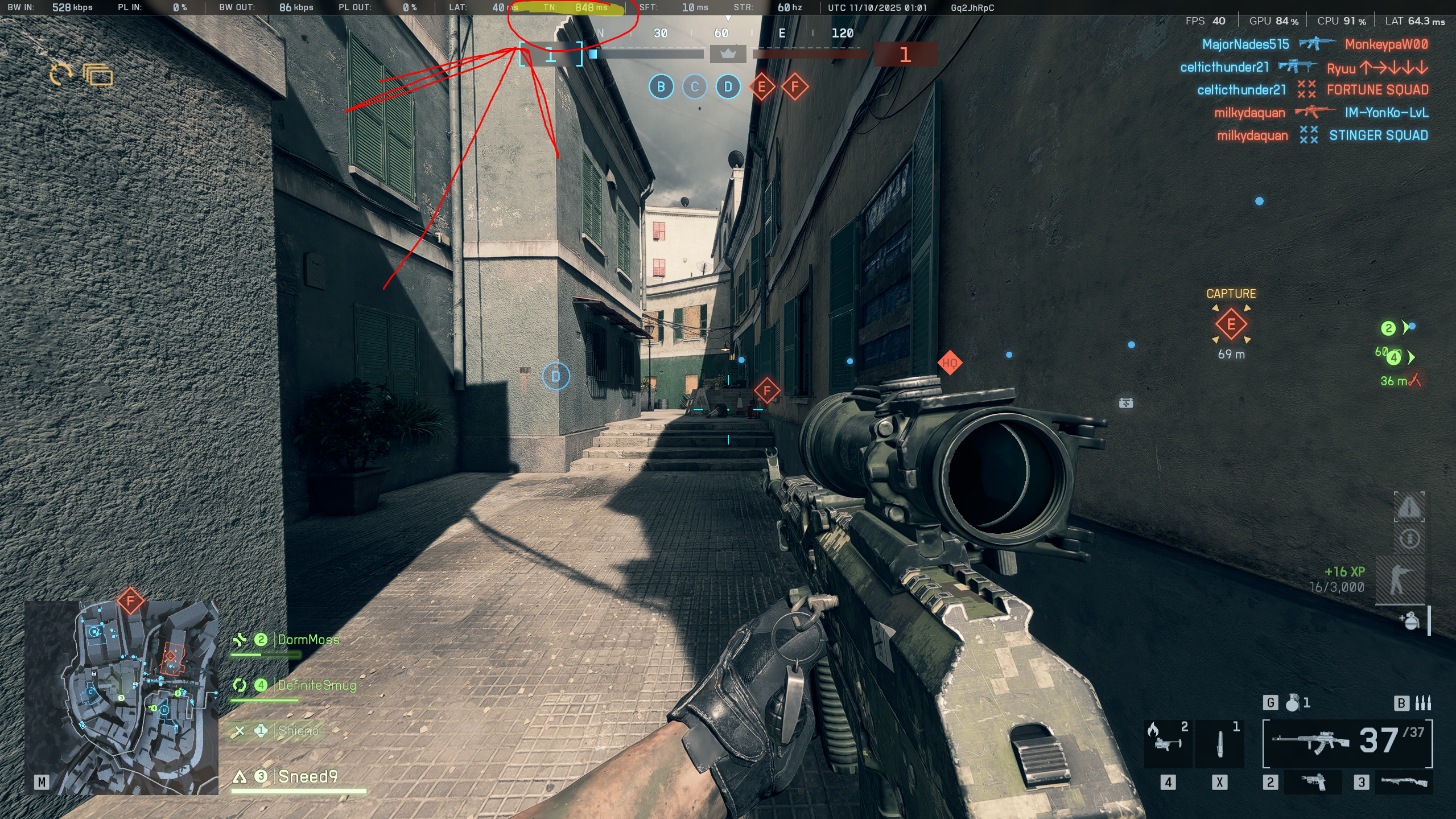
Fix the time nudge issue

please move official servers to 30hz like the portal servers, this is unacceptable. yes ive already over clocked memory to 3200, yes ive dones everything else the internet said would fix this problem on official servers, and no, nothing has worked. it is 100% on EA and Dice to fix the servers. 

Time Nudge jumps from 50 all the way to 900+ on large maps, feels like im running through a swimming pool full of mud

im only using 7902/12093 Video Memory as well, how much further do you want me to take the graphics down? BF3 quality??


15 Replies

  • OskooI_007's avatar
    OskooI_007
    Legend
    28 days ago

    Sneed9​ the GPU performance looks much better now!

    It appears the memory settings got accidentally changed while fixing the GPU. Memory XMP overclocking no longer appears to be enabled in the motherboard BIOS settings.

    In HWiNFO the memory is running at 1067MHz 15-15-15-36-50, instead of 1500MHz 16-18-18-38-56.

    A custom user.cfg also appears to be active. I recommend removing it and see if that helps CPU performance.

  • OskooI_007's avatar
    OskooI_007
    Legend
    28 days ago

    Moorend​ the CPU performance is struggling for some reason. The CPU, SIM, step, and Frame graph lines are really spikey. Instead of smooth and flat.

    It kind of looks like the CPU might be thermal throttling.

    Graph the CPU temperature and frequency speed in HWiNFO.

    The Intel i9-10900K has the following thermal limits.

    • Intel® Thermal Velocity Boost Temperature 70°C.
    • TJUNCTION 100°C

    https://www.intel.com/content/www/us/en/products/sku/199332/intel-core-i910900k-processor-20m-cache-up-to-5-30-ghz/specifications.html

    At 70°C the CPU will stop using boost frequencies and at 100°C the CPU will overheat and severely scale back CPU frequency speed.

    Look at the HWiNFO graphs for CPU frequency and temperature and see if you notice the frequency graph line jumping up and down lot.

    If yes, you may have to disable Intel CPU boost to stabilize the CPU frequency.

    Here's a video showing how to graph in HWiNFO. It's easy, just double click on whatever you want to graph.

    https://youtu.be/tyoHEwBKzms?si=0HiOUOwh9zwyKvjh

  • Sneed9's avatar
    Sneed9
    New Traveler
    28 days ago

    BIOS update must have reset everything, got that overclocked again, looks like its 1500 MHz16-18-18-38-56.

    thinking we got it working, games are 80+ FPS running around 8000/12000 video memory. no real TN issues anymore right now, amazing help btw, thank you

Featured Places

Node avatar for Battlefield 6 Technical Issues

Battlefield 6 Technical Issues

Having issues with Battlefield 6? Join here to find help with connectivity, performance issues, crashes and more.Latest Activity: 12 minutes ago
5,249 Posts