8 years ago
NFS Payback | PC | Technical support | Installation-It Doesn't install
4 Live chat attempts later and i have nothing left but to make this post
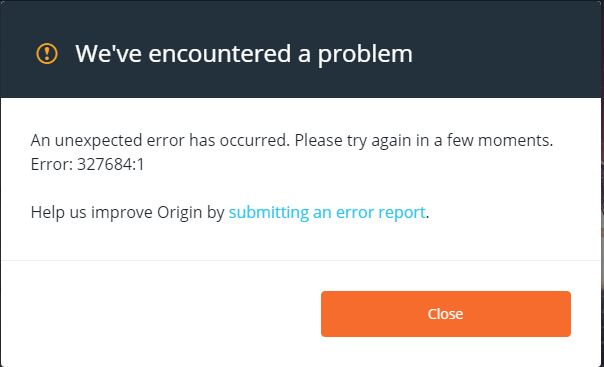
the game doesn't install because it is trying to install direct X which is already installed
is there no way to bypass it wanting to install direct X or like uninstall direct X so it can install it ?
Trouble Shooting done
- Re download game
- update graphics drivers and etc
- reinstall Origin
- "Clean Boot" SpoilerFrom Start, search for msconfig.Select System Configuration from the search results.On the Services tab of the System Configuration dialog box, tap or click to select the Hide all Microsoft services check box, and then tap or click Disable all.On the Startup tab of the System Configuration dialog box, tap or click Open Task Manager.On the Startup tab in Task Manager, for each startup item, select the item and then click Disable.Close Task Manager.On the Startup tab of the System Configuration dialog box, tap or click OK, and then restart the computer.
- "3rd chat" Spoilerplease perform the below troubleshooting steps which should fix our issue:
I) Disable UAC on Windows 8, 8.1, or 10
1. Open up the Start screen and type UAC.
2. Select Change User Account Control settings.
3. Advise the Player to move the slider down to the botton to Never Notify.
4. Advise the Player to reboot the PC for the changes to take effect.
II) If this doesn't work than:
1 - Setup User Account Control (UAC) to always notify
2 - Uninstall/ remove any part of the Origin Client that is there and remove any cache files left over as per https://help.ea.com/en-in/help/origin/origin/manually-uninstalling-origin/ (if he still can't find the folder, please uninstall musing Revouninstaler or Geekuninstaller)
3 - Install Origin again, it should hopefully notify to allow changes.
4 - This should hopefully allow them to install the game
III) If that doesn't sort it, please get him to disable/uninstall MSI Afterburner, RivaTunerStatistics Server, SteelSeries Engine, Unigine, Driver Booster 4, and then try again
I am going to do a Fresh install of Windows soon if no1 is able to help me as i am left with no other options
attached files may help ?
Yeah ... that didnt work, i have done a Fresh install of Windows and it now works