Ideas
38 Comments
Does it happen in live mode also, or just build mode?
 PandoBro_xox2 years agoNew Spectator
I have not been able to check yet as I have no sims inhabiting, but I will get back to you as soon as I can
 crinrict1 year agoHero+Status changed:NewtoVerified
 davimachaado1 year agoSeasoned Novice
Hey everyone,
I've been having major issues with The Sims 4 after installing the For Rent expansion pack. My saves became corrupted, and I also noticed that assets in Brindleton Bay and Evergreen Harbor are missing. Even after completely deleting For Rent from my game and starting a brand-new save file, the missing assets in both worlds are still gone.
This issue seems to be linked to For Rent because the expansion is corrupting save files—Sims won’t do actions, or they take forever to move. Even after removing For Rent, my legacy save is still buggy—Sims act strangely and barely perform any actions at all.
I've already tried repairing the game via the EA app, but the problems persist. Has anyone else experienced this? Is there any known fix to restore Brindleton Bay and Evergreen Harbor and get Sims working normally again? Any help would be greatly appreciated!
Thanks!
Edit By Crinrict: Adjusted Title to better reflect the issue
- crinrict1 year agoHero+
By assets you mean certain objects or do you have the lots missing ?
Did you do a game repair after removing the pack ?
- davimachaado1 year agoSeasoned Novice
Did you see the attached pictures? The world of Brindleton Bay is missing plaques, trees, and background assets. Some objects on my own lot are also missing sometimes, but the issue is mostly in the world. I repaired the game, uninstalled it, deleted the files, and reinstalled it with a brand-new save, but the assets are still missing.
- crinrict1 year agoHero+
davimachaado I did but I wasn't sure what I'm looking at tbh. I don't know every spot in every hood what they are supposed to look so I wanted to be sure. And I also wouldn't know where exactly to find them and as I get dizzy looking around worlds, I rather ask to be sure.
Did you do a folder rename ? There' is a general issue with objects getting added to wrong space and becoming invisible but I havent' seen this happening that for trees or background assets
If they are still gone in a new save game without For Rent installed, something else is going on.
Did you do a folder rename and test a new folder this way ?
- davimachaado1 year agoSeasoned Novice
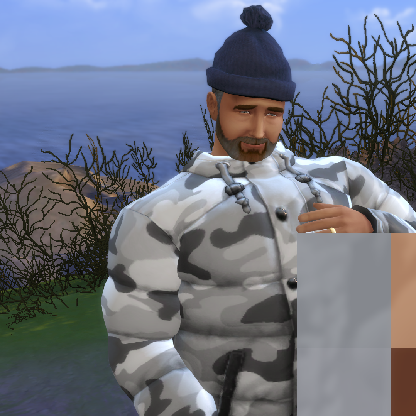
No, I didn't. I even uninstalled my whole game and the folders and the issue remais. Here's a picture of before and afer this glitch so you can understand better.
- davimachaado1 year agoSeasoned Novice
Hi everyone,
I’m experiencing a persistent issue with missing assets in The Sims 4, specifically in Brindleton Bay. Plaques, trees, and background objects are missing from the world, and sometimes objects on my own lot disappear as well.
Here’s what I’ve tried so far:
Repaired the game through the EA App.
Deleted the For Rent expansion pack.
Created a brand-new save file.
Completely uninstalled The Sims 4 and manually deleted all remaining files before reinstalling.
Despite all these steps, the assets are still missing. I’m attaching two photos—one from before the glitch and one after—to show the difference.Has anyone else encountered this issue, or does anyone have suggestions on how to fix it?
Thanks!
 Francoisf301 year agoSeasoned Ace
Wow, does your old picture date from the release of cats and dogs because the dogwood tree that I see dont have the odd green saturated colors they have now, since the seasons EP... Do you own Seasons? Not only Brindleton bay have saturated green grass in spring time and saturated green trunks and leaves for the dogwood tree, which is not supposed to be that color, but now this is missing objects... this game is going to hell... I know Evergreen Harbour is having so many problems too... Hope the polish the old worlds some day because that is unacceptable.



Featured Places

The Sims 4 Bug Reports
Report bugs for The Sims 4 on PC, Mac, Playstation, and Xbox.Latest Activity: 11 minutes agoRead First
- EA_Cade6 months ago
The Sims Team