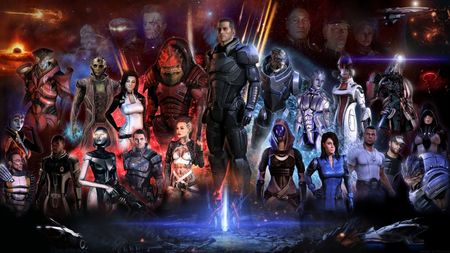
[PC] Mass Effect Unauthorized DLC Error
Commander, you've received a new message at your private terminal! Ready to jump back in the game and save the galaxy? Are you running into an error that matches the following: "Unable to authorize the listed DLC"? Below are the steps to help resolve this error when launching both Mass Effect 2 and Mass Effect 3. Checking your account First things first. Make sure you are logged into the correct account. With older titles, we may often end up with multiple EA accounts without realizing it. Use the following steps to verify you are in the correct account. Head on over to EA.com and log in with your EA credentials. Under the About Me section, make sure you see a Mass Effect ID. If you play on Epic/Steam/Switch, check the Connections tab at the bottom of the page to verify the accounts are linked. Click on Order History, change the drop-down to match All, and scroll through the content, as there should be logs here with each DLC name. Note: If the EA account previously had an EA Play subscription, once the subscription ends, you will lose access to any additional content the subscription provides. You can read more about what content is included in the Learn about EA Play article. Once you verify you are in the correct account, perform the following steps below as these should help reinstall the DLC content and resolve these errors. Troubleshooting Steps Locate the following folder on their PC Default Path: C:\Program Files\EA Games. This path may vary depending on where the player installs the game. C:\Program Files\EA Games\Mass Effect 2\BioGame C:\Program Files\EA Games\Mass Effect 3\BIOGame Delete ALL DLC content within the DLC folder Delete EA License Files Make sure the EA app is closed. Press the Windows key and "R" at the same time. Type or copy and paste "%ProgramData%\Electronic Arts\EA Services" (without the quotes) into the new Window > ENTER. Enable View Hidden Files and Folders Delete all files in the "License" folder. If the above steps do not resolve the issue, you will need to contact one of our advisors to review the account and the content currently linked to the account you log into the game with. Players can contact our live support team on our Help Site. To request a chat or open a case through email. Thanks!1.9KViews15likes0Comments
Controller Not Working - Mass Effect Legendary Edition Steam
System: PC Windows 10 Purchased on Steam Latest EA App Version 13.482.0.5995 I recently reinstalled Legendary Edition to replay the trilogy and no matter what I try I cannot get my controller to connect (I have PS5 and a generic xbox controller). I remember playing with controller just fine back in 2021 and the best I can find online is that this seems to be an ongoing issue with the EA App itself. I bought the game on steam, I have adjusted every possible controller setting on there. I have tried adding EADesktop as a non-steam game, and that does show the controller in the Legendary menu, but once I boot up ME1 it no longer shows any controller options. If anyone has any other work arounds to try that would be great!1.2KViews0likes3Comments
Mass Effect 2 begins to launch but then just shuts down
Good evening, I have tried to open my ME2 but cannot get the game to continue. once i "press any key to continue" it just shuts done and gave me the following message in the EA App, "an error on our end caused the lauch to fail. try again a little later". i have clear cache, repaired, uninstalled and re installed, try to open it in steam. nothing works please advise.604Views0likes20CommentsME:LE 3 won't launch
Hi! I've tried just about everything so as a last resort i'm gonna ask help from here. Two things of note: i'm playing on pc and my game is on an external hard drive. Been playing for a long time, and haven't had many issues before. About a week ago my ME:LE just deleted itself from Steam, saying it wasn't installed anymore. Installed it again and went to play as normal, but the game wouldn't launch. The launcher itself works fine, but when i try to load the last save, it lags and crashes at the loading screen, taking me back to the launcher. I'm currently playing ME3, and it seems like the problem is with that game specifically, because i tried starting new ME1 and 2 saves and there were no problems with either of them. What i have tried so far: deleted the game and installed it again (multiple times) updates my graphics cards moved it to my computers internal drive tried launching it straight from the .exe file verified the game files (multiple times) cleared EA app's cache Tried basically everything that came up when googling this problem. If there is anyone who could help with this i'd be very grateful.599Views0likes18Comments[PC] ME 2 LE version mouse not disappearing while playing.
Hey guys! This is the first time I’m actually playing the series (finished ME 1 yesterday, and sheeesh, what a game!). Anyway, I just started playing ME 2 on LE version, and there is a glitch with my mouse cursor. Basically, when I’m playing it, the cursor just moves around when I move the camera, and it won’t disappear. It stays moving around when I move the camera and it affects the immersion of the game. Some things that might be important: I play through XBOX Game Pass Ultimate (which includes an EA Play membership). I started the game with my Shepard from ME 1. I have an XBOX One controller, but I don’t play with it. I did disconnect it before playing, but no luck. It doesn’t matter if I change the game resolution or switching between fullscreen, borderless fullscreen or windowed mode. Alt-tabbing doesn't work. What I did till now: Verified game files in the EA App. Didn't find any error. I do know that mouse issues are common in this game, since I have found a lot of topics of some random mouse glitches the OT version (not only here in the EA Forums, but many others websites). Can someone help me? I sent a video in the attachments so you can see what I'm talking about (sorry for the quality, I recorded with my phone), and the Dxdiag.Solved427Views0likes7CommentsME2 Legendary eddition all DLCs black screen after prologue
Hello everyone, I am getting a black screen right after the initial prologue where Normandy exploded, after that there is a logo of ME2 and immediatelly after that ME2 Genesis DLC launches and black screen happens. I can only see the Shepard: NON-TLK and afterwards the decission circle but nothing around it. I cannot press anything and I have to do a "hard" exit and shut down of the game. I have purchased this gave through Steam and installed it there as well with all DLCs. Do You know how to fix this? Many thanks for Your help!399Views0likes3Comments
[PC] - MELE 2 ACT 3 UNPLAYABLE!! Can't enter Omega-4 Relay!
Hello! I am a new Mass Effect player who is about to finish MELE 2 with an imported Custom Female Shepard (was modded with cosmetics and textures, but I had restored the game back to vanilla). I am playing the game on Steam. I had just finished all the assignments I could possibly find along with finishing all the missions, including the completion of installing the Reaper IFF. After the last cutscene of the Normandy Assault where we played as Joker, I realised that the interactable NPCs (Kelly, Doctor Chakwas, and Mess Sergeant Gardner) were still present in the Normandy despite the mission stating that ALL crew members were abducted by the Collectors. I already felt that there was a problem upcoming. As soon as I clicked on the Omega-4 Relay on the map, it had no option to land. My only option available was to press the back button, but the Journal stated that I need to enter the Omega-4 Relay for my next mission. Basically, the game became unplayable after the Reaper IFF installation. On another note, another small bug's been lingering in my game, and I wonder if it has contributed to the existence of the Omega-4 Relay bug. I have Dossier: The Assassin still marked incomplete in Journal, even though Thane has already been recruited and became loyal. It says I have to go to Dantius Bridge but it's practically impossible since I already completed the mission. I assumed it was because my game was modded, so here's a list of what I've tried to fix the game: Restored my ENTIRE MELE game to back to vanilla. Deleted game progress until I was back to the mission where I obtain the Reaper IFF and replayed from that point onwards in vanilla. Still same result. Replayed Thane's recruitment mission, but I still have his mission marked incomplete in Journal. Got Steam to verify file integrity but no corrupt files were found after I restored the game to vanilla. I will attach the related files here. Hopefully I can get my game fixed! I would like to get to this issue as soon as possible as I want to get my Shepard imported to MELE 3 and obtain the Long Service Medal achievement!! Thank you :]! *Note, I found a user on Reddit with my exact same issue (Dossier: The Assassin bug included). They stated that they are also playing MELE on Steam with no mods, so I assume mods may not be the issue for the bug?
ME 2 legendary edition on steam launching issues
ME2 legendary on steam: when in the settings at the main menu, selecting different areas of settings ie gameplay, video settings etc, they all just stack on top of each other instead of loading new individual menus, so I end up with all settings menus overlaying each other and they're unusable. When ME 2 starts it automatically starts the beginning cutscene with Shepard as male there are no character selection options available at all . Iv tried reinstalling the game, running the steam file verifications etc. ME 3 legendary worked fineSolved300Views0likes9CommentsMASS EFFECT EDITION LEGENDAIRE STEAM NE SE LANCE PAS.
Bonjour, J'ai acheté ME EDITION LEGENDAIRE sur STEAM et il m'est impossible d'y jouer. Cela fait 2 jours que je cherches une solution sur tous les forums, j'ai contacté EA, impossible de trouver le problème et de le solutionner, j'ai tout essayé rien ne fonctionne... Mon jeu n'est pas visible dans la bibliothèque de jeux installées sur l'EA APP alors qu'il est bien installé sur STEAM, cela marche correctement pour les autres jeux EA que j'ai sur STEAM... Quand je lance ME depuis steam, EA APP se lance j'ai un pop up : "préparation du jeu", puis le jeu passe en "validation" sur steam (quand je vérifie l'intégrité du jeu, ça lance la même chose), cette étape dure longtemps et à la fin de celle-ci rien ne se passe. Je désespère de pouvoir trouver une solution et enfin pouvoir jouer à mon jeu... A noter que j'ai essayé sur un autre PC avec une config similaire, et ça fonctionne... EA m'a clairement dit ne pas savoir d'où peut provenir le problème, on m'a même conseillé de réinstaller ORIGIN... Si quelqu'un a ce même problème et aurait réussi à le solutionner... Je suis preneur !Solved