Demande de remboursement de FC27 version standard
Bonjour je fais comment pour me faire rembourser fc27? j'ai pas le jeu dans la liste des remboursements j'ai rempli une demande il y a 2 jours j'ai même fait un petit topic pour demander à être remboursé, je voudrais juste récupérer l'argent de ma version standard et prendre le EA PLAY PRO avec pour avoir le jeu dès maintenant.15Views0likes0CommentsFC27 points
I’m a father, and I purchased the Ultimate Edition using my PS5 account. However, my son uses a different PS5 account and cannot access the FC 27 Points because they are only available on my adult account. Is there any way to transfer the FC 27 Points to my son’s account? If not, what would be the best procedure to get a refund for the Ultimate Edition purchased on my account and then purchase it again on my son’s account? Thank you for your help.28Views0likes0CommentsOfficial Complaint: Lack of consumer choice regarding Cloud Saves
Official Complaint: Lack of consumer choice regarding Cloud Saves and forced data storage in EA App Dear EA Support and Compliance Team, I am writing to lodge a formal complaint regarding the unacceptable user experience and restrictive practices enforced by the EA App. As a paying customer who purchased Mass Effect: Legendary Edition, I am deeply dissatisfied with the fact that the EA App completely deprives me of the choice to opt-out of Cloud Saves synchronization. Your platform continuously encounters synchronisation errors, which actively blocks me from launching and enjoying a single player game that I legally bought. More importantly, I strongly object to EA forcing me to store my personal saved game datas on external, unknown cloud servers without giving me a native option to disable this feature within the client. The previous Origin client respected user preferences by including a simple toggle to disable cloud storage. Forcing users into an unstable online syncing system for local, single-player experiences is an anti-consumer practice that disregards the privacy and control I should have over files generated on my own hardware. My saved files belong on my computer, not on your servers against my will. I demand that this issue be escalated to your technical and product development teams. The EA App desperately needs to re-introduce the option to completely disable Cloud Saves, allowing users to rely solely on local storage. Fix your platform and respect your users' choices. I expect a non-automated, human response addressing why this basic function is being withheld from consumers. Regards, Imre Lados12Views0likes0Comments
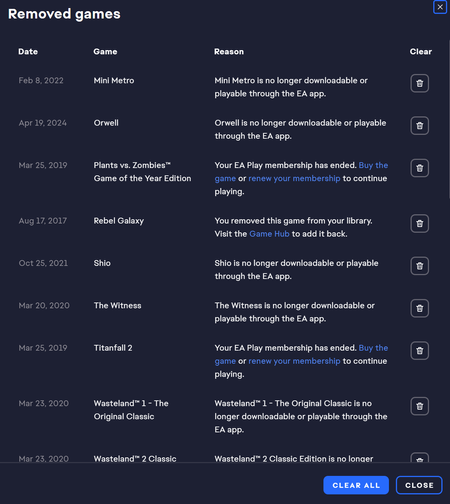
Can I buy a code for a delisted game and play it on the EA App?
I wanted to buy a code for F1 22 to boost trophies on my PS5. unfortunately, the steam keys are over $100, but codes for the EA App are far cheaper. However, I'm unsure if it's' even possible to play the game because I'm not familiar with how the app really works. If anyone can help/clarify this i would be greatly appreciative. thanks!39Views0likes2Comments
Cannot download CFB/Madden 27 Trial with EA Play
When I press download, this pops up. For some reason, after I click "close" it still allows me to go to the next prompt and choose download options. I just click next. Its stuck on installing with no percentage. After some time after the installing, this pops up. Could somebody help me with this issue and how to resolve it?14Views0likes0Comments
Urgent: 300,000 Ultimate Team Coins Missing – EA SPORTS FC 26
السلام عليكم فريق دعم EA، أود تقديم بلاغ عاجل بخصوص اختفاء 300,000 Ultimate Team Coins من حسابي في EA SPORTS FC 26. كان لدي في حسابي رصيد يقارب 300,000 Coins، ولم أقم بإنفاقه أو استخدامه أو تحويله. وبعد أن تركت الحساب لمدة يوم تقريبًا، قمت بتسجيل الدخول مرة أخرى، وفوجئت بأن الرصيد أصبح 0 Coins. أرجو منكم التحقق من حسابي وسجل Ultimate Team ومعرفة سبب اختفاء الرصيد. أرجو التحقق تحديدًا من: سجل جميع معاملات Coins خلال الفترة التي اختفى فيها الرصيد. عمليات شراء أو بيع اللاعبين التي تمت على الحساب. أي تحويل أو استخدام غير معتاد للـCoins. سجل تسجيل الدخول والتأكد من عدم وجود دخول غير مصرح به. إعادة مبلغ 300,000 Ultimate Team Coins إلى حسابي إذا ثبت أنه اختفى دون استخدام أو مخالفة من جانبي. بيانات الحساب: EA Account Email: [edit: email address removed] Game: EA SPORTS FC 26 Mode: Ultimate Team Platform: PlayStation 5 Coins before issue: Approximately 300,000 Current Coins: 0 Date: 18 August 2026 Time zone: Saudi Arabia (GMT+3) أنا متأكد أنني لم أنفق هذا الرصيد، وأطلب منكم مراجعة سجل الحساب والمعاملات وتوضيح سبب اختفاء الـCoins، وإعادتها إلى الحساب إذا ثبت فقدانها بشكل غير مصرح به. وشكرًا لكم على مساعدتي في حل المشكلة. مع خالص التحية.35Views0likes1Comment