ASUS G15 Laptop AMD Radeon 6800M Graphics
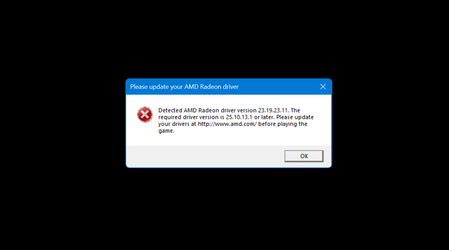

It's a pain in the **bleep**. But I got it working by editing the registry.
to proceed:
Run Regedit
locate: HKEY_LOCAL_MACHINE/SYSTEM/CurrentControlSet/Control/VIDEO
Under Video -> Locate the maps with 0000 -> Under 0000 -> Locate ReleaseVersion
One of these value's will be 25.10.xx.xx-... (the highest value in the error when starting BF6)
in the other 0000 -> ReleaseVersion will be 23.xx.xx.xx-... (the lowest value in the error when starting BF6)
Copy 25.10.xx.xx (only the characters before the 1st minus) -> delete 23.xx.xx.xx (only the characters before the minus) and replace with 25.10.xx.xx (only the characters before the minus)
This was the trick for me