Automatic mean settings?
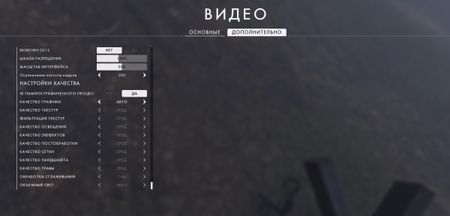


Maybe you have something running in the background?
When you enable Gsync in the Nvidia control panel you should also force Vsync there as well, and disable Vsync inside Battlefield 1.
Also try and see if you have Windows 10 Game Mode running. Another friend of mine had stuttering issues which he solved by disabling it.

@Neehachu Windows 10 Game Mode is disabled, in the background, nothing works except BF1. If I have G-SYNC then why include V-SYNC in the Nvidia control panel? Does V-SYNC load the processor?
@JohnConnorT_1000 That's how Gsync should be optimally set. You can read more here: https://forums.blurbusters.com/viewtopic.php?f=5&t=3073%3C/span%3E%3C/blockquote%3E
I'm unsure what causes such dramatic drops in frame rates. It shouldn't really happen.
Maybe you have to reinstall the latest Nvidia drivers. Use DDU to remove your current drivers https://www.guru3d.com/files-details/display-driver-uninstaller-download.html
If you're reinstalling new drivers make sure to not install GeForce Experience.

Also, if you're experiencing FPS drops, disable the Origin in-game Overlay in Origin and the Battlefield 1 Game Properties in Origin.
You can also try doing a Clean Boot to get rid of any background applications that might be causing some issues:
https://help.ea.com/en-us/help/faq/how-to-clean-boot-your-pc/
Let us know if this helps.
Thanks 🙂
@Neehachu and @iluminatethesky I tried it all, it does not help
@JohnConnorT_1000 Do you by any chance have another monitor plugged in?
Also this thread might be useful: https://answers.ea.com/t5/Technical-Issues/Battlefield-1-Stuttering-and-Fps-drops/m-p/6967384/highlight/true#M32730
@Neehachu Yes, I tried on another old monitor 1920x1080 is still the same