Automatic mean settings?
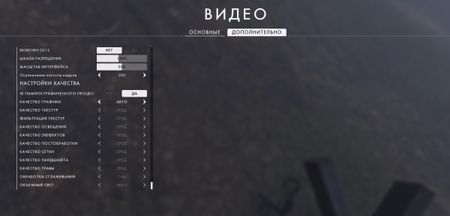


@Neehachu Windows 10 Game Mode is disabled, in the background, nothing works except BF1. If I have G-SYNC then why include V-SYNC in the Nvidia control panel? Does V-SYNC load the processor?
@JohnConnorT_1000 That's how Gsync should be optimally set. You can read more here: https://forums.blurbusters.com/viewtopic.php?f=5&t=3073%3C/span%3E%3C/blockquote%3E
I'm unsure what causes such dramatic drops in frame rates. It shouldn't really happen.
Maybe you have to reinstall the latest Nvidia drivers. Use DDU to remove your current drivers https://www.guru3d.com/files-details/display-driver-uninstaller-download.html
If you're reinstalling new drivers make sure to not install GeForce Experience.

Also, if you're experiencing FPS drops, disable the Origin in-game Overlay in Origin and the Battlefield 1 Game Properties in Origin.
You can also try doing a Clean Boot to get rid of any background applications that might be causing some issues:
https://help.ea.com/en-us/help/faq/how-to-clean-boot-your-pc/
Let us know if this helps.
Thanks 🙂
@Neehachu and @iluminatethesky I tried it all, it does not help
@JohnConnorT_1000 Do you by any chance have another monitor plugged in?
Also this thread might be useful: https://answers.ea.com/t5/Technical-Issues/Battlefield-1-Stuttering-and-Fps-drops/m-p/6967384/highlight/true#M32730
@Neehachu Yes, I tried on another old monitor 1920x1080 is still the same