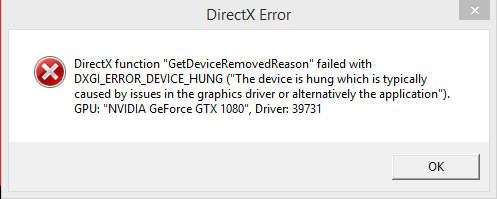
Solved
Forum Discussion


8 years ago
Thank you for the reply. I tried the first half but all that stuff was up to date so it didn't work. I have yet to try the second half but I'll get to that soon. I forgot to mention I did remove that underclock as soon as I figured out that didn't work.

7 years ago
I had the same problem. Fixed it by going into the options from the origin game ui. Click on the " More " link then go options-video-advanced video. and disable the hdr function. my videocard does not have that function so it was crashing with it switched on. Hope this solves your issue
- 7 years ago
I looked in my Battlefield 4 video settings and I couldn't find an Advanced tab or any HDR Function option.
 TheBeekeep3r7 years agoSeasoned Scout
There is no such thing as going to video options from Origin In-Game overlay.
I have the same crash in BF1 though. And HDR in game is disabled.
Featured Places