@jennie77au I've merged your new post with your older thread.
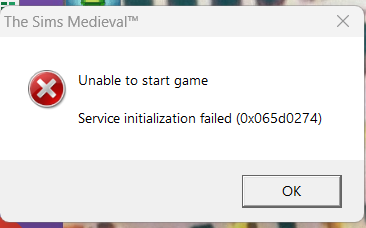
The initialization error is typically caused by an overly active antivirus, especially these days. So please set exceptions in yours for TS4_x64, TS4_DX9_x64, and TS4_Launcher_x64; or the entire Bin folder they're in. Set an exception for EADesktop.exe as well. The executable for Sims Medieval is TSM.exe. If you need more help with Medieval, please post in Other Sims Games; I don't really know enough about that game to offer anything further.
https://answers.ea.com/t5/Other-The-Sims-Games/bd-p/other-sims-games-en
The interesting part of your dxdiag is that I don't see a dedicated graphics card listed, only the graphics chip integrated into the processor. But you have a proper gaming laptop that by all rights should have a dedicated card, and from what I can gather, this particular model of TUF Gaming A16 (FA617XS from your dxdiag) does come with a Radeon RX 7600S:
https://www.asus.com/laptops/for-gaming/tuf-gaming/asus-tuf-gaming-a16-advantage-edition-2023/techspec/
Did you disable this GPU, either deliberately or while troubleshooting something else? Does it show up in the Device Manager? Click Windows key-X, select the Device Manager, open Display adapters, and let me know what you see. The 780M is the iGPU; you should see the 7600S listed separately.