Forum Discussion

TeeBoneSlayer's avatar
1 year ago
Solved

Low Quality Textures

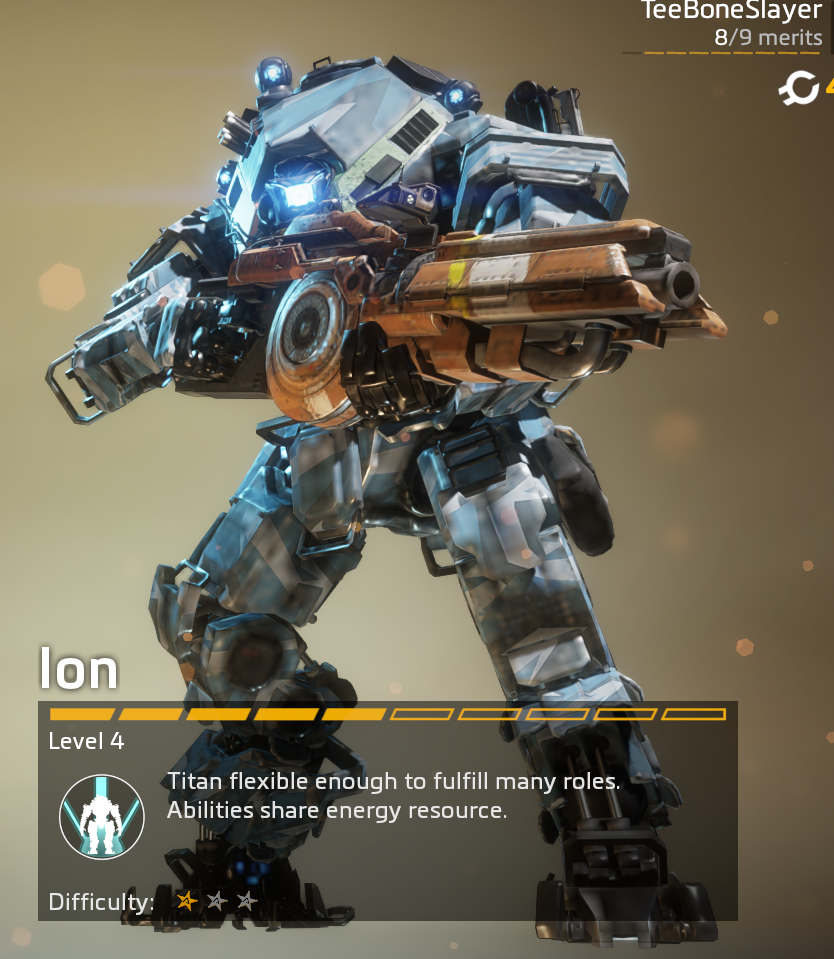
Textures for player models, Titans, Environment, etc. are low quality and look like 240p. I turned down the Adaptive Resolution and that did not fix it. My PC's resolution and the game's native resolution match. I even uninstalled it and re-installed it- nothing fixes it. Hopefully someone has a solution, thank you!

  • Finally fixed it, I needed to turn on the streamer settings for it to work. Weird but it'll have to do. Thank you anyways!

5 Replies

  • Alrighty, get this, I did every one of those steps and it did not fix the textures still. After running SFC, it found nothing wrong. In the EA app, it doesn't give me the prompt to do Manage> Repair, the only options are purchase different version and to manage add-ons. I cleared EA app cache and restarted my PC. My connection to the game is fine and there are no other background applications interfering with it while its running. I have Battlefield 1 too and that runs fine and looks good. Very strange. Screenshot linked is what it still looks like after everything. 

  • EA_Illium's avatar
    EA_Illium
    Icon for EA Staff (Retired) rankEA Staff (Retired)
    1 year ago

    Hey @TeeBoneSlayer 

    Thanks for trying those steps! Have you tried making any other changes to in-game settings?

    Also to check would it be possible to get a DxDiag file?

  • Finally fixed it, I needed to turn on the streamer settings for it to work. Weird but it'll have to do. Thank you anyways!

Featured Places

Node avatar for Titanfall Franchise Discussion

Titanfall Franchise Discussion

Join the community forums and share your experience from the frontier in the Titanfall Games.Latest Activity: 8 hours ago
9,477 Posts