Ideas

Katastrofiko's avatar
Katastrofiko
New Spectator
2 months ago

HDR Calibration and HDR in general

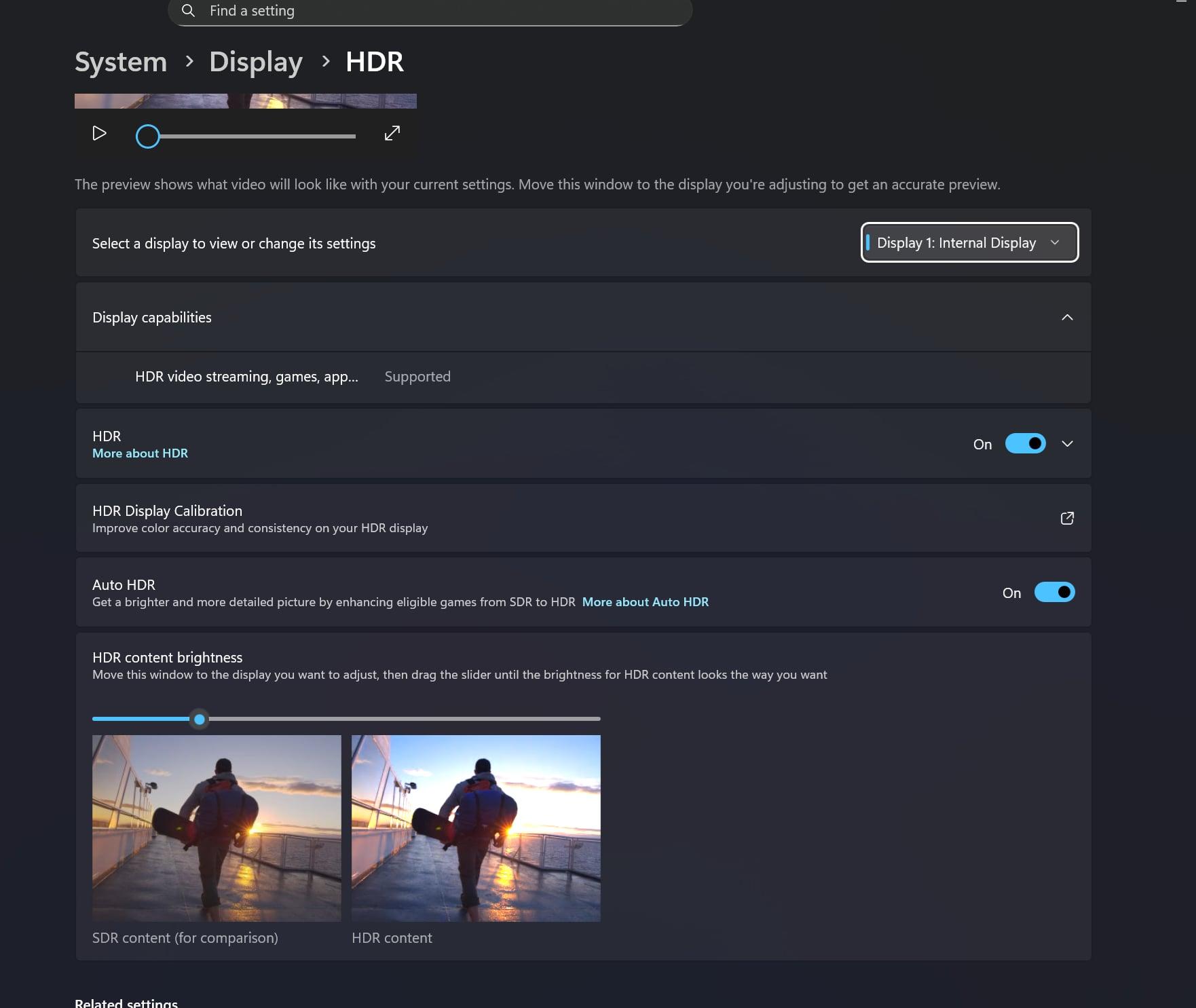
  1. After December update, HDR calibration is no longer working neither in Menu nor in game. Rectangles never matches with brightness, it's never the same "white". Funny fact, when set to 100%, human eye can easily see difference, but when taking screenshot, it is the same white. So instead of screenshot I am attaching picture.
  2. Seems like there is no HDR in game. It just simply uses Windows HDR. HDR RTX from Nvidia control panel doesn't make any difference whether it is turned on and off. Saturation/ contrast slider doesn't make any difference in game.
 

8 Comments

  • Pointi1978's avatar
    Pointi1978
    Seasoned Ace
    12 hours ago

    I have the same issue since release.

    No. It was fine at realease. Some patch, cant remember exactly which one, introduced this issue. The problem has persisted since then. Well its like the rest of the game I guess. Banger Beta and then rapidly but steady decline in quality patch after patch after patch. I had ONE (!!!) Problem with the game in the beta which was mouse input sometimes getting stuttery and game only running smooth at a locked 125 FPS (not 138, not 120). This has not been fixed yet too. But they added like hundreds of new problems. Thats why playerbase declined by 95% since release.

  • I have the same issue since release. I use an Alienware OLED. Looking forward to a fix. My best settings are: HDR-slider to 5, menu brightness to 65 and world brightness to 55. Auto HDR and RTX HDR are off. I also have calibrated my monitor with the windows hdr calibration tool. I also tried to deactivate the Nvidia app and the EA overlay. Nothing works.

  • BrekMarb's avatar
    BrekMarb
    New Vanguard
    22 days ago
    Pointi1978 wrote:

    Is there even ONE thing in the game they did NOT break with the latest update?

    Yeah...quote feature in forums works greaaaa...uh never mind.  You can't quote a whole sentence now.  I just had to copy 1 word you wrote and then typed in the rest.

  • UP Same problem here. I don' t have a OLED, it is a normal LG lcd.


  • Having the same issue on an OLED monitor. Both sides of the rectangle on the calibration screen never match no matter what position the slider is. 

    HDR does appear to be working for me because the HDR calibration slider does have an effect on the brightness when playing the game.  

    Super frustrating having to go in and out of the calibration screen while in a match to try and get the HDR calibrated. 

  • Having the same issue. played around with gamma and color settings in NVIDIA app to remedy a little bit but its pretty bad. they only just fixed it now its broken again. So hard to spot ppl again. and the light to dark areas and vise versa are **bleep** cant see again.

    Apparently its an OLED monitor issue but i cant seem to find much about the issue online, need a fix.

  • Is there even ONE thing in the game they did NOT break with the latest update?

  • just to clarify, HDR settings are "Working" - as you can see on the pic/screen I am able to play with the slider. The problem is the "white" on left never matches with the one on right 

Featured Places

Node avatar for Battlefield 6 Bug Reports

Battlefield 6 Bug Reports

Report bugs and see what the Battlefield 6 community is saying on this forum.Latest Activity: 11 minutes ago
9,242 Posts