Ideas
PANTYRAIDER27
27 days agoNew Spectator
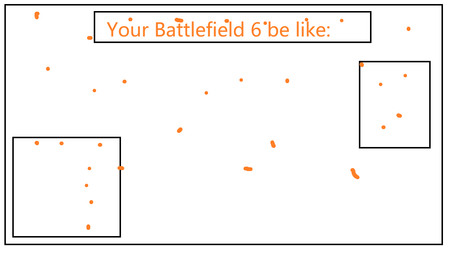
I figured it out! Here's what worked for me:

- Add the affected guns to your favorites
- Quit the game
- Boot the game back up
- Select a class (Assault, Engineer, Support, Recon. It doesn't matter what class you choose)
- Select the type of gun you want to swap (primary or secondary)
- From the 'Select Primary Weapon' or 'Select Secondary Weapon' screen go into your favorites
- Hover your cursor over the affected guns that are in your favorites. The dot should remove itself
- Remove affected guns from your favorites
- Play more Battlefield
Koala0nFire
19 days agoSeasoned Novice
While this does work for weapons, it unfortunately leaves no way of clearing orange dots from the Icon section of the Profile tab. For me, a permanent orange dots shows on the tab, but not on any of the icons.

- EA_Shepard19 days ago
Community Manager
Koala0nFire Hey, I am following up on the thread, and updating the feedback, so I wanted to confirm, you have tried the following, and probably more, and there is still no change?
- Check scopes/camos/charms/stickers
- Restart the game after a repair, and the profsave file deletion
- Use the favorite-weapon trick
- Test the EA app vs Steam if you can