Hi, every time I start the PS5 version of the game i can’t go through this part, it doesn’t give me any option or anything i can do, any fix?
Ideas
ID_settings

15 Comments
 RenatoHW1 year agoNew Spectator
PS5 version.
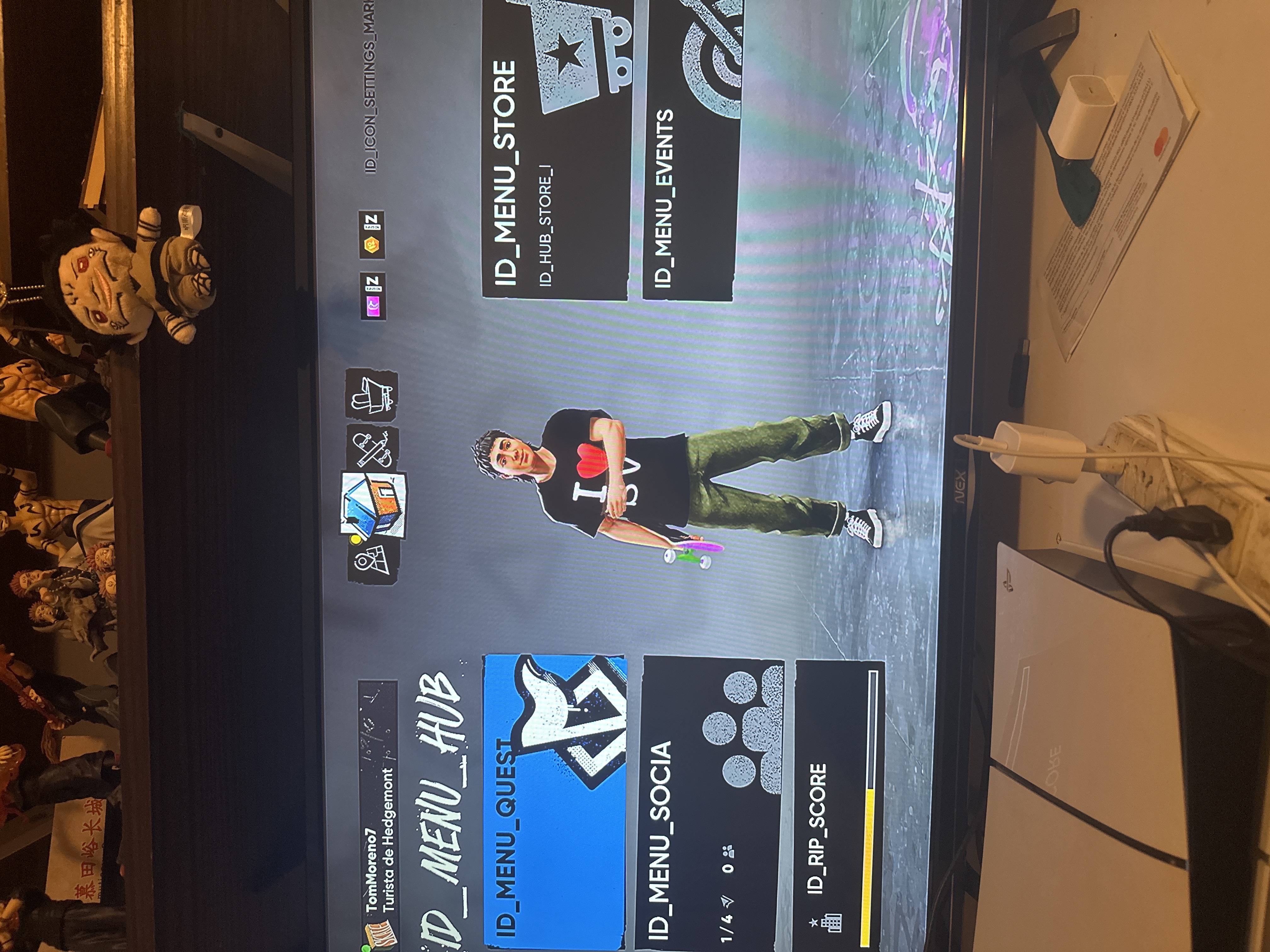
The text is corrupted or something, (id_(weird text )) appears everywhere, I can't even see the bucks I have.
The PS4 version doesnt have any trouble
 Chinnoopapu1 year agoNew Spectator
From the beginning when I start the game it says ID and the name of the item or menu option this doesn't let me see what are the challenges or the tricks fix this pleaseee!!!!
- TomMoreno71 year agoNew Spectator
i’m not able to play because whenever i open the game it stand in a “configuration” menu and can’t proceed. Tried reopening the game, rebooting my ps5, reinstalling the game and the issue persist
 rivvyd1231 year agoSeasoned Newcomer
seems like you have to hold X to move on from anything. I’m sure you did that
- Tranferedt4321 year agoNew Spectator
Everything in my menu is like id_ something and I was trying to change some stuff in the settings and it’s pretty confusing I hope this gets fixed soon.
- Sergalv971 year agoNew Spectator
I have the same issue
 EA_Kipling1 year ago
EA QV Team
Status added:InvestigatingThanks for reporting this! Could you provide a bit of extra info so we can investigate this issue?
Mainly:- Platform (thanks aguslas1 for confirming you're on PS5)
- System Language Setting (Windows or Console)
- In-game Language Setting
- TomMoreno71 year agoNew Spectator
thank you, but the issue with the HUD persist. I tried reinstalling again and restringir license but most of the texts are written as commands
- TomMoreno71 year agoNew Spectator
i downloaded the game and most of the texts are written in comanda, and some are invisible and i can’t read. I tried reinstalling and restoring the license but problems persists.
- pvskiiii1 year agoSeasoned Newcomer
Tengo exactamente el mismo problema, hay alguna solución?




Pin Reply
Unpin Reply
Pinned Reply
just now
yesterday
[XX] seconds ago
[XX] minutes ago
[XX] hours ago
[XX] days ago
[XX] second ago
[XX] minute ago
[XX] hour ago
[XX] day ago
[XX] month ago
[XX] months ago
[XX] year ago
[XX] years ago