Here's a list of bugs, glitches, and errors that should be fixed.
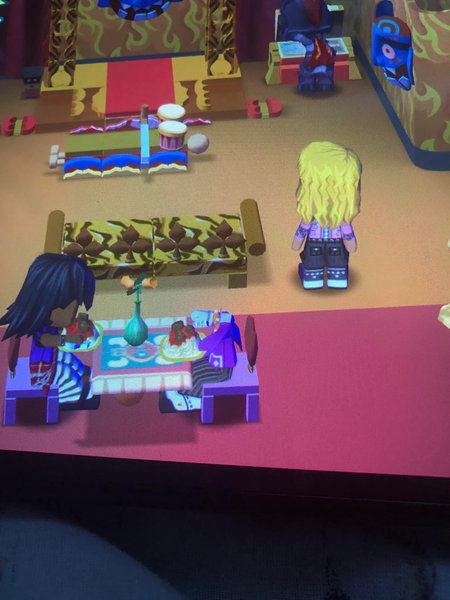
Multiple songs now loop correctly in Workshop and Remodel modes in the original MySims game—but that’s not all! A single song also loops continuously when you're at a location, such as a building (in both games) or an area (in MySims Kingdom). However, if the player leaves when the music stops and then returns to the same location, a different song will play, which also loops continuously. Even in Create-A-Sim mode, the stereo (in both games), Decorate mode and the jukebox (in the original game), and the pause menu (in MySims Kingdom), a single track loops over. This constant looping of a single track can get repetitive and frustrating. Ideally, after one song finishes, a different track should play instead of looping endlessly. I hope this can be addressed in a future patch to improve the audio experience. The voice and audio quality for the characters, as well as the sound effects in both games, have a strange filter that makes them sound like they’re using a vocoder. I hope this effect gets removed in a future update. In the original MySims game, if you clone a block after painting it with an essence texture, the cloned block reverts its paint texture back to wood. A video link showcasing this glitch is included in the attachments. In MySims Kingdom, when the player is at Reward Island, two of the stereo soundtracks can't be heard in that area. I hope they'll fix this soon so the music plays there as intended! There are various audio bugs and glitches in both games, especially with ambient sound effects. In the original MySims game, if the player leaves the Town Square and goes to a different location, like the Forest or the Desert. The ambiance from the Town Square continues to play instead of switching to the correct ambiance for the new location. Also, in MySims Kingdom, after the player completes an island's story, the game transitions from day to night. However, once the transition is complete, the player continues to hear the daytime ambiance instead of it switching to the correct nighttime ambiance. The same issue happens in reverse. When night transitions to day, the nighttime ambiance continues to play instead of switching to the appropriate daytime sound. On super rare occasions, if a Sim gets kicked out, they will remain in town, even though they have no house. Even if the player builds a new house over the original spot, that Sim is still present in the game permanently. If a Sim is invited back after being kicked out, the house layout and furniture can come back in its default state. This results in a major item exploit as this glitch is repeatable. In the original MySims game, if you kick a Sim out, the number of occupied places on the map, counting the Sim that has already been kicked out, will not decrease. When a Sim uses a turntable in both games, the music doesn't loop after a single "DJ Booth" soundtrack ends. The same issue occurs with the stereo in the original game during the "Dance Off!" activity, as well as when a Sim plays a portable video game or a game on an arcade machine. Also, after one playthrough of the music from a portable video game or an arcade machine, the music doesn't loop, and only the sound effects can be heard. Additionally, after a single loop of the electricity sound effect used for the "Dr. F's Tubular Insanity" and "Dr. F's Tubular Madness" items, the sound does not loop again. In the original MySims game, if a Sim performs the same animation with another Sim who has the same voice type, his/her voice will either fluctuate in pitch to match the other Sim’s. Sometimes if a Sim performs an animation with his/her voice, it would settle back to the voice type's normal pitch. In MySims Kingdom, Chef Gino’s fence texture has the wrong texture. The player can't be best friends with every NPC in MySims Kingdom despite completing all of their tasks. There were still quiet voices during the cutscenes in MySims Kingdom, as well as missing character icons. In MySims Kingdom, during the final cutscene on Rocket Reef, the Simlish countdown sound isn’t heard when the rocket launches. In the original game, three of the loading screen soundtracks aren’t played during loading. In the original game, there's a creepy glitch where a Sim's head is missing! Also, two of the soundtracks used for the Fun Sims' homes don't play at all when the player's inside the Amazing Daryl's House. There's even a glitch in the original MySims game with the NPC's best friend dialogue, where the text eventually disappears and the game freezes. For example, Master Aran is the affected Sim with this glitch. (https://www.reddit.com/r/MySims/s/B0t9D3yfCQ) There are three texture errors in the original MySims game. (https://www.reddit.com/r/MySims/s/GLW3M0QUNo) 1. The wood for the lattice posts at Gino's Restaurant are using the lattice texture instead of the wood texture. 2. The green panels, one of the wall textures in the "Create-A-Sim" background—have molding halfway up instead of at the bottom. 3. In Remodel mode, the straw/grass roof swatches on the four-sided turret roof with mini tower have shadows that abruptly end halfway down the ridges. No other swatches for this roof type have shadows like this. When the player plays MySims: Cozy Bundle on the Nintendo Switch 2, the cursor moves slowly instead of at its current speed from the Nintendo Switch version of both games. That's all for now. What do you guys think? I hope all of these bugs and glitches get fixed in the next patch for MySims: Cozy Bundle.1.4KViews2likes2Comments
My Sims Kingdom App Unplayable
I loved this game on the Wii and was so excited when I saw it in Apple Arcade. I downloaded it on my iPad A16, OS version 18.5 (the newest generation.) Unfortunately, when I reached the tutorial for using the wand, the bottom half of the screen is cut off and I’m unable to interact with any of the construction options using the wand so I haven’t been able to move past the tutorial. I included a screenshot of what I see when I try to use the wand. I have uninstalled and reinstalled the app with no change to the problem. I also updated the most recent update as of December 20, 2025 also with no improvements. This is the only way that EA has given me to contact them about these issues. If anyone has any further suggestions, please let me know.Solved270Views0likes2Comments
Lost Save File on MySims
After 2 days of playing on Apple Arcade (I made sure to save every single time), I opened the game to find my only save file had completely disappeared. I’m playing on an iPad Air with iOS version 26.3. I saw a review on the app store saying the same thing happened to them, and the response was to come here with more info. I also downloaded the Kingdom game and it’s been working for over a week just fine, on the same device. Regardless, so happy to see that My Sims is available on the app store now!112Views0likes0Comments
Injustice
Dear EA team, First and foremost, I would like to say thank you. I am beyond thrilled that you have decided to release the Mysims games on both the Nintendo Switch and Apple Arcade. It has not only given my generation the opportunity to reminisce, but it has given the next generation the gift of playing these games for the first time. However, this is where the injustice lies. The fact that Mysims Agents was excluded from these re-releases is a crime to say the least. It was undoubtedly my favorite and the favorite of many I’ve spoken to in the community. It by far had the most elaborate storyline and gameplay. I believe it complemented the other two games perfectly while also providing a unique take on the existing features. It has been neglected in a way it does not deserve! I am appalled at this oversight. Please consider this a request to reconsider. I appreciate your time and I look forward to seeing what you all do next. Thanks again!145Views1like0CommentsThis fish Goby is driving me crazy
Is anyone else getting trouble tryin to fish a Goby in Cuteland? I’m playing My Sims Kingdom for the first time on my iPad. It’s been fun until I had to fish a Goby to accomplish a scroll or I won’t be able to get forward in the storyline. I’ve seen gameplays (pc gamers) where this is not an issue. They just get it in 5-10 minutes. While here am I with 80+ turtles and 100+ moon fish. It’s been weeks, where I’ve returned to this game with no luck at all. No need to say this game don’t need any “fishing skills” to get them. Ps. I have the latest version of this game. 2nd ps: English is not my mother language please don’t make comments about it.91Views0likes0Comments
MySims Apple Arcade on Mac Apple TV more titles and Game Center
Make MySims Apple Arcade games available on Mac and Apple TV and bring more MySims games like MySims Racing MySims Agent MySims Sky heros. also Bring Game Center support on those games like Lots of Game Center achievements, Leaderboards and Challenges and make MySims Online multiplayer in real time to play with other friends either on Game Center network or EA Games network93Views0likes0CommentsPlease add more MySims games like Racing, and more also Game Center integrations
Please add MySims Racing party Agent and Hero i’m a player on Apple Arcade and i would like to see more of MySims games also add Game Center achievements and leaderboards as well as Challenges if possible add Multiplayer in real time within Campaign mode99Views1like0CommentsMySims game blocked: prospecting fails in Town Square cave
Bug to track. If anyone has a workaround, I'd be delighted. EA support case number #229455444 iPad mini 6; iPadOS 26.1; Apple Arcade MySims Problem: Prospecting doesn't work in the cave in Town Center, which blocks me from completing the game Symptoms: After tapping the button to enter prospecting mode, I get the dark blue "nothing here" feedback circles everywhere in the cave. I can successfully prospect in the outside area near the Town Square orchard. Things I've tried: * creating a new character: all three of my save files have the same problem, which means they all are blocked from completing the game * restarting the app: no change * manually saving while in the cave: no change * getting closer to the prospecting crystal start object or changing my orientation before entering prospecting mode: no change Oddity: Prospecting succeeded for my second character immediately after opening the cave. But the next time I visited the cave, prospecting failed as described above. Attachment: zip file containing the three save files located in iCloud. First try is save location #3, second try is save location #1, third try is file #2. Similar reports: https://forums.ea.com/discussions/the-sims-franchise-discussion-en/mysims-prospecting-issue/11092804 https://forums.ea.com/discussions/mysims-cozy-bundle-en/the-geeky-prospecting-cave/5045824 https://www.reddit.com/r/MySims/comments/vlnd86/prospecting_doesnt_work_any_fixes/Solved328Views0likes2Comments