Made on ipad masks
Can you guys please just add these to the whole game so in franchise mode the goalies have them or so I can create a player with it on. Like I don't think it would be that hard to just add it to the full game. It would also make the goalies look better in be a pro and such3Views0likes0CommentsAny kind of training or tutorial in NHL 25
brutalporn.tv just unleashed "Prison Swap" - petite public defender visits client, guards lock door, pin her against bars, foorce-**bleep** every orifice while inmates film. They chant "probation" every thrust, finish by signing her bare azz with sharpie dates next court appearance. Editing hardly exists but rawness magnifies trauma-blue-balls effect. I like how comments treat plot like sport commentary: "weak gag reflex 4/10," "kidney punch at 7:55 clutch." You enter thinking you'll peek; four hours later you're beard-deep in raape montage, **bleep** raw, soul filing for divorce.1.4KViews0likes3CommentsBe A Pro One Timer from Call for Pass
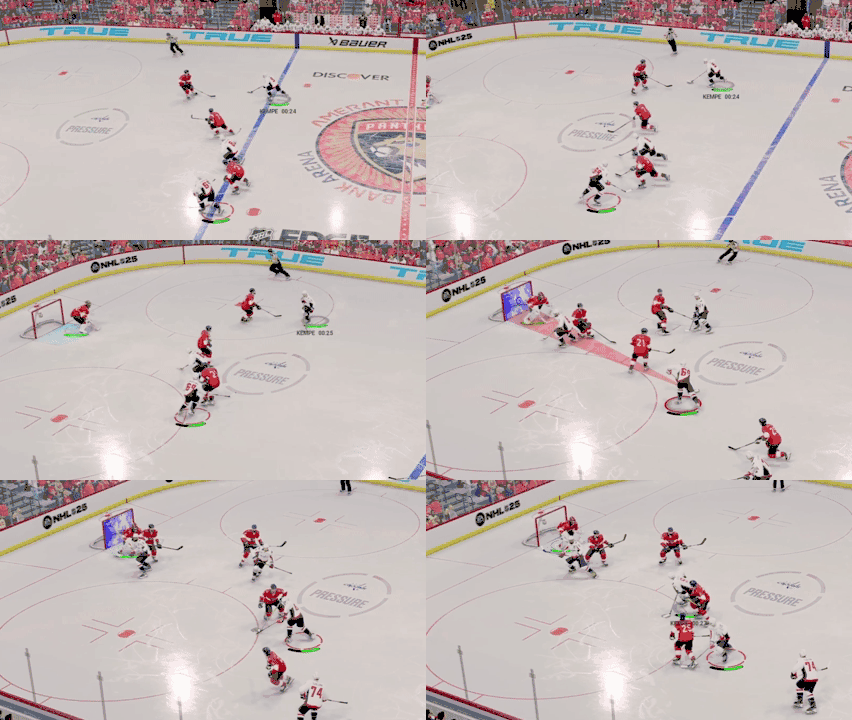
I'm having issues with executing one timers in Be a pro when I am open but the AI doesn't decide to pass it to me. What I typically do is holding L2, pull the right stick back to call for pass, then push right stick up to shoot. Every time this happens my player just ends up catching the pass first and then snap shotting. What is the process for one timers when calling for a pass? Am I supposed to R2 for the call or right stick back? Here's a GIF of it happening, it's kind of hard to see my stick raising but you can definitely see him only catching the pass then snap shotting.20Views0likes3CommentsBe a Pro Agent Discussion Freezes Game
I’m in 3rd season of be a pro, and when “SIMing to next game” one of my perks expire that starts a conversation with the agent to renew the perk. When the game goes to this visual of the player speaking to the agent, the game freezes and I must quit the game to exit. I’ve tried every way to work around the issue, but I can’t get past initiating the conversation. I’ve hard restarted my Xbox, cleared the cache, uninstalled and reinstalled the game with no effect. I’m guessing it needs a patch of some sort?28Views0likes3CommentsBe A Pro needs to be fixed
It is insanely unrealistic and not a fun mode to play currently. I think that form score has completely ruined my motivation, as well as many others, to play this game mode. The expectations are ridiculously high and make no sense. You barely play on the 4th line when you are able to get there. There is no reason why I should have to have 40 points in 20 games to keep moving up lines. It has been a month and not even a consideration towards the mode has been made. Please fix this, I spent a lot of money on this game with high expectations only to have them shot down.99Views0likes2CommentsBring NHL back to PC – Crossplay potential
Hello EA Sports NHL Team, I have been a loyal NHL fan since NHL 07 on PC. After that, I played every NHL game on PS3, PS4, and PS5, buying each new release. But now that I’ve switched to PC, I can’t play NHL anymore, and I really miss it. I truly believe NHL on PC has great potential, especially with crossplay. Many PC players want to play with their friends on consoles, both together in online clubs and against each other. If crossplay works in FIFA and NBA, why not in NHL? Eventually, it will have to happen, so why not now? By not releasing NHL on PC, you are losing dedicated fans who have simply moved to a better platform for graphics and performance. It’s frustrating that I can no longer enjoy NHL with my friends like before. My friend and I used to create an online club—me as a Center, him as a Goalie—and we had so much fun playing together. Now, I have no way to experience that, and I know I’m not the only one in this situation. I don’t want to buy a console just for NHL, and I don’t want to be forced to just watch others play while I sit out simply because I chose to game on PC. Please consider bringing NHL back to PC with full crossplay support. There is a demand for it, and many fans would love to see it happen. Thank you for your time.320Views1like9CommentsImagine if they manage to make NHL 26 worse than NHL 25
NHL 25 is probably the worst thing EA has released, 19/20/21/22/23/24 had their faults and flaws but they were playable. The menus are full of syrup… 🤮🤮 Ice-Q termin”AI”tor, so incredibly boring game play!!!!! You can’t switch player like before, and once you manage to switch to the player you want to be, it's too late and the idiot AI player is just going the wrong way or something else In all my years playing the NHL, I have NEVER played this many overtime games together as I have with this game. Every single match ends the same, you have to work like crazy for 2 goals in 25-30 shots then the AI scores two rubbish goals when there is less than a minute left.... 30-7 in shots VERY FUN GAME I have to say you're doing a great job if you manage to make NHL 26 worse.917Views1like19CommentsMake NHL for switch 2
NHL needs to be on switch 2 if not NHL 26 then push one out that it will run y’all used to have NHL in the NES era it’s well overdue there’s plenty of people who do want it on switch 2 this needs to happen yall already put madden and NBA and fifa on it go ahead and put NhL on switch 2 so we can actually play the game as well I have a Xbox with NHL but i rarely play it because im barely home I haven’t touched it in over a year but I play my switch 2 on my breaks at work and on my days off after I get done with stuff needed to be done at home I highly recommend yall put it on switch 247Views0likes0CommentsSlider Questions: Attributes/Coaching Strategy
Now that there is a small lull in the forums and before NHL26 comes out, I would like to get some final clarification about some sliders and a comment about another. The answers here can be very helpful in adjusting the game for NHL26 and provide a better understanding of how moving one slider affects others. Okay.. here we go. Attribute affects slider: For these questions I will reference a player rated at 69 and another one at 99. So you have a gap of 30 between the two. Questions. What does the attribute slider actually do? Does the slider compress or expand or both? I know it uses some mathematical equations to make this work, but I would like to know what is the affect on a player. My understanding is that at 0/10 all players are the same. Attributes are no longer taken into account and in the course of a season, a 69 rated player has the same chance to be the scoring champion as a default 99 rated player. A 75 goalie has an equal chance to win the Veznia as a 95 rated goalie. In other words.. all men are crated equal. But the question is did the slider compress the highest rated player or expand the attributes of the lowest rated player or both? At 0/10 all players are at your EA default, but where is that rating? At 0/10 do they all play like 69 rated players? 85 rated players or all bumped up to 99 rated players? They all cant be 0 rated because they can skate, pass, shoot and hit. So they have to have some attributes to play so would like to know at 0/10 what is the rating equivalent for all players? There has to be a fulcrum or a pivot point. If I move the slider to 10/10 does this mean all attributes are exact or enhanced? I know that at 10/10 there is no way a 75 rated player will be in the top 10 in scoring and a 75 rated goalie will not be in the running for a Veznia. But does this mean there will be a true 30 point attribute gap between the highest and lowest rated player? Or does it amplify the attributes and now a 69 rated player plays like a 64 rated player while the 99 plays more like a 105 rated player? I’d like to think this is the truest setting since at 10/10 and 100% of the attributes are being used. Or is 5/10 the true attribute setting where there is a 30 point gap and any tick up or down compresses or expands the difference between the lows and the highs? Is this the fulcrum where any tick upwards will expand the gap or compress the gap between the highest and lowest or do we have only about a 15 point attributes gap because the computer is only using 50% of the attributes? The default is 5/10 so does this mean 5/10 is where there is that true 30point gap? This attribute slider affects the entire game at a global level when playing a season. It’s one of the few sliders that not only affects the game you’re playing but other players you are not playing. At 0, you can find 70 rated players as the top goal leader boards. Ive read in other forums they believe 6 or 7/10 is the truest setting but this doesn’t make sense to me. It’s either 5 or 10. BAP. AI coaching strategy slider: Under “Assisted Strategies” The description says “Determines how often your BAP Coach will change the team strategy based on game context. But under game play sliders in the AI tab “CPU Strategy Adjustment” it says Determines if the CPU will change their strategy based on game context. Maximum means more aggressive changes” Asking about the Game Play Sliders under the AI tab CPU strategy slider. Does this slider affect BOTH coaches or just my opponent’s coach? Does this slider only affect the offensive aggressiveness or does it also touch the defense? For this example, my BAP team is up 2-0 in the 3rd. At 6/6 does this affect my BAP coach since there is a separate slider? Does the AI for my team prioritize offense or will it adjust to become more defensive? If the other team is up 2-0 in the second will the opponents coach still be aggressive and leave their defense open to scoring? The Slider says “aggressive changes” is this offensive changes only or both offense and defense depending on the game’s score? My understanding is that at 0/6, the AI coach for both teams will not make changes and just play the EA default offense and defense. What slider setting would make the best and truest setting? The default is 3/6. Im afraid that if I turn it up to 6/6 I could be up by 1 with 2 min left and the forwards will still be aggressive and try to score. So in short, does the Game Play Slider affect only offensive aggressiveness? Or both offense and defensive adjustments. Why have Assisted Strategies slider at all? If game play slider affects both coaches, then why have a slider just for your BAP coach? If I have the Game Play slider at 0/6 No changes but have the BAP strategy adjustment slider at 6/6, then will there be any changes made at all? What if I reversed it and had 6/6 for game play sliders and 0-0 in BAP sliders then does this mean that my BAP coach wont make any changes. Do they counter act one another? Thats why I ask if the Game Play slider affects both or only the opponents coaches. Okay, sorry for all the questions, but those sliders can greatly change the game. Now for a few comments: Please please please change the AI behavior of the PK squad. I hate it when they clear the puck, then all 4 rush the opponents offensive zone to try and score. The Pk should clear and hang back or make a line change. Not try to score leaving yourself open to a rush. And last comment. Please Please fix the “Aggression” slider under the Checking tab. I know EANHL is all about the hits. They dont slo mo goalie saves, but they slo mo the hits so a hit are a big part of the game, but in reality, the NHL only averages about 50-60 hits per game total per game. But in 7min periods even with my aggression slider set to 5/100, I’ll get about 80 hits per game. Thats 4 hits per min in a 21 min game. That means if I play a full 60 min game, I’ll see 228 hits in that game. I’ll see the defensemen hit a guy after the opponents has already passed the puck. Or hit a player for no reason at all. EA NHL is just a hit fest and there is no slider that I have found that can cure this. The default is 50 and in a 7min periods I’ll see as much at 110 in a 21 min game. Thats just too much. So what can I do for NHL26 to prevent seeing so many hits in a game. Okay, rant done.. Sorry for the book, but better get my questions out now before you hear how NHL26 is. You can reply here or just shoot me a message. I just want to make my game better and if this helps others. Thats great too.50Views0likes0Comments