Game crashes for multiple drivers during multiplayer races
Multiple drivers have game crashes at the start and during any online race, noticeably when there is 22 drivers and 1 commentator in the lobby. Even without Formation Lap, as soon as the race starts you get around 2-3 drivers games crash, then during the race will periodically have around 2-3 other drivers games crash too.Game crashing during online lobbies
In my league, several drivers on both PC and console have experienced their games crashing, mainly when moving between sessions, such as from qualifying to the race. At first, we thought the formation lap might be causing the issue because drivers often crashed as it began. However, it has also happened when the formation lap is disabled and the race starts immediately. We do not really understand what is causing it. It has happened with different people hosting the lobby, so it does not appear to be related to one host or their connection. Has anyone else experienced these issues?F1 25 mid-session crash in Career Mode after recent update (7th September)
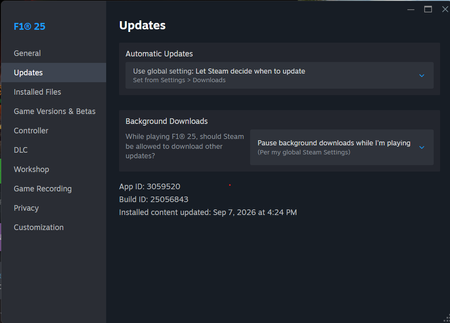
Greetings, I have been facing this issue today where I try to load back into my saved career and the game completely crashes and quits to desktop without any error. Everything else is working - new career, time trial, grand prix, etc. But just when I try to resume my career - it crashes without fail on the loading screen. Tried restarting, removing mid-session game files, validating file integrity from Steam, everything. No solution. Game was perfectly fine last night. Issue has been observed only today, after the most recent update.
F1 25 does not launch — EA Javelin Event ID 1000 / 0xC0000005 / Windows 11 25H2
Hello, I cannot launch F1 25 on PC through Steam / EA Play. The game does not reach the main menu. Launch flow: Steam starts the game → EA App opens → EA Javelin AntiCheat starts → F1 25 closes/crashes. Event Viewer shows: EA Javelin Anticheat Event ID: 1000 f1_25.exe exited unexpectedly Code: 0xC0000005 System: Windows 11 Pro 25H2 Build: 26200.8737 GPU: NVIDIA RTX 4060 Ti NVIDIA driver: 32.0.16.1062 Steam AppID: 3059520 Secure Boot: Enabled TPM 2.0: Present and Ready Already tried: - EA App reinstall - Steam Verify Integrity - EA AntiCheat / EA Javelin repair - Secure Boot / TPM check - NVIDIA Overlay / FrameView disabled - FACEIT Anti-Cheat fully removed - Checked other anti-cheat services/drivers - VC++ Redistributables checked - Recent Windows updates removed and tested - Memory Integrity / HVCI disabled and tested - Shader cache / F1 25 user folder reset - Multiple reboots and clean launch attempts Nothing helped. I also contacted EA Help multiple times. The chats were repeatedly disconnected by timeout, and I was asked basic scripted questions despite already providing diagnostics, DxDiag, and Event Viewer details. This does not look like a normal installation issue. It looks like an EA Javelin AntiCheat compatibility/crash issue on Windows 11 25H2 / build 26200. Please escalate this to the EA Javelin / F1 25 technical team. If anyone has the same issue or found a working fix, please reply here.
I’m having a problem connecting to F1 25 online services on PS5.
When I load F1 World (to race on multiplayer for the 26 DLC ) , I repeatedly get the message: “The game was interrupted while downloading F1 World data, therefore you have been disconnected from online services. Please reconnect to try again.” I also get Online Services Error: 4181107941:S. When I join an online lobby, I can stay connected for a few minutes, but then I get disconnected while the other players remain in the lobby. I have already tried: Restarting F1 25 and my PS5 Restarting my router Restoring PS5 licenses Turning crossplay off Checking the PS5 internet/PSN connection Completely deleting and reinstalling F1 25 My internet connection appears to be working normally because other online games such as Fortnite, college football 26 etc. remain connected for long periods, and other streaming services work normally. The problem is still happening after the reinstall, what can i do or be expected to be able to get back to racing peopleEA F1 2025: 26 dlc
As I was loading into f1 25 it gave me an error message saying that my game was corrupted and once I loaded in I had lost basically everything my saved livery designs, my team career from 25, my driver career for 26, lost all my configured settings for my controller and camera settings it was completely wiped
F1 25 crashing on launch - "Unexpected shutdown occurred" (Error 0xFFFFFFF)
Title: F1 25 crashing on launch - "Unexpected shutdown occurred" (Error 0xFFFFFFF) Hello everyone, I'm experiencing a persistent crashing issue with F1 25 and could really use some help. Every time I try to launch the game on my PC, it immediately crashes with an "unexpected shutdown occurred" message and displays the error code 0xFFFFFFF. I've already tried all the standard troubleshooting steps on my end—including verifying game files, updating drivers, reinstalling]—but nothing seems to bypass this error. Has anyone else encountered this specific hex code on startup, or does anyone have a known fix? Any help would be greatly appreciated!
F1 25 Steam Trial - 0xFFFFFFFF AntiCheat Crash Loop
Game: F1 25 Steam Free Weekend Trial linked to EA Account EA Error Report ID: 949a3380-79b0-4891-b0b6-859bc202a66d Error: 0xFFFFFFFF unexpected shutdown handshake crash on launch Details: FC 26 launches and plays without issues on this exact machine, confirming the AntiCheat service works. The failure is isolated to F1 25. Steps already tried: - Reinstalled/repaired EA AntiCheat - Installed Visual C++ 2015-2022 runtimes x64 and x86 - Set Windows Graphics to High Performance - Added Windows Defender folder exclusions for EA AC and F1 25 - Tested dedicated GPU dGPU mode - Imported digital certificates to Trusted Root Please pull the crash stack using the Error Report ID above.
Game crashes on start up
The game does not go beyond the main menu. Crashes to desktop without giving a error code. This problem started yesterday and before that it launched and played normally. 66 Hours played so far. I have tried the following remediations so far: Updated GPU drivers Updated Windows Verified game files using the steam tool Checked the SSD for errors Reinstalled the game once Tried to start the game with no USB's connected to my laptop Tried to boot up the game as a admin Tried to boot up the game with WIFI off SFC /scannow to check windows for corrupt files None of the above resulted in the game opening Playing on a dell g15 5530 Intel I5 13450HX RTX 3050 6Gb 8GB DDR5 4800Mhz