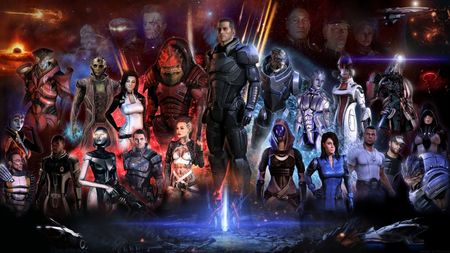
[PC] Mass Effect Unauthorized DLC Error
Commander, you've received a new message at your private terminal! Ready to jump back in the game and save the galaxy? Are you running into an error that matches the following: "Unable to authorize the listed DLC"? Below are the steps to help resolve this error when launching both Mass Effect 2 and Mass Effect 3. Checking your account First things first. Make sure you are logged into the correct account. With older titles, we may often end up with multiple EA accounts without realizing it. Use the following steps to verify you are in the correct account. Head on over to EA.com and log in with your EA credentials. Under the About Me section, make sure you see a Mass Effect ID. If you play on Epic/Steam/Switch, check the Connections tab at the bottom of the page to verify the accounts are linked. Click on Order History, change the drop-down to match All, and scroll through the content, as there should be logs here with each DLC name. Note: If the EA account previously had an EA Play subscription, once the subscription ends, you will lose access to any additional content the subscription provides. You can read more about what content is included in the Learn about EA Play article. Once you verify you are in the correct account, perform the following steps below as these should help reinstall the DLC content and resolve these errors. Troubleshooting Steps Locate the following folder on their PC Default Path: C:\Program Files\EA Games. This path may vary depending on where the player installs the game. C:\Program Files\EA Games\Mass Effect 2\BioGame C:\Program Files\EA Games\Mass Effect 3\BIOGame Delete ALL DLC content within the DLC folder Delete EA License Files Make sure the EA app is closed. Press the Windows key and "R" at the same time. Type or copy and paste "%ProgramData%\Electronic Arts\EA Services" (without the quotes) into the new Window > ENTER. Enable View Hidden Files and Folders Delete all files in the "License" folder. If the above steps do not resolve the issue, you will need to contact one of our advisors to review the account and the content currently linked to the account you log into the game with. Players can contact our live support team on our Help Site. To request a chat or open a case through email. Thanks!1.9KViews15likes0Comments
Mass Effect Legendary Edition (Epic Games)for GeForce NOW
Hi EA Team, I am a huge fan of the Mass Effect series. I recently bought the Legendary Edition on the Epic Games Store so I could finally experience the first two games after loving Mass Effect 3 on my old Xbox 360. :( However, I found out that while the Steam and EA App versions of the game are available on GeForce NOW, the Epic Games version is not. Since I don't have a powerful PC with enough storage, cloud gaming is my only way to play. :( Please consider opting-in the Epic Games Store version of the Legendary Edition for GeForce NOW so fans like me can enjoy the trilogy. :( Thank you!107Views0likes2CommentsME:LE 3 won't launch
Hi! I've tried just about everything so as a last resort i'm gonna ask help from here. Two things of note: i'm playing on pc and my game is on an external hard drive. Been playing for a long time, and haven't had many issues before. About a week ago my ME:LE just deleted itself from Steam, saying it wasn't installed anymore. Installed it again and went to play as normal, but the game wouldn't launch. The launcher itself works fine, but when i try to load the last save, it lags and crashes at the loading screen, taking me back to the launcher. I'm currently playing ME3, and it seems like the problem is with that game specifically, because i tried starting new ME1 and 2 saves and there were no problems with either of them. What i have tried so far: deleted the game and installed it again (multiple times) updates my graphics cards moved it to my computers internal drive tried launching it straight from the .exe file verified the game files (multiple times) cleared EA app's cache Tried basically everything that came up when googling this problem. If there is anyone who could help with this i'd be very grateful.477Views0likes18Comments
ME2/Andromeda - Cabin/Club Music - Digital Release Possibility?
Hello! As a big fan of electronica and sound design aesthetics featured in the ME games, I was (and still remain) surprised that these beautiful tunes, which were written & produced specifically for the ME games - have never been released in any form of a soundtrack (except partially and for the limited vinyl-only Andromeda release). I'm mainly concerned about Comaduster ("Uncertainly Entwined", "Proxaema", "Penta Quanta", "To Hide To Seek"), but there are more of them, the tracklists can be found on some wiki sites like here: > Andromeda - music terminal on the Tempest | Mass Effect 2 - club music Some of these tracks are uploaded on YouTube by fans like here, for example. But it's a shame there's still no way to listen to these gems anywhere officially. So I wonder if there's any way to change that? A compilation like Cyberpunk 2077 radio music would be a fantastic release and, I'm pretty sure, treated warmly by a lot of ME fans!mass effect mission repetition
hello so i have this problem in mass effect 2 where i go to save the archangel and he gets shot by a plane. after defeating the plane the mission ends and the game just exits to its mass effect legendary edition again and again due to which im kinda stuck on this mission
Mass Effect 2 begins to launch but then just shuts down
Good evening, I have tried to open my ME2 but cannot get the game to continue. once i "press any key to continue" it just shuts done and gave me the following message in the EA App, "an error on our end caused the lauch to fail. try again a little later". i have clear cache, repaired, uninstalled and re installed, try to open it in steam. nothing works please advise.463Views0likes14Comments
Mass effect legendary on Xbox One won’t install
I cannot install the second and third games. Nothing I’ve tried works. The first play disk only downloads if I turn off the WiFi on my console. Then once I get that installed, through the launcher, I select download on both ME2 & 3. ME2 makes it to 81 percent before prompting me to insert the second disk. Which I do, and nothing happens. It stays at 81%. Then I turn the WiFi back on and it says the disk is dirty or that I need an EA play account to load the game. Or that I need a massive update (which never actually installs either). Did I just waste my money? Why is EA like this? All I want to do is play the game that I purchased… I can’t contact Xbox because all they have is an AI bot that’s useless and I can’t contact EA. I’ve tried everything on Reddit and all the forums I’ve seen. Ive installed and uninstalled the first game and launcher 4 times now. I have like 4 hours of messing with this and still can’t play the game.
Mass Effect 2 import does not work again
Note: this is the original Mass Effect 2, not the Legendary Edition version. So I move the Char file, into all the possible places to ensure that the game can see it. Yet, every time I go into the game, it still says it cannot see it and therefore I cannot import it. Bioware really needs to have a simple description on how to do this manually, instead of having to jump through a ton of hoops just to import a save.