Ea App crashing and freezing on startup.
Spending an hour or more repairing, cleaning cache, uninstalling and all the other troubleshooting. Never had problems playing an eapp game through steam. fore some reason this crap app started this towards the end of bf2024. Every now and again it will pop up sorry something happen and pop a window to report but freeze so you cant.18Views0likes0Comments
Another AntiCheat Issue - PC
System; ASUS ROG Zephyrus G16 GA605WV / Ryzen AI 9 HX 370 / RTX 4060 - Windows 11 I remember this being an issue previously for me when the laptop was new in March '25 - and I raised EA and ASUS support tickets at the time - but resolved without any help from either. The issus now being the issue has come back following a clean Windowns install - and I can't for the life of me remember what I did to fix it. Any help much appreciated (EA have asked me to post here to see if anyone else has a fix for me......) Installed EA App successfully, no issues. Trying to install WRC game, gets 99% installed then BSOD. On restart game "looks" to have installed, but desktop icon has no image (should be an image of a rally car). Shows a generic no image thumb. Note - No detail on BSOD when it crashes on installing the game. After the PC restarts following the install BSOD, on attempting to launch the game from the APP, I constantly get immediate BOSD with the following; Stop Code: UNEXPECTED_KERNEL_MODE_TRAP (0x7F) What failed: eaanticheat.sys I've attempted to uninstall EA Javelin anticheat but the repair tool doesn't find the game folder location. I've uninstalled the game and reinstalled it twice, the same BSOD on install happens again. I've repaired game files numerous times, no change. I've run SFC Scan, no issue. I've updated the EA App numerus times, no change. Please help!37Views0likes0Comments
My EA app doesn’t work!
Hi guys, can you help me with my problem? For two weeks I try to start FC26 from steam, but after window with “Preparation of the game” it disappears. I tried to start my EA app, i see window for 2 seconds and it disappears( Maybe someone fixed this problem? Help me pls! I have already tried to reinstall the game, reinstall EA app, reinstall win, clear cache, use app recovery and etc
EA App randomly closes while playing BF6
My EA App crashes randomly while playing BF6. Sometimes i play for hours and it's ok. Sometimes crashes after one match or two. Closes BF6 AND EA app. Almost everytime no messages of any error at all. I receive only 2 times a message of an issue with "The app crash unexpectedly, we ran into a problem, but a quick restart should fix it." I check marked to send the crash report. I already checked all drivers and bios that are updated. Cleaned the cache from EA app and logging in with the user and password anytime. Nothing solve the problem. Another issue that i noticed are, when i am in a party at BF6, when any friend are the Party leader, they cannot select any mode. They shows with a Lock and can't start any match. But, if i am the leader at a party, i can select any mode to play. This issue only started to happens today. C'mon EA, you need to solve those issues.34Views0likes0Comments
Not receiving pre order or deluxe edition DLC
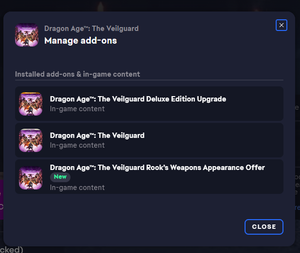
I pre ordered the deluxe edition of Dragon Age the Veilgaurd and have still not received my DLC. It just does not show up in the game. This has been happening since the release of the game in November last year. Does anyone have any idea how this can be fixed? It shows here but does not show up in the game at all. I've completed the game and still nothing.32Views0likes2Comments
EA APP won't open error code EC: 10500
Hello I was playing BF6 like I have been since release and my pc shut down because of a power outage in my house. Everything is working well and the internet is back as well. Now I cannot open the EA app anymore for whatever reason.. it says connection error 10500 and I can only log out or quit the app. If I try to log back in, the same thing keeps happening. I don't understand how my pc shutting down could have caused this. Anyone has a similar issue ? Thanks2.8KViews40likes107CommentsEa app crashing
Hi, this issue has been happening for like 2 months now I haven't been able to play any of the games I've paid for on the EA app. Whenever I open the app it literally just closes on its own before I can do anything, I've tried uninstalling, reinstalling, updating my pc, updating drivers EVERYTHING. I don't know what to do please help.23Views0likes0Comments