Forum Discussion

Re: error code 14-1632

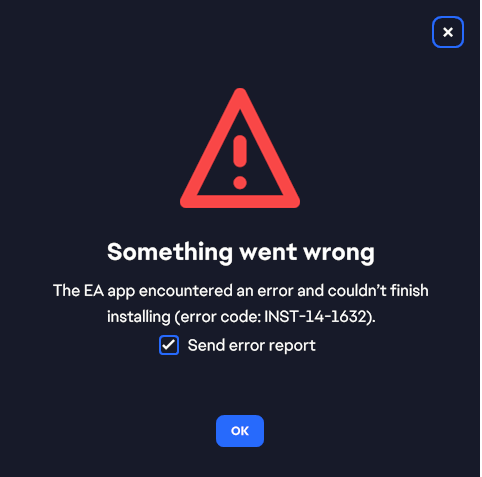
I recently got a new computer, I was trying to install the EA App so I can play Sims on it, however every time I try to install the app is says 'Error Code INST-14-1632'. I tried deleting my temp stuff, but it still won't install. I would really like to play my game, please help!


5 Replies

Replies have been turned off for this discussion
  • alexisnicole165's avatar
    alexisnicole165
    Seasoned Novice
    1 year ago

    verify that folder c:\windows\installer exists or not
    and if doesn't exist, create it. this fixed it!

  • alexisnicole165's avatar
    alexisnicole165
    Seasoned Novice
    1 year ago

    I can't remember if I already replied to your comment and I'm not seeing but I figured out a solution (I hope, for everyone)! Confirm that the c:/windows/installer folder exists. Go to your files. Go to "this pc", windows (c🙂, and look for a folder called "installer". If it doesn't exist - create it! 

  • neverloneleigh's avatar
    neverloneleigh
    1 year ago
    @miranellwolf I am experiencing the same issue. I just got my new NZXT PC and it is not allowing me to install the EA App so that I can play Sims. I keep getting the same error code, event after going through all of the troubleshooting steps. I don't know what else to do! Did you find a fix? Creating the installer folder did not work for me.

Featured Places

Node avatar for EA app Technical Issues & Bugs

EA app Technical Issues & Bugs

Having issues with the EA app? Join us to report bugs, and find help with downloads, DLCs, purchases, and login errors.Latest Activity: 11 hours ago
8,526 Posts