
1 year ago
Battlefield 2042 Crash Drx Error
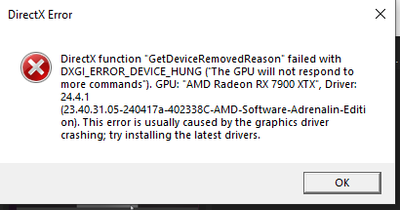
Since the new update the game crashes at random times no specific map or action. After every crash i validate the file via steam and there are 3 files missing after each crash. Sometimes the game Cra...

Thanks for posting the DXDIAG report straight away. It helps.
Disable your on-board graphics in BIOS.

That didnt fixe it ;:C Any other Idea :c PLS
Please post a new DXDIAG report.
No need to be sorry. Most people wouldn't think of that.
While I'm not sure what you have installed on drive G and drive H, you generally need to have at least 10% free space on all drives. It can cause all kinds of weird behavior, including crashes. So, you may want to free up some space on those drives.
If you look in the Diagnostics section of the DXDIAG report, you will see multiple applications having issues. Getting those addressed may lead to your resolution.



