Forum Discussion

13 Replies
 EA_Leeuw3 years ago
Community Manager
@Steelleey, awesome, glad to read that it has worked for you! If the situation changes, feel free to update the thread!
Happy gaming! :D l_Grand_Vizir_l3 years agoNew Veteran
Yesterday the bug was random.
Today i tried before testing the clean bot and i was able to play.
I'm not sure it would help on my PC but if the bug comes back i'll give a try.
Thanks for your help.
- EA_Leeuw3 years ago@l_Grand_Vizir_l, alright, feel free to update the thread when the situation changes 🙂
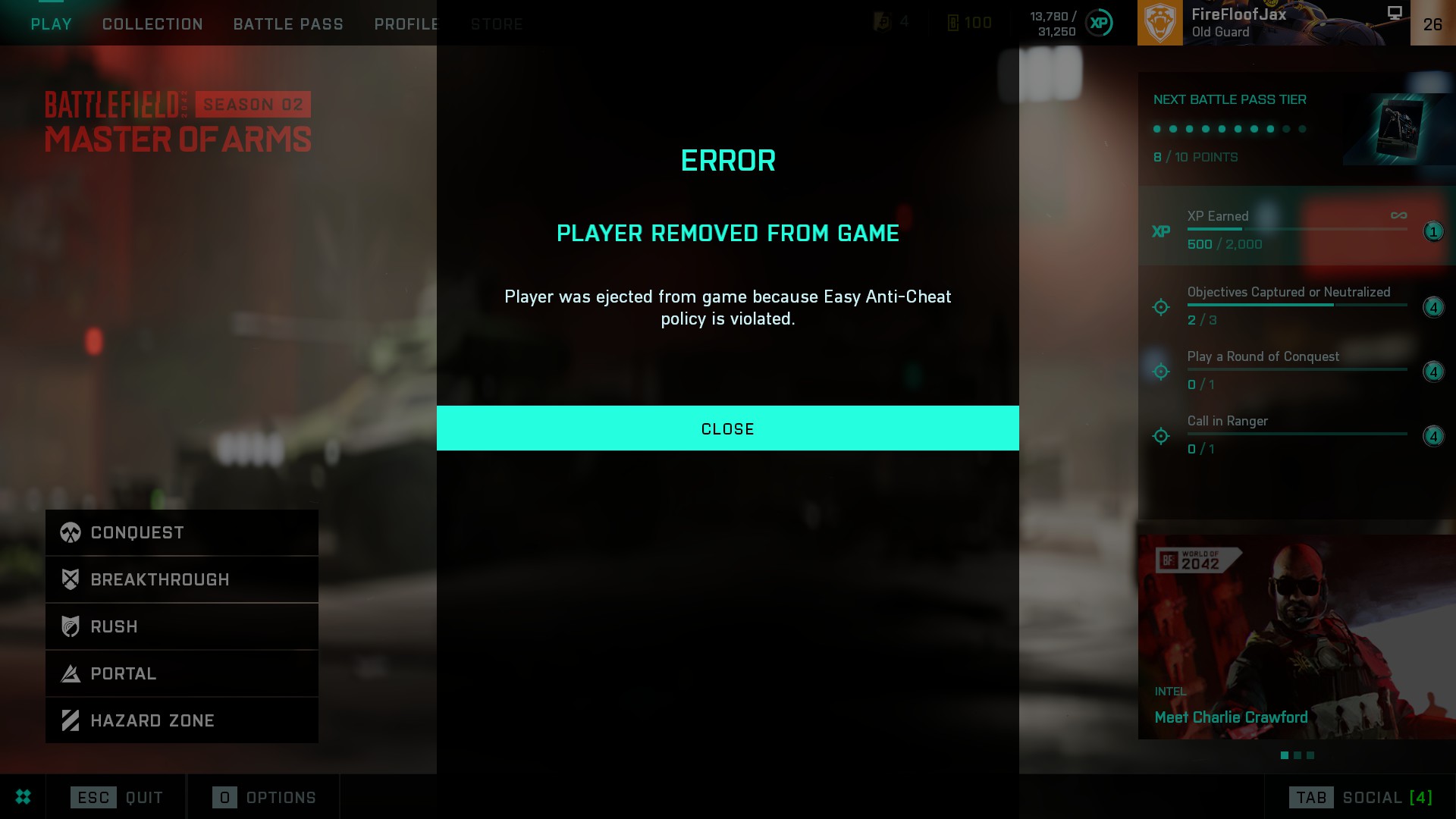
Im having the error where the game is kicking me for cheating, mid match, while im just playing with friends. Solo games even, but i'm not cheating! It never happened before the 2.0 update.
Pic is a screenshot from the game. I never cheated and never will. This is infuriating.
- EA_Leeuw3 years ago
Hey @11buddy24bk,
Have you tried to repair the game/verify game files? I mentioned this a few posts back. - l_Grand_Vizir_l3 years agoNew Veteran
Update and (maybe) solution for the ones who still have this bug.
I had the problem for few days. Being able to play 8 out of 9 games without problem, but sometimes got kicked by EasyAC.
I tried to scan my PC, repair the game on Origin, Clean boot... Nothing helped.
Then i saw in a other thread a player complaining about this bug since months... explaining he has to re instal the game after each patch to solve the bug...
I did a clean uninstall of the game and re instal it.
Not a single problem since 10 days.
- EA_Leeuw3 years ago@l_Grand_Vizir_l, good to hear that you're no longer experiencing this issue. 🙂
- @EA_Leeuw Same problem Anti-Cheat wont open game now Did Repair but still nothing.
- EA_Leeuw3 years ago
 Rokebo733 years agoSeasoned Ace@11buddy24bk could you please make a new topic with dxdiag in
- Rokebo733 years agoSeasoned Ace@GhostDog1953 please make a new topic with dxdiag in it
- EA_Leeuw3 years agoHey @Rokebo73,
Is it not necessary to ask other players to create a new topic, if they're experiencing the exact same issue. If they create a new topic, it will be merged with an existig topic about the same issue either way, if there is one. Thanks. - Rokebo733 years agoSeasoned Ace
Press the Windows key + 'E' to open File Explorer.
Press Alt key, select Tools > Folder Options > View, then check Show hidden files, folders, and drives.
Navigate to the following location C:\\Program Files(x86)\EasyAntiCheat\ and delete the files:
Delete this file C:\\Program Files(x86)\EasyAntiCheat\EasyAntiCheat.sys
Delete this file C:\\Program Files(x86)\EasyAntiCheat\EasyAntiCheat.exeIf origin/steam or bf2042 are installed at a other location then navigate to that location !
ORIGIN
Navigate to C:\Program Files (x86)\Origin Games\Battlefield 2042\EasyAntiCheat and right click the EasyAntiCheat_Setup.exe and
select to RUN AS ADMINISTRATOR. In EasyAntiCheat app select repair !STEAM
Navigate to C:\Program Files (x86)\Steam\Steamapps\common\Battlefield 2042\EasyAntiCheat and right click the EasyAntiCheat_Setup.exe and select to RUN AS ADMINISTRATOR. In EasyAntiCheat app select repair !
Close file explorer , reboot pc ! Now start Origin or Steam as an ADMINSTRATOR and test game !see: https://www.easy.ac/en-us/support/game/guides/antivirus/


Featured Places