help since the new update for bf6
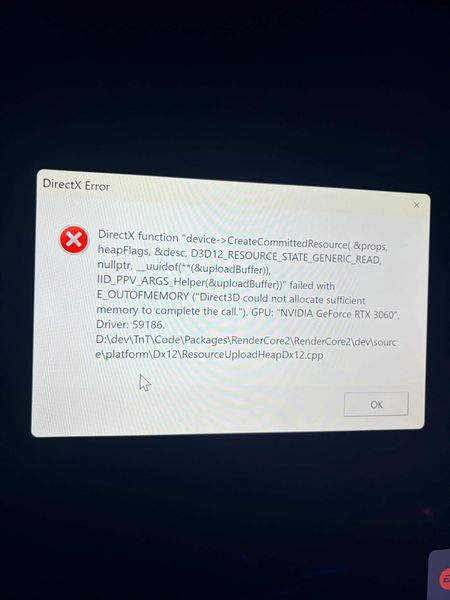

afternoon well a buddy of mine checked for my the graphics card isnt whats causing my issue its actually the ram i have a 32 ram but dont use a monitor so when i loaded it up yesterday it was below 3% and jumped up to about 91% before crashing clearly needing more but dont know how i can change the graphics or whatever so the ram doesnt need a nearly all my 32gb cause nvidia app wont let me optimise and cant change it in settings either

 Community Manager
Try going to the Nvidia control panel > Manage 3D Settings. Set Power management mode to Prefer maximum performance. Also, set Texture filtering quality to High quality. Let's see if that helps.
nope still didnt work got up to 92% and gave me the same error code
Community ManagerYou said you're not using a monitor. What are you using instead?
Can you get me the latest DxDiag?


