Forum Discussion

2 Replies
@Privilege-Ah Sir, let me explain this to you in more detail.
When you right click on the Battlefield 1 folder, you will see many options, select Properties from the menu.
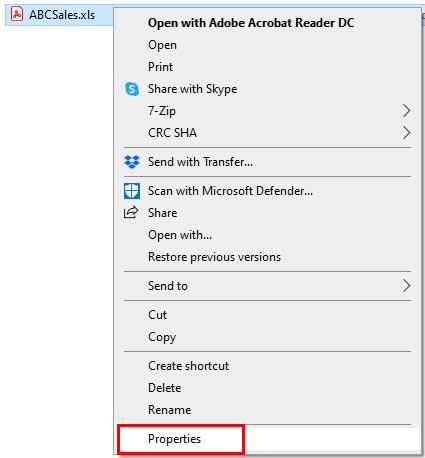
Now a small window shows up. Look at the bottom of the window and you will see the Read-only option, make sure it's not checked and it looks like as in the image below.
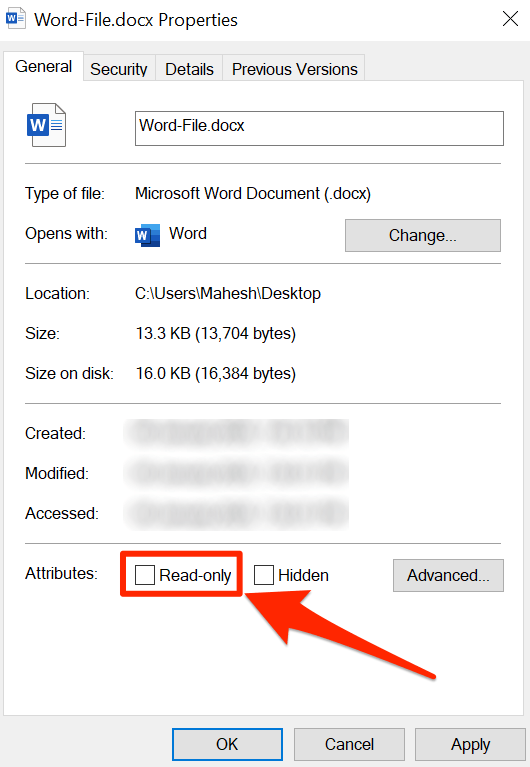
Now click Apply and then OK.
_____________________________________________________________________________________
If a post solves your problem, please accept it as solution. This may help others who will face the same problem in the future. - @gksvr1 After removal,Automatic recovery,Automatically restore,Cannot cancel


Featured Places



