Forum Discussion

2 Replies
Hello @BergoveczD
- Try to disable the Windows Defender Controlled Access device or authorize Battlefield V.
How to do it on Windows 10:
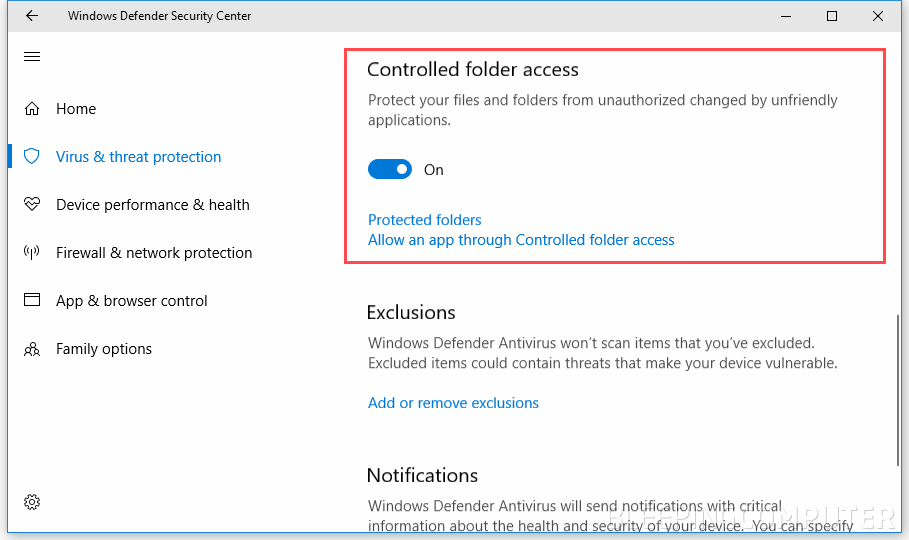
Here are two other solutions:
- Go to the following folder My documents - Battlefield V - Settings and rename the PROFSAVE_tmp folder to PROFSAVE .
Second solution:
- Create a new administrator account without special characters, similarly your Windows user name must not contain special characters
- Start the game from this new account.
_________________________________________________________________________________
If your problem has been solved, click on ✔️ Accept as solution ✔️
If response was useful to you, click on ➕XP
⚠️ I don't work for EA ⚠️Hi, the rename helped me. Thanks!


Featured Places




