@EA_Shepard I did not tag you in my previous comment, so I'm doing it now in case you might have missed my reply:
Where can we find location of all the log files you need?
Should we send you exports of the Windows (system) logs from the Event Viewer?
Please note that for some users driver roll back to previous version of NVIDIA driver worked but for some it didn't (myself included). Please also note that this is not a sustainable solution, and we need a permanent one.
However, I believe you can already find the relevant information from this thread on Steam -
https://steamcommunity.com/app/1693980/discussions/0/3770110614228478057/And this one:
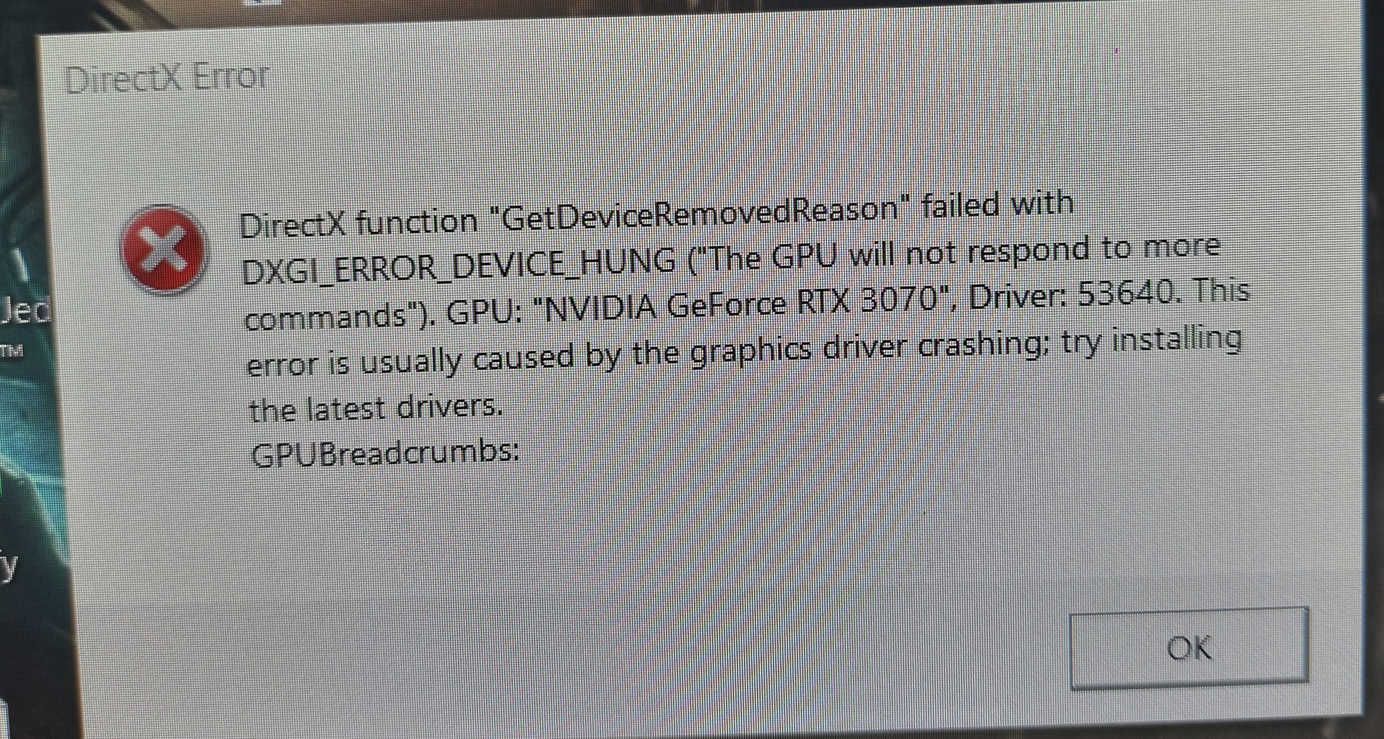
https://steamcommunity.com/app/1693980/discussions/0/3807278817582674145/It's the same error message we all get. This is a reply from another user:
"DirectX crash
So everytime I start playing the game I have like 2 minutes to play, but then my game just suddenly crashes and a DirectX Crash report comes out:
DirectX function "RenderCore2DebugHandlers.setProcessBreadcrumbsCompleteNotify" failed with DXGI_ERROR_DEVICE_HUNG ("The GPU will not respond to more commands"). GPU: "NVIDIA GeForce RTX 3060 Ti", Driver: 53623. Hang detected by RenderCore2 breadcrumb handler and broadcast to Rc1 handler. This error is usually caused by the graphics driber crashing; try installing the latest drivers, GPUBreadcrumbs:
My GPU driver is the newest for now, and I dont have any windows updates. If anyone can help me fix this please respond."
The only thing that changes is the name of the GPU in the error message. (4090 in my case, but it happens on plethora of GPUs from what I can tell)
Please clarify your request further.
Many thanks.