Forum Discussion


6 years ago
didnt know you had to relaunch manually as well to fix it... after doing that i was now able to upload and use my save tyvm

6 years ago
This thread is now marked "solved" and that has me scratching my head in confusion. There does seem to be a successful, documented workaround for PC users (see post #105, which is also the 2nd post in the thread now) and one that seems to work for most PS users. However, XBox One users appear to be out of luck. I can't upload my custom world state for love nor money, and I've been trying it all. Ergo, sounds to me like the topic problem isn't fully solved, and the thread hasn't accurately earned its "Solved" status.
The Partial Solution Post (#105, also 2nd post in thread) does say:
It looks like it works for different platforms, but not the Xbox. If you have an XBox, try looking for the platform settings, maybe there are some platform-specific sync options that prevent you from getting your world state. If you find one, please let us know!
That reads as pretty vague to me. I've been through every Network and System option I can to try and discover some form of "platform sync settings" I should be experimenting with. If someone can clearly explain to me what that means, I'll be really happy to try it. Less than a week ago, I uploaded my world state without having to bat an eyelash. Has any XBox One user managed to find some combination of workaround/platform sync settings for world-state uploading?
I'm thrilled PC and PS users can upload their world states. Really! But, until a sufficiently successful solution has been demonstrated among the XBox user group as well, please do not mark this thread as solved.
 6 years ago
I am having the same issue, let me walk you trough what happens.
When I start the game I login to the dragon age servers, there is no indication that it failed.I then go to create my new character but when I finished picking race and class and I get to choose world state, I only get the default one.
I've tried to disable the auto login in the settings menu and login myself, still the same issue.
I've uploaded a new world state 5+ times and still, the same issue.
I truly have no idea how to fix this, I am connected to the servers, it is telling me that much, there is no indication I am not but still it wont load my own world state. 6 years ago
Glad I'm not the only one this is happening to today. I've never had an issue with it before, but now all of a sudden.
 6 years ago
I can't load my world state either. Same exact issues. I think it's something on their end. I've logged in and out of both Origin and the Tapestry multiple times, re-uploaded my state a dozen or so times, and disabled Origin's in-game thing, and nothing works. I just keep getting the default world state as the only option.
- 6 years ago
Same problem here as well. Tried even deleting old saves, cache, etc. The imported state just won't load in during character creation. I can't fathom how they thought going with such a weird synching process would be a good idea instead of a simple downloadable file. What's even more ridicuous is that I was able to synch everything a few times already a few years back, just now it won't work for some reason.
- 6 years ago
I loaded a world state a couple of days ago. But now 2 people in our house can't today. Doesn't even try.
Today (this morning for me, this afternoon for the other person) we both got "your credentials have expired." We needed to change our password and log back in.
Could they have moved all their resources over to Anthem? With the mumblings I hear about that game, what's the chance anyone will notice this?
 6 years ago
I am also having the issue of no world state being loaded from the DA Keep.
I have confirmed that the world state has been completed, locked and loaded to DAI. I have confirmed that I am logged into the server in the game itself. I have also confirmed I am using the same account on both the game and the keep.
Despite all this, when I attempt to create a new character the game will not even attempt to load from the DA Keep. It just gives me default world state.
No idea if it is related but today I had to reset my password because the EA site login for the DA Keep said that my credentials had expired.
- 6 years ago
I have been having the same issue for a while now, i have done every possible trouble shooting etc process, everything seems okay at keep but the custom world state won't show uo in game no matter what.
 6 years ago
I also have this issue, same as everyone above. Tried everything from a hard-install from their website to a complete reinstall of the entire drive.
 6 years ago
Same problem here. I've been trying basically everything, even contacted an EA advisor but he couldn't get me anywhere either. I suppose we just have to wait and hope they don't forget about us
EDIT: Unchecking all the options in OPTIONS>ACCOUNT worked for me
- 6 years ago
Contacted EA support 3 times, first one recommended a hard re-install, second one wanted me to do pretty much the same but more longwinded, third one had issues understanding my issue.
- 6 years ago
Post #105 suggestion worked on ps4 as far as importing a custom ws is concerned, but it didn't help with the issues with the golden nug, so it's a temporary solution at best.
- 6 years ago
I couldnt load custom world too today, finally did it by going to OPTIONS- ACCOUNT- unmarked all 3 boxes, restarted the game and logged in by clicking left bottom corner, and suddenly i could start new game with my custom world from the keep . Maybe it will work for someone else too...
- 6 years ago
Worked for me!!
@Lazy_Lady_eL wrote:I couldnt load custom world too today, finally did it by going to OPTION- ACCOUNT- unmarked all 3 boxes, restarted the game and logged in by clicking left bottom corner, and suddenly i could start new game with my custom world from the keep . Maybe it will work for someone else too...
- 6 years agoBrilliant, it works for me too! Thanks!
 6 years ago
I can also confirm that this works.
Thanks a lot Lazy_Lady_eL. Your're the best!
- 6 years ago
Looks like this "solved" thread still doesn't include solutions for XBox users at all, nor reliably for all PC and PS folks. My dictionaries suggest "solved" has a less nuanced meaning than "it works for some."
Suggestions:
1. Remove the "solved" designation. I don't know, but to me this seems a no-brainer, and/or ...
2. Move the stuff that really constitutes a solution for some platforms to its own thread and call that one solved, and/or ...
3. If the decision-makers really consider the entirety of this thread solved, then we need to open a thread for [XBox Users] Dragon Age Keep Imports & Golden Nug Not Working. As far as I can tell, no solution for the Keep import problem has yet been identified for XBox users. So, there's no point in XBox users wasting time reading through 18+ pages looking for applicable solutions in this solved thread.
(Keep in mind, the import problem is not a server-on-or-off issue ... even when the servers are happily running, most of us still can't import custom worlds. EA knows the problem is on their end. The response I got may constitute throw-a-dog-a-bone, but they say they are working on it. I hope they truly are.)
 6 years ago
thanks it work's for me
- 6 years ago
It's strange that this would fix the issue, but thanks! @Lazy_Lady_eL !!!
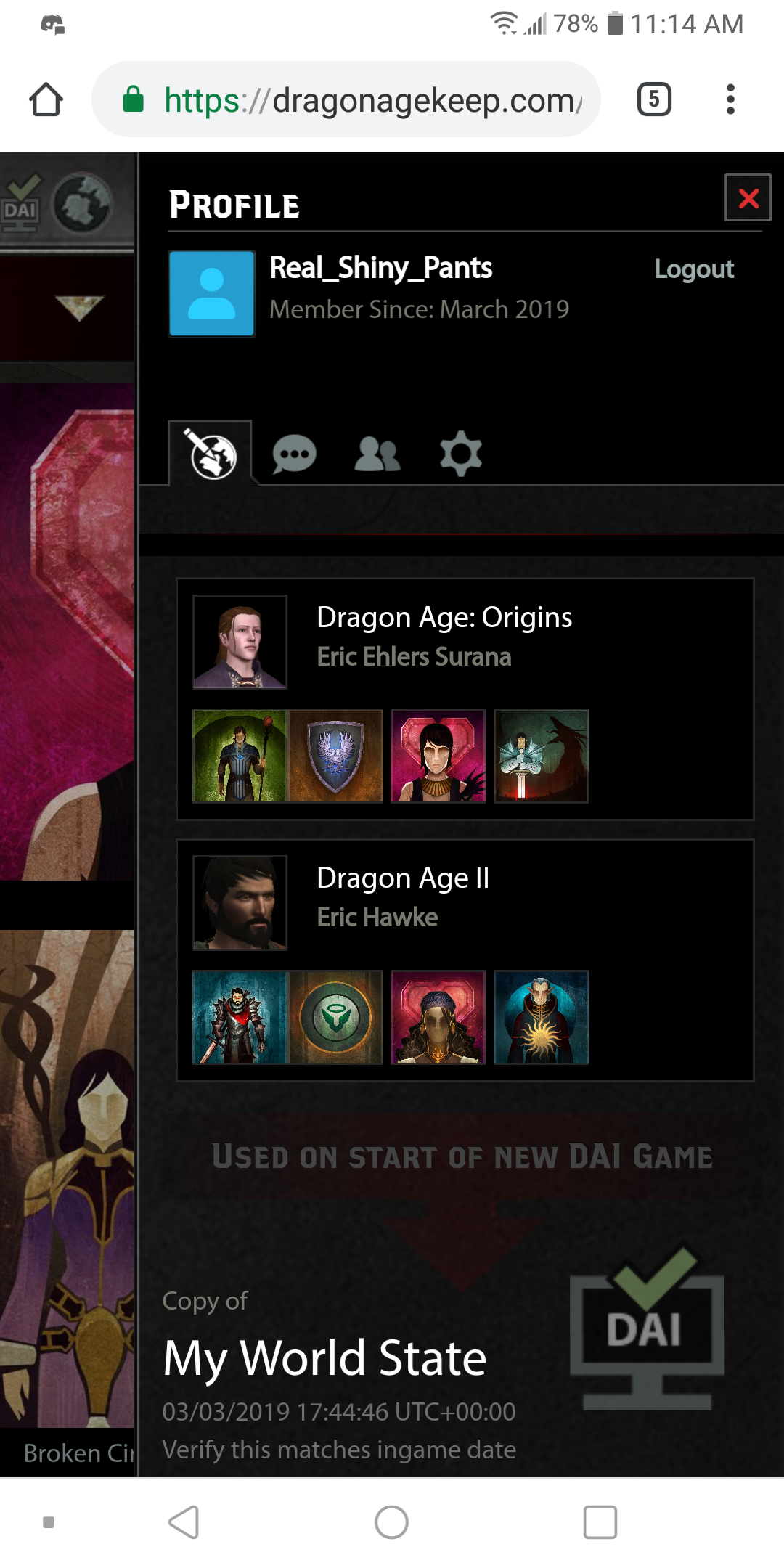
- 6 years agoDragon age keep won't show my world state when I start new game on DAI. I finished the dragon keep, told it to import. Go to start a new game and in it shows default world state only. Even though I selected all the choices for DAO&DA2 and clicked import and it has the check mark.Looked all over the internet for a solution, only found hundreds of others with the same problem and no solution. Checked the forum, same thing. Tried live chat support, they couldn't help, they had me restart my PS4 in safe mode, then reconfigure option 5, tried deleting the game off the PS4 and reinstalling it, tried everything else they said and that I could think of and nothing.Ps I'd: Mr_ShinyPants555Pc EA I'd: Real_Shiny_PantsDragon age keep world state import has been having problems since day 1, it's 2019 and it's still having the same issues and crap, seriously need to fix it already. I know there are other forum threads about this problem but none has the answers on how to fix the garbage. I owned DAO and DA2 on Xbox 360 but not PS4 so I had to select all the choices I had made in both.
- 6 years ago
God bless you @Lazy_Lady_eL , worked for me.
EA shame on you, can't fix obvious bugs for 5 years since the game releaseUPD
Seems like it still doesn't work properly. Now with @Lazy_Lady_eL method I am able to choose "import custom world state" option while starting a new game, but it fails to import: it says that there is no custom world state.
Does someone else have this issue?
- 6 years agoPlease listen to #178 on this. We need to address that the solution is found for SOME, not all, therefore there isn't a global solution yet for this problem.
This is a serious problem, as it generally affects gameplay and story arc.
Let's hope they truly are working on a solution, otherwise, people will just be sitting on the edge of their seats forever, ending up dissatisfied. - 6 years ago
This worked for me. Weird that switching off all online services fixes the online connection to the DA Keep.
Thanks @Lazy_Lady_eL.
Meanwile, EA has reset my password on me again. Somewhat annoying.
- 6 years ago
Having the same issue on XB1 with the golden nug not syncing. Also the Keep doesn't even recognize my XB1 hero just the one I created on PS4 tho it did at least partially find my XB1 achievements. Only the endgame achievements I earned last week weren't recognized I had to manually unlock them in the keep. I tried all the fixes listed and still can't get my nug to sync my collectables. No bueno EA.
- 6 years ago
I’m having the same problem! Just spent two years replaying both games. And now I can’t play through my desire story line.
- PierceTheSim6 years agoSeasoned Newcomer
THIS WORKED! thank you!!!!
Featured Places