Forum Discussion


J_SILVS00
2 years agoNot applicable
Platform: PS5
PSN ID/Xbox GT: SILVZ82
Region: Central, in Louisiana
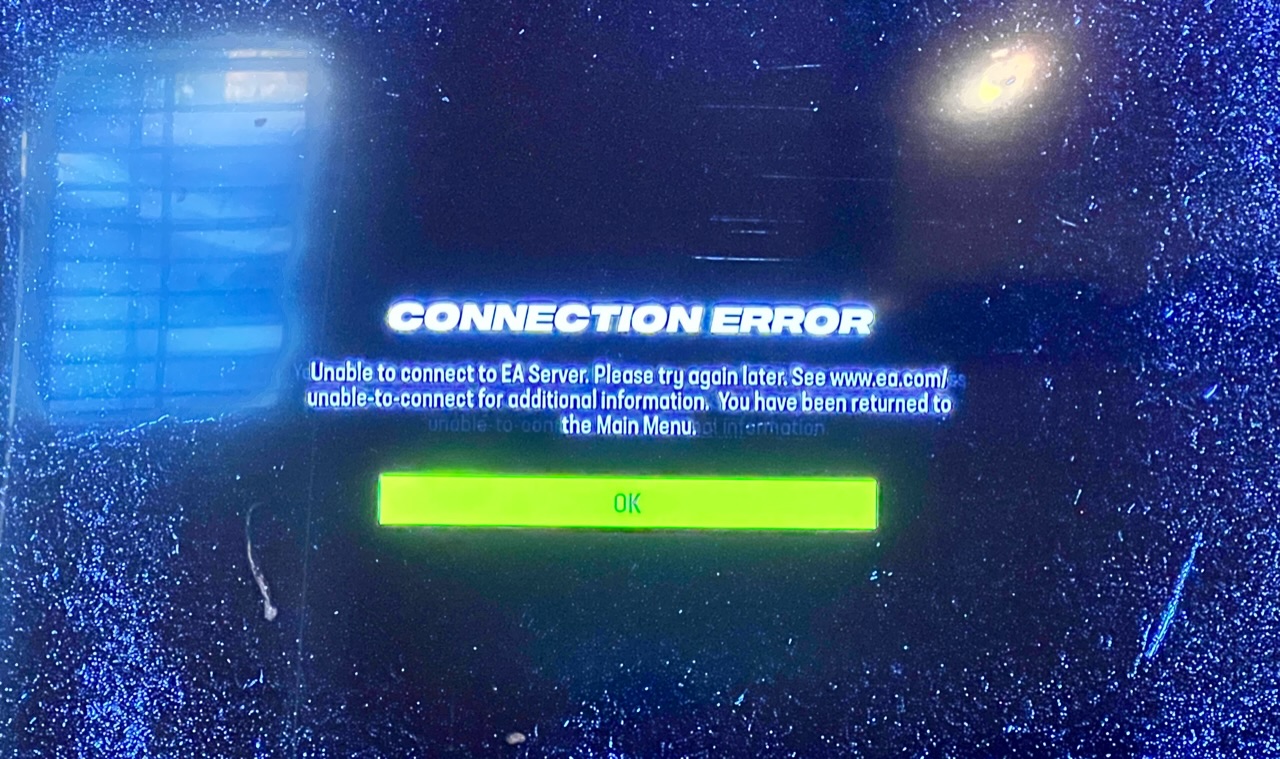
Are you getting an error message? Connection error, unable to connect to EA servers. Please try again later…you are being returned to the main menu.
Which game modes does this happen in? Online franchise
Date this issue started (is it still happening?)? 18 August 2023
Is anything else happening? When simulating a week OR upgrading staff talents in Online Franchise, I receive an EA server error and returned to the main menu. My internet connection is fiber and hard wired. The game is the issue.
Please share any steps you've tried to far to resolve the issue: all the steps on the EA help page…nothing is helpful or useful

Curtislw6
2 years agoNot applicable
Platform: PC
PSN ID/Xbox GT:
Region: SE USA (Carolinas)
Are you getting an error message? Yes: "Connection Error". Unable to connect to EA servers. Please try again later. See www.ea.com/unable-to-connect for additional information. You have been returned to the main menu.
Which game modes does this happen in? Online franchise.
Date this issue started (is it still happening?)? Friday evening, 18 August 2023, and still persists.
Is anything else happening? When simulating a week, upgrading staff talents, hiring/firing coaches in an Online Franchise, I receive the unable to connect to EA servers message and get returned to the main menu. As with others, my internet connection is fiber, hard wired and blazing fast/reliable and verified up and running. YOUR game and servers are the issue!
Please share any steps you've tried to far to resolve the issue: Everything possible. Nothing solves the issue.
EA please advise. Heck even acknowledge that, as usual, your broke game/servers are experiencing issues and your currently working on it. PLEASE FIX
 EA_Illium2 years ago
EA Staff (Retired)
Hey Everyone,
would it be possible to try the following steps depending on your platform?
PlayStation:
- Clear the systems cache (Close the game completely > Turn off the console > Wait 30-60 seconds > Restart and Relaunch)
- Verify you signed into your PSN account
- Check for updates
- Restore Licence
- Try the steps in our Connection and Advance Connection Guides
- Open your PS5 NAT Type
- Change DNS settings (You can use the public google DNS primary: 8.8.8.8, secondary: 8.8.4.4, unless there is a different DNS you would rather use)
- Entering Safe Mode and Rebuild your PS database
PC:
- Repair/Verify your game based on which client you are launching from
- EA App - Repair (My Collection > Tile Dots > Repair)
- EGS - Repair (Library > Tile dots > Manage > Verify)
- Steam - Verify in your library
- EA App's Cache (Top Left Menu > Help > App Recovery)
- Connection and Advance Connection Guides
- Check for other applications that may be limiting EA App or Game performance
- Run the System File Checker tool then Check for Windows and GPU updates
- Check Drivers, Default to High-Performance GPU: Troubleshooting Graphics issues
- Restart your device in Clean Boot mode, then just try running the client and game
- Curtislw62 years agoNot applicable
@EA Illum
Although I already assumed this generic guidance would not work I decided to have some integrity and do it all anyways before responding. As a PC user I have done everything asked (yet again) to no avail and NO FIX. THIS IS AN EA SERVER SIDE ISSUE, NOT OURS. How do I know this? I pre-ordered and had been playing PRIOR to EA'S Friday morning half-baked launch day "patch". Of course I had to fix the EA anti-cheat issue first and make graphical adjustments to get it to run smoothly, not lag and stutter but before this "patch" that BROKE ONLINE FRANCHISES, the game work/played just fine. EA broke this with that patch. It is their issue. Either revert that freaking patch, actually get someone in to troubleshoot this unplayable game or 100% refund all of us that have been unable to play online franchise since Friday. PLEASE. TYVM.
 Mow-Less-Ted2 years agoNot applicable
I'm experiencing the same thing. Every time I try to advance a week or upgrade staff I get disconnected from the server. I've tried everything suggested on the threads and tried everything I could find on youtube to no avail. I've come to conclusion this is an EA issue.
- J_SILVS002 years agoNot applicable
PlayStation:
- Clear the systems cache (Close the game completely > Turn off the console > Wait 30-60 seconds > Restart and Relaunch) ✅
- Verify you signed into your PSN accounts ✅
- Check for updates ✅
- Restore Licence✅
- Try the steps in our Connection and Advance Connection Guides ✅
- Open your PS5 NAT Type
- Change DNS settings (You can use the public google DNS primary: 8.8.8.8, secondary: 8.8.4.4, unless there is a different DNS you would rather use) ✅
- Entering Safe Mode and Rebuild your PS database✅
I tried all of the above steps, again and in order,but I am still getting the error. As stated before in this thread by multiple users, this is not a console, PC, or bandwidth issue. This is an EA issue that needs to be fixed on your end.
Featured Places