2 years ago
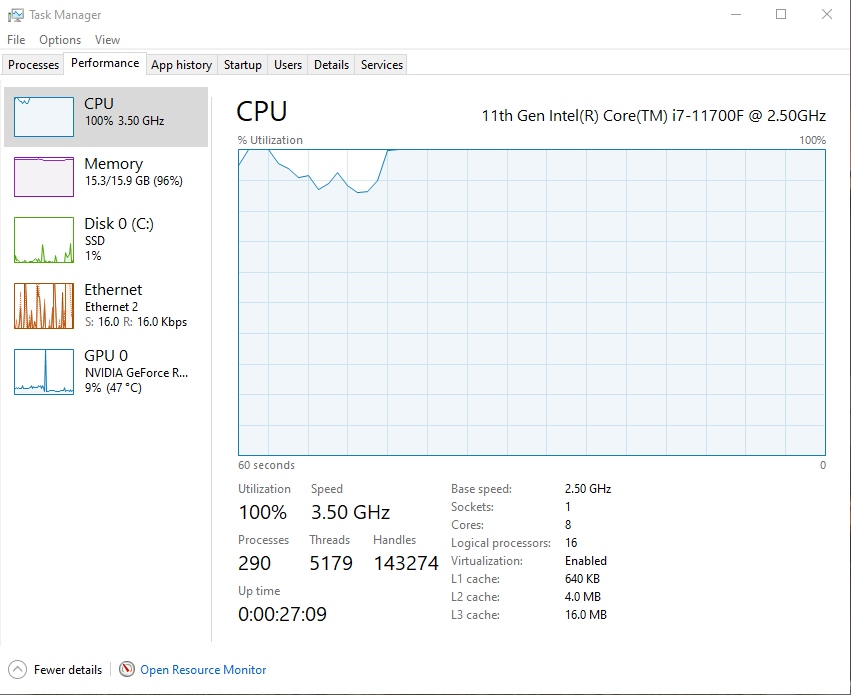
PC specs are better than recommended but I still get 100% CPU usage
I have a 3060 GPU that is being used less than 20% yet an Intel i7-11700F (11th Gen) being used at 100% when I am playing Madden 25 (sits at 90%+ even when I'm tabbed out).
I have heard I am not the only one running into this problem, but I cannot even use discord while playing the game.
I have already tried verifying the integrity of the files, looking for troubleshooting solutions (tried any that applied) and even lowering my graphics settings to help relieve some of the pressure. Nothing works.
How to I dedicate some of the CPU usage to my GPU (which is what it's for) so I can enjoy the game without frying my processor? Please help EA.
Hey @TLevy3
When you have a moment can we give the following steps a try?
- Run the System File Checker tool, then Check for Windows and GPU updates
- Repair the game files in the EA app. Go to the Library and find your game. Click the Manage icon, then click Repair.
- Clear EA App's Cache (Top Left Menu > Help > App Recovery)
- Troubleshoot your connection to EA games
- Check if any background applications are stopping the EA app or your game.