[Resolved] - Mass Effect 1 (2007) will not download on EA app
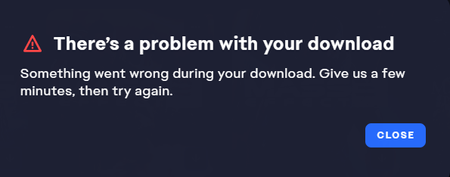


I have reached out to tech support several times and I get the same run-around. I can download AND PLAY ALL my EA games THROUGH the EA app EXCEPT ME1. It failes with some generic message about "our servers failed, give us a short time and try again"
This is the tech support message I get, and I have following and NONE of it works.. it has COMPLETELY wasted my time... reinstalling, redownloading,....
I continue to reach out to tech support and my case gets suspended with instructions to do the following:
Thank you for contacting EA. My name is Siddharth and I would assist you with your EA account issue today.
I have reviewed your email and came to know that you have issue with your unable to download your game. You do not need to worry, I'll surely do my best to help you with my assistance.
So, I would request you to please go through the below troubleshooting steps link:
https://help.ea.com/help/ea/ea-desktop/troubleshoot-game-download-install-load-issues/
Thank you for contacting EA and have a great day.
It's the same boxed message from anyone... and NONE of those solutions work. NO matter how many times I explain it, EA does not care.
Let me recap here:
All games I own install just fine through EA app, EXCEPT ME1 which bails with a generic can't download now, give us another try later message.

 EA Staff (Retired)
Thanks for taking a moment to share your experience with the community.
When you have a moment can you try the below steps (if you have not already)
Cheers!
Hi EA_Illium,
Thanks for responding! I have tried these solutions and ME1 still will not download. I do not have any pending updates for Windows and I am on the latest drivers for my GeForce 8800 GTX. I have exceptions for the EADesktop and Background service for it.
I can't do a clean boot to launch the game or try in different compatibility setting since I cannot download it. Still cannot download ME1 via EA App.
@EA_Illium wrote:Thanks for taking a moment to share your experience with the community.
When you have a moment can you try the below steps (if you have not already)
- Run the System File Checker tool then Check for Windows and GPU updates
- Install/Repair your VC++ files for the game (Microsoft VC++ Link)
- Try the Game in different Compatibility settings
- Check for other applications that may be limiting EA App or Game performance
- Put your device in a Clean Boot then launch the game
Cheers!
Just want to add that @5a50e1686baf9879 and myself have done these steps (numerous times, in my case at the very least) and keep getting sent this information by tech support. I have my own post with my details here if it helps to get a solution at all.
@FaceCombat Thanks for the support! I tried your suggestions and Holger's... I am completely stuck. At this point I really do not know what to do. I have paid for a game, actually three of them, that I cannot play. I don't know where to go at this point.
I give.. EA you win.

None of these work... can someone around EA actually fix something... or... ?