Forum Discussion
16 Replies
 EA_Barry8 years ago
Community Manager
Have you ever been able to see menu text?
What is your TV make and model?
What cable are you using, HDMI 1.4/2/2.1 etc?
 Anonymous8 years agoNot applicableYes. Game was fine a week ago before the update. Everything else on the Xbox is fine. Im trying to reinstall again but this time I cancelled the update request so it might work. I'll get back to you. Thanks again!
- EA_Barry8 years ago
No problem, do let us know if it is okay without that update, thanks.
- Anonymous8 years agoNot applicableunfortunately it demanded I select update. After installing, the same issue exists. I've tried everything. Why would a game that worked fine and then have issues after an update still have these problems AFTER a system reset and multiple installations?
- EA_Barry8 years ago
I know this is frustrating. Does the text appear eventually after a minute or two?
Can you possibly try playing from another Gamertag, there could be a relatively unseen issue with yours.
Thanks.
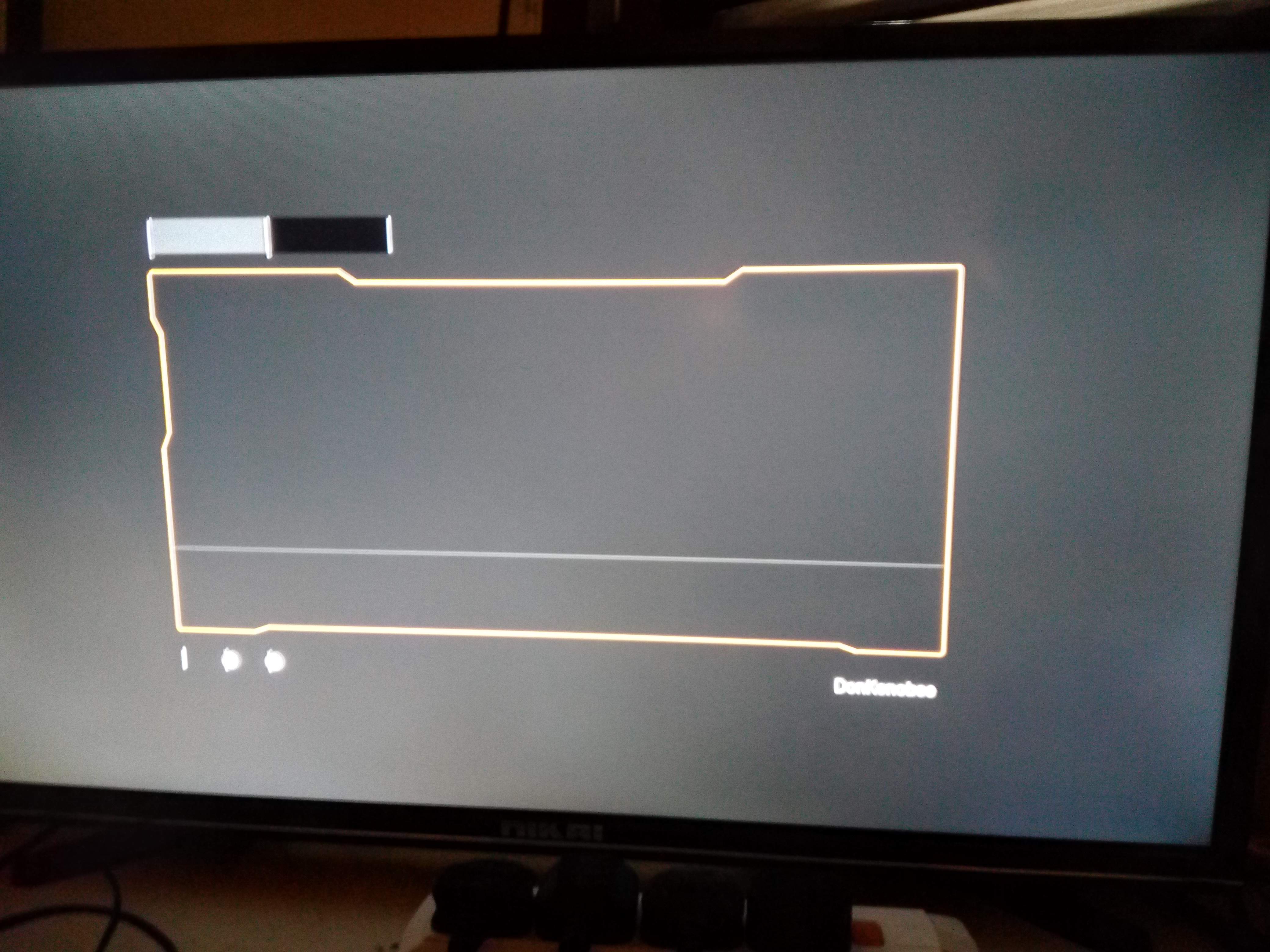
- Anonymous8 years agoNot applicableNo, it doesn't appear at all. I can play games, to some extent, but can't choose any options as there's no text, I'm just guessing mostly lol.
I deleted my gamertag and set up another AFTER resetting the Xbox and before re-installing the game. Same issue. It seems that regardless of deleting all of the data in my physical device, the game downloads corrupted data from somewhere. Someone on another forum said it could be a coding issue connected to my game licence? - EA_Barry8 years ago
Which country are you in currently?
Deleting your save data (not the game itself) from both your console and cloud may have an effect on this too.
- Anonymous8 years agoNot applicableI'm in Saudi Arabia ATM. Are you saying I should delete the save data in console and cloud? How do I do this on the cloud?
- EA_Barry8 years ago
Delete everywhere as detailed below.
How do I delete saves I don’t want?
You can manage your data for individual games through My games & apps on your Home screen. Here's how:
- Press the Xbox button to open the guide, and then select My games and apps.
- Highlight the game, press the Menu button on your controller, and then select Manage game.
- In the menu on the left of the screen, scroll down to Saved Data, then highlight the saved data for your gamertag on the right and press the A button on your controller.
- You'll be prompted to confirm deletion of this game save data:
- Delete from console removes the local copy of this save. You can get it from the cloud the next time you play.
- Delete everywhere removes your saved data from this console, the cloud, and all other consoles you play on.
- Cancel leaves your data intact.
- Anonymous8 years agoNot applicable
OK. Done that. Should I now do an uninstall/reset Xbox? Tried to play game after doing the delete everywhere on my gamer tag.... and same thing happens!
- Anonymous8 years agoNot applicable
Tried again, this time after the opening screen/title screen and all the EA/DICE logos, a dialogue box came up. The text was completely blank though so I dont know what it said. It had two options. I chose one and now the game is stuck with the death star looking thing on the top right corner half way and not moving (it usually moves)... sigh!
 EA_Atic8 years ago
DICE Team
Hey @DonKenobee Did you try another account? Also do you know anyone that have an xbox that you can try SWBf2 on?
/Atic
- Anonymous8 years agoNot applicableHi! Yes I made a new account and gamer tag after resetting the Xbox and u installing bf2. Same issue lol.
Gonna try it on my sons machine when I go there in a few days. Dount it'll work though ... It should have worked after the system resets. - Anonymous8 years agoNot applicableHi, i found the solution and it super easy.
Just change the location from xbox setting from saudi arabia to United states. Restart and enjoy.
Ahmed. - Anonymous8 years agoNot applicableHow about fixing the loss of rank issues everyone else is having? No response for that yet EA?
- Anonymous8 years agoNot applicableYep. It works! I changed to UK and it's fine. Still don't understand why this happened though. before the Han Solo update in may all was fine.
Featured Places