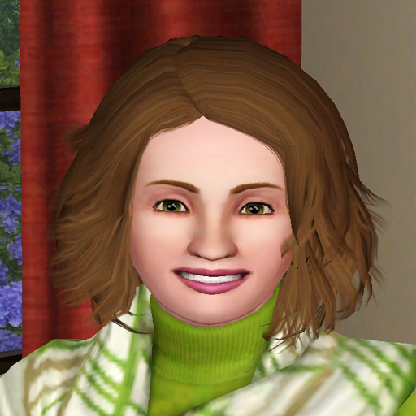
@Pary, she's adorable. I found a site that had a plethora of sliders in ONE package. :sneaky: and I downloaded it.
Altering just the rotation of the nostrils can give your sim a whole new appearance. Some can have an upward tilt to their nostrils and others will lower. I've been trying to make Tracey Needham as Meg in JAG and FINALLY...with the tilt of the nostrils and nose tip and the eyebrow distance slider, I was finally able to make a "reasonable sim-facsimile" for "Meg Austin" her character on JAG.
I've also been messing with the Head Width slider and find that's a great way of getting rid of the "round-head". :D
I think I've started to finally feel like I'm slightly familiar with the sliders from where I was when I first started playing Sims 3 in Jan. 2017. :D
Jan. 2017 -
See...the group of sims I created back then?
http://3.bp.blogspot.com/-cW6NPdHTDIw/WHAzgTHPyaI/AAAAAAAAIHc/eyKg_vkvgCU1mwF_jd8pt6omGmsa3PwRACK4B/s1600/SimConfusion_banner2_rs.jpg
:shudder: Had absolutely NO idea what sliders were for. :D
November 2018
https://4.bp.blogspot.com/-feq97VjnveI/W-hYnWb6cyI/AAAAAAAAatM/pnjSCDvLi-wx8i0WtDXRPgJK-Qh_VgTMwCLcBGAs/s1600/Screenshot-5.jpg
No CC sliders; just using EA ones, No CC. :D
Well, I now have ALL the sliders that I downloaded in and all my CC back in the mods folder. :D I think I've lost count of how many times, I've had to hard reset my mods folder just this year. :D
Inner eye corner height and outer eye corner height are life-savers when it comes to bringing sim's face to life (their expressiveness).