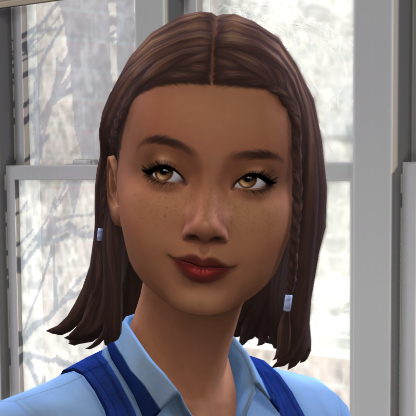
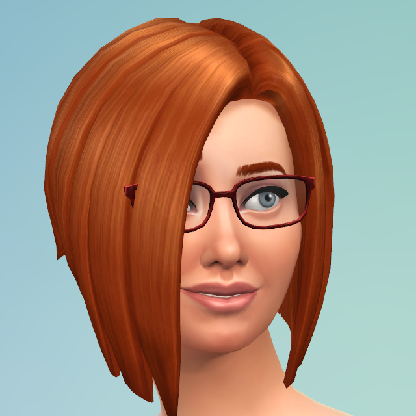
@Wentcrazy Oh I forgot to say -- I love the knitting pack! The build/buy decor is nice, very artsy and cutesy. I haven't used the rocking chair yet, but I will probably put them in my nursery/toddler rooms from now on. It's nice to have a new hobby -- knitting is perfect for elders, and it raises 'motor skill' for kids so it's a good indoors/lazy activity for the rambunctious scamp aspiration. The toddler and baby onesies you can knit are the cutest things EVER. At first I was like, "Wow okay, this stuff pack is TINY, there's only like 10 items total!" but there are hundreds of hidden items connected to the knitting skill -- clothes for all ages even babies, really cute decor like hanging plants and mailbox cozies, fun kid toys like a tiny grim reaper plushie, etc. It's one of the better stuff packs, in my opinion. But I also enjoy having to unlock items through gameplay (it feels more rewarding), so if that's something you DON'T like then you probably wouldn't like the pack. I totally understand playing in windowed mode for laptop performance. My old laptop did better in windowed mode too, and I basically murdered my old laptop forcing it to suffer on fullscreen :grimace: I'm sure we'll love your updates no matter what, I really just wanna see more of your sims, especially tough girl Iris :smiley:
@Francisca464 I upgraded the bathroom first too! My living room was a fireplace and one fabricated chair for the longest time :lol: I do play fullscreen and hit c for pics. I used to play in windowed because it was easier on my old laptop, but once I realized how much better the graphics were on fullscreen mode I never went back. It might not be that way for everyone though, it could've just been my old poop laptop. I don't use any lighting mods. For editing pics I use photoshop -- well, "photoshop elements" which is a one-time purchase rather than a subscription (it's also a little simpler than the subscription version too). It's extremely comparable to GIMP which is free to download. I just load up my pics after sorting through and deleting the duplicates, then I play with the 'levels' until I'm happy. Here's an example:
Original photo/levels in photoshop (0, 255):
https://rebuildwillowcreekrotation.files.wordpress.com/2020/08/originallevels.png
Edited photo/levels in photoshop (5, 225):
https://rebuildwillowcreekrotation.files.wordpress.com/2020/08/editedlevels.png
The first number (0 --> 5) is contrast/shadows, the second number (255 --> 225) is brightness. I set the brightness depending on how dark the original shot is (indoors usually 215-225, outdoors usually 235-245, I just play around with the numbers til I like it). I always set the contrast to 5, 8, 10, or 12, just depending on which one I think looks best (usually 5-8 inside, 10-12 outside). Disclaimer: I have no idea what these levels are actually called or what they're supposed to do, I'm self-taught and learn through trial and error :lol:
Now for comments on your update! Aww look at Iris already making friends! I'm so jealous, my poor Aiyden and Iris had no friends :frowning: Tina's one to judge, she should know recycling = more fabricating materials! Iris staring into the smoggy distance is so sad but such a pretty shot :heart: Bob from Accounting is perfect. Cowplant babies are my favorite thing in this whole game :lol: I've only found that one dig spot too! I had to send Iris to Willow Creek to find frogs and crystals. I ended up having her try to complete the postcard collection by getting penpals on the computer instead of bothering with digging up collectibles, but in the end the holiday cracker plushies collection was all I could complete before I was ready to move on from gen 1. Poor Aiyden! The fabricators are just as hotheaded as he is :wink: :lol: I got pranked like that too!! I thought it was some weird strangerville text or something, but nope, just prank calls lol.
@Mionax I'm pretty sure you already have UI capture un-checked, cause your pics are normal. The "UI capture" includes all of the stuff on the screen, like the sims pictures at the bottom, the clock and play/pause buttons, the inventory/sim info buttons, etc. The cheat to get rid of the plumbob and skill bars and stuff is "headlineeffects off" but it won't get rid of the sparkles/lightbulbs/plus signs that float above sims when they're skilling on a lot with a lot trait that boosts that skill (like painting on a lot with the Home Studio trait). I'm not sure if full screen/windowed modes are different though.