Re: Sims 4 Won't Load
QUESTION: Game won't load into household or gives me a dark screen but still shows my sims.
PLATFORM: Windows PC
MODS: No
GAME VERSION: 1.122.218.1030. DX11
DESCRIPTION:
I am trying to play Sims 4. I was playing it earlier today but exited out so it could update with the new packs I had purchased. Now, it won't go past the green spinning Plum-bomb after I click "Resume Game." If I open it through "Load Game," it takes me to the worlds screen but when I select a household, it stays on the green spinning Plum-bomb still.
I have removed all my mods, uninstalled the EA app and reinstalled it, repaired the game many times, shut down and restarted my computer several times (Windows PC laptop) and now am reinstalling the game itself. Could it be one of the packs I purchased causing it to not work? It's beyond frustrating and I'm at a loss of what to do. 😭
I will update when it is finished installing if it is still not loading; I just wanted to post to try to find possible solutions while I wait forever for it to install.
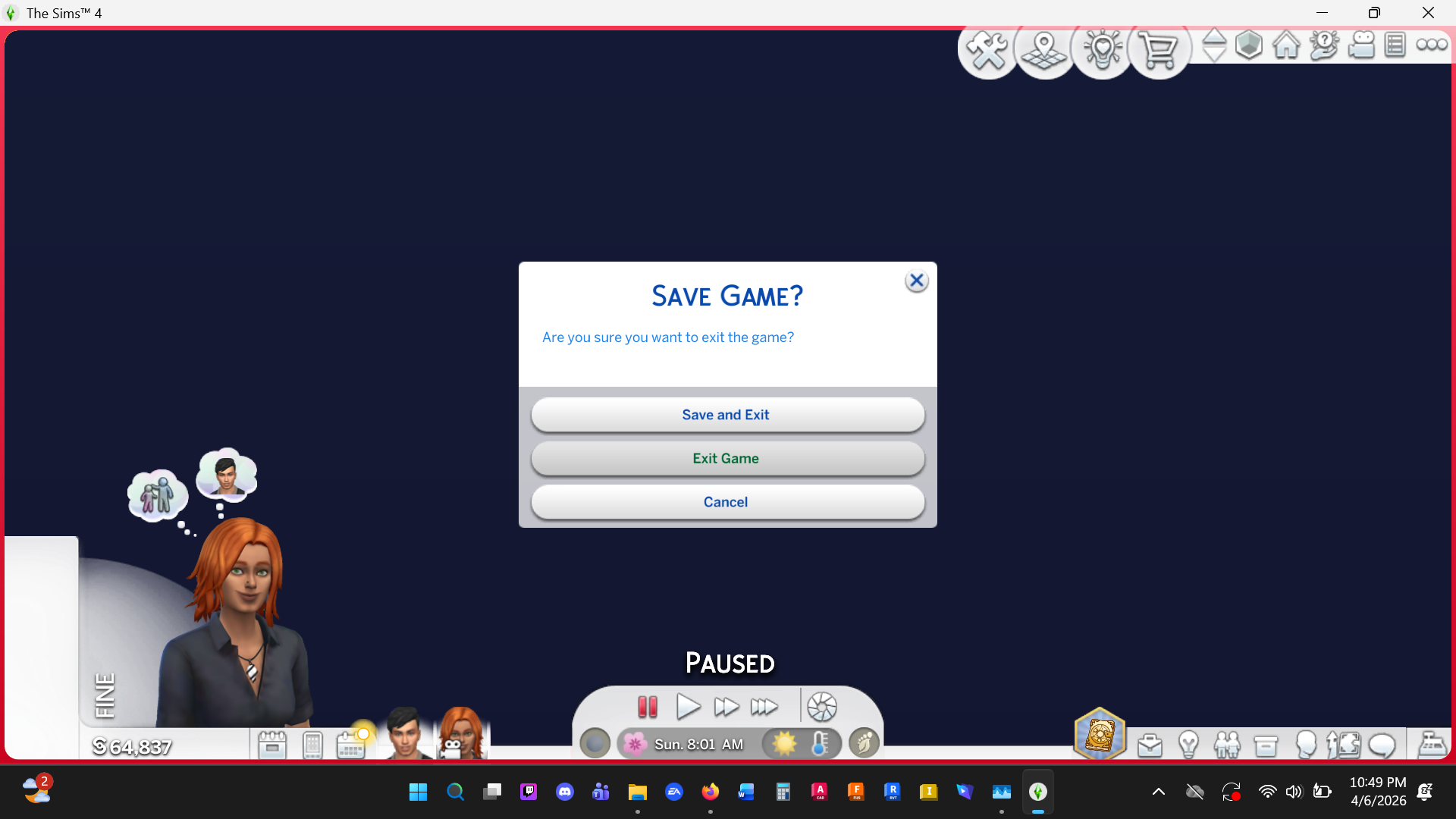
So, after it has finished installing everything - it is doing this where it is a dark screen, shows my sims, but I can't click okay on the pop up or it just brings up multiple "go here" options. I have no mods. I am at a complete loss. I am going to try to uninstall my newest packs and see if that works. then reinstall one by one to see what happens. (it didn't let me uninstall just the three so I had to unistall the game and reinstall and then tell those 3 packs not to install.)
I have added a screenshot of the 3 packs - the Lovestruck pack, Adventure Awaits pack, and the Royalty pack.
I also have these "last exception" files in my Sims 4 file folder. I deleted them and am still having the same issue.
When I scroll all the way through all the files in my Sims 4 folder, there was a few "**bleep**" files/something in it, so I deleted them, well. I am still having the same screen issue.
I added an image of the message I get now when it loads. The screen is still dark. I cannot click "OK" on the message, it simply pulls up "Go Here" button(s) each time I click it.