[ARCHIVED] How to use Mods/CC on PC
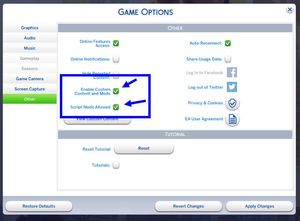


Recently I deleted my mods folder in an attempt to get it working again. My mods have not been showing up in game despite them being in the folder with mods enabled. I copied my mods folder and deleted it via the advice of a forum. Since then I have not been able to get the game to regenerate a new one. I've tried repairing the game, enabling mods and disabling them, I even uninstalled the game and reinstalled the game. I still do not have a mods folder. Please help!

@luckygoose454 I've merged your post with the master thread for issues with using mods. It sounds like you're not looking in the correct place, as in, the Sims 4 user folder the game is reading. Here's how to find that folder:
https://sims4.crinrict.com/eng/2018/07/how-to-find-your-user-folder/
If you are looking in the correct location and the Mods folder isn't being recreated, please disable mods and custom content (both options) in-game, quit, restart your computer, and then reenable both, and look for the Mods folder again.
looks like I was in the wrong folder after all, thanks!


