[ARCHIVED] How to use Mods/CC on PC


Hi!
After I updated my game 2 days ago my mods for the sims are not showing up no matter what I do...
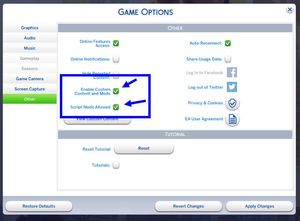
I have updated sims to the latest update as well as the EA app, and I have updated all of my mods but they're not showing up in game even though I have mods enabled. I have tried to restart my computer, reinstalled my game, repaired my game, deleted some mods, downloaded the mods again just to be sure that they're up to date but nothing works, the are in my mods folder, but they're not showing up in game.
Please help me, I am growing insane I don't know what to do anymore

@Emmi0193 Please make sure your mods and custom content are in the Sims 4 folder the game is reading. Even if this was true before, a system update could have moved the folder, for example activating OneDrive and redirecting Documents there in the process. Here's how to find the folder Sims 4 is using:
https://sims4.crinrict.com/eng/2018/07/how-to-find-your-user-folder/
Make sure the file paths match exactly, at least until "The Sims 4." To find the file path to your mods and cc, right-click one of the files and select Properties > General, then look for the Location.
Thank you for your help,
Apparently I had another electronic arts folder and I moved all my mods there and they showed up in game afterwards!
I don’t know why I had a new folder, but it’s solved and I’m happy!!