[ARCHIVED] How to use Mods/CC on PC
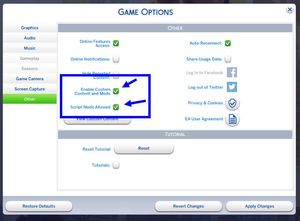


Hello, so, I've been having a problem with the mods recently. I have 242 mods downloaded, but when I add them to my mods folder it only shows up a good 30 of them on the start-up screen. I then took all the mods outside the mod folder and started up sims 4 again, but it still says on the start-up screen that I have those same 30 mods still installed. I uninstalled the sims, tried it a few more times, took all mods out, put all mods back in, turned enable custom content off and on a few times but my issue is the same. My sims 4 game wont register me adding new mods or taking those 30 mods out. It's like it's stuck at those mods and won't change no matter what I've tried. I'm honestly debating wiping my PC and having to retry it all again, because an issue I'm having too if two sims 4 located downloads. I downloaded sims 4 with origin a while back but now origin is gone, so I just have that corrupted file of sims 4 there too. Should I wipe my pc or is there another way to fix this mods issue I'm having?

@lovebugVM It sounds like you're not using the correct Sims 4 folder, as in, the one the game is reading. Here's how to find that folder:
https://sims4.crinrict.com/eng/2018/07/how-to-find-your-user-folder/
Compare its file path with the file path to the Mods folder where you've been adding and removing mods.