[ARCHIVED] How to use Mods/CC on PC


Hello!
I'm having an issue where my mods are not appearing at the launch of the game. I've uninstalled and reinstalled, I've checked my game files to see if anything is missing, I've made sure that mods are enabled in my game, I've renamed my mods folder in hopes of a new one being created to no avail, I've checked my advanced launch options and everything appears as it should be, and I've tried just about everything that I've been able to find. All of these mods are new and should be compatible, moat of them are CC, and I have like three or four gameplay mods in there, and I downloaded them all today. Nothing I've done is working. Please help.

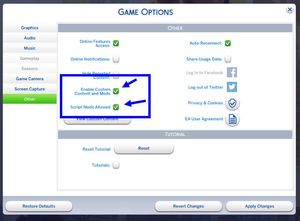
Hi @BeeInAMecha ! Is the issue just that you're not seeing the list when you load? If so, that's actually in Options. I do recommend that if you have a lot of mods you don't show the list -- it makes a big difference in load time.
If it's that the mods don't appear in-game, you may have to do a 50-50. I'd suggest starting with testing anything relatively new to your Mods folder. If you figure out what's causing you problems and there's not an updated version, I'm interested in hearing what it is.
Hello!
It's a few issues I think- the mods list isn't appearing when I boot up the game, even if I have mods enabled, and the mods aren't appearing in game either. When I go to view custom content from inside of my game, it shows an empty list. It's almost like my game isn't recognizing my mods folder. I've tried a few things I saw online to get your game ti make a new mods folder, but my game didn't do that. I've tried taking things in and out to troubleshoot, but that hasn't worked either.
@BeeInAMechaOkay. There are a number of things possible, but what I'd suggest is this:
Hello again!
I tried that, but it didn't work. Thank you though! If it makes any difference, I'm playing on a Mac.



