[ARCHIVED] How to use Mods/CC on PC
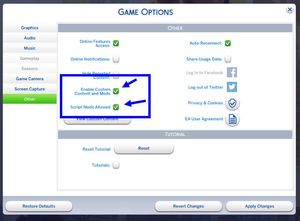


Hello, @luthienrising! Thank you for your response! Unfortunately, it turns out that OneDrive doesn't let its users choose to unsync specific files, so I quit OneDrive. That didn't fix the problem, though, so I tried reinstalling my Resource.cfg file. Then, the game didn't make a new one when I deleted it, so I had to download one from a website. That didn't fix the problem, either, though, so I went to try and do this thing I saw on another question which was referred to as a "Sims 4 factory reset", but then I found out that I can't move my Sims 4 files around because the "cloud file provider is not running". I downloaded everything to my computer from OneDrive before I quitted it, but I think something went wrong. I also think that I might've made it worse. Thank you so much for your time, though, and do you have any other ideas? Sorry, and thank you.

@AmusedWolf91145 Sounds like you need this forum area, where there are people who know more about OneDrive than I do: https://answers.ea.com/t5/Technical-Issues-PC/bd-p/The-Sims-4
@luthienrising Okay; I’ll try there. Thank you so much, and have a great day!!



