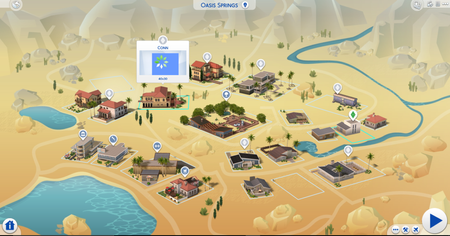
[MOD RELATED] Sims disappeared from household/Blue flashing square on map


Product: The Sims 4
Platform:PC
Which language are you playing the game in? English
How often does the bug occur? Rarely (0% - 9%)
What is your current game version number? 1.58.63.1010
What expansions, game packs, and stuff packs do you have installed? I only have three packs, which is: Cats & Dogs, City Living, and Get Together
Steps: How can we find the bug ourselves? I don't know, it happens randomly.
What happens when the bug occurs? After entering CAS to change outfit, suddenly my whole household disappeared. Now the household's name still exist in the apartment, but I can't play it because the whole household member is gone.
What do you expect to see? My sims shouldn't disappeared just because I went to CAS mode.
Have you installed any customization with the game, e.g. Custom Content or Mods? Yes
Did this issue appear after a specific patch or change you made to your system? Neutral/Not Sure
So I've been playing with one household for quite some time. In that time, my sims already married and have one daughter with a son is on the way. Suddenly, when I went to CAS to change the outfit of the mother who is pregnant, the sims who popped up in my CAS were a complete stranger. And when I get out from CAS, the whole family from my household is gone. And I can't play it. The other household in the town is still there, while my whole family has gone missing. Strangely, my household's name is still intact in the apartment, but with no family portrait and I can't play it.
How do I solve this because it's been stressing me out. Thank you in advance.
I've already remove all of my mods, but the problem still persist. I've already repair the game in the Origin and recently update it, but my whole sims in my household is still gone and I still can't play them.

This is exactly the same thing that happened in my game (when i tested it with my older mods backup to find the problem) only i went to manage worlds instead of CAS. This is most likely the mod caused save corruption problem. You need to update your mods (CC is fine, these won't cause this issue.) When you save your game with this issue, it persists in that save.
Steps you can try:
1. Remove mods (tuning mods, script mods, custom traits. You can leave CC like; build objects, hair, clothes, custom skins in there if you have CC built houses), delete localthumbcache.package and load your save in game. (Do use a save which does not have this problem)
Wait for a bit around 2-4min for the game to clean your save and save it as a new save then quit the game. (you may need to do this to other saves you intend to use)
2. Put your updated mods (tuning mods/script mods and custom traits) back into mods folder and hopefully the issue is gone. (it was for me)
Additional small step: Check your saves folder if there is a folder named scratch in there. If it is, delete it as it is not needed when the game is not running. (it should delete itself upon game exit but this issue sometimes can leave it there causing problems when playing.)
Also to be 100% sure it is fixed, only CC objects with new or modified interactions need an update (icemunmun's candle making and canning station for example). Check that you don't have any build items with new/modified interactions, if you do, look for an update/confirmation if it is working with 1.58 version. If you don't update these, they may not work properly but still won't cause this issue.
CC Showers can be batch fixed with S4 Studio but even if not fixed, won't cause corruption.
CC Beds have issues in university but won't cause corruption.