Forum Discussion

Re: My mods aren't showing up

@v3e500b7yncr  That all looks fine, so the question is why the mods aren't loading.  Please move the entire Mods folder to the desktop, load the game once to generate a new Mods folder, download a new copy of one mod or cc item, add it and only that one item to the new Mods folder, and see whether it shows up.  Make sure the item you choose is specifically listed as compatible with patch 1.93.

5 Replies

  • v3e500b7yncr's avatar
    v3e500b7yncr
    3 years ago

    I don't know if it means anything that the mods folder doesn't regenerate once I load the game up

  • puzzlezaddict's avatar
    puzzlezaddict
    Hero+
    3 years ago

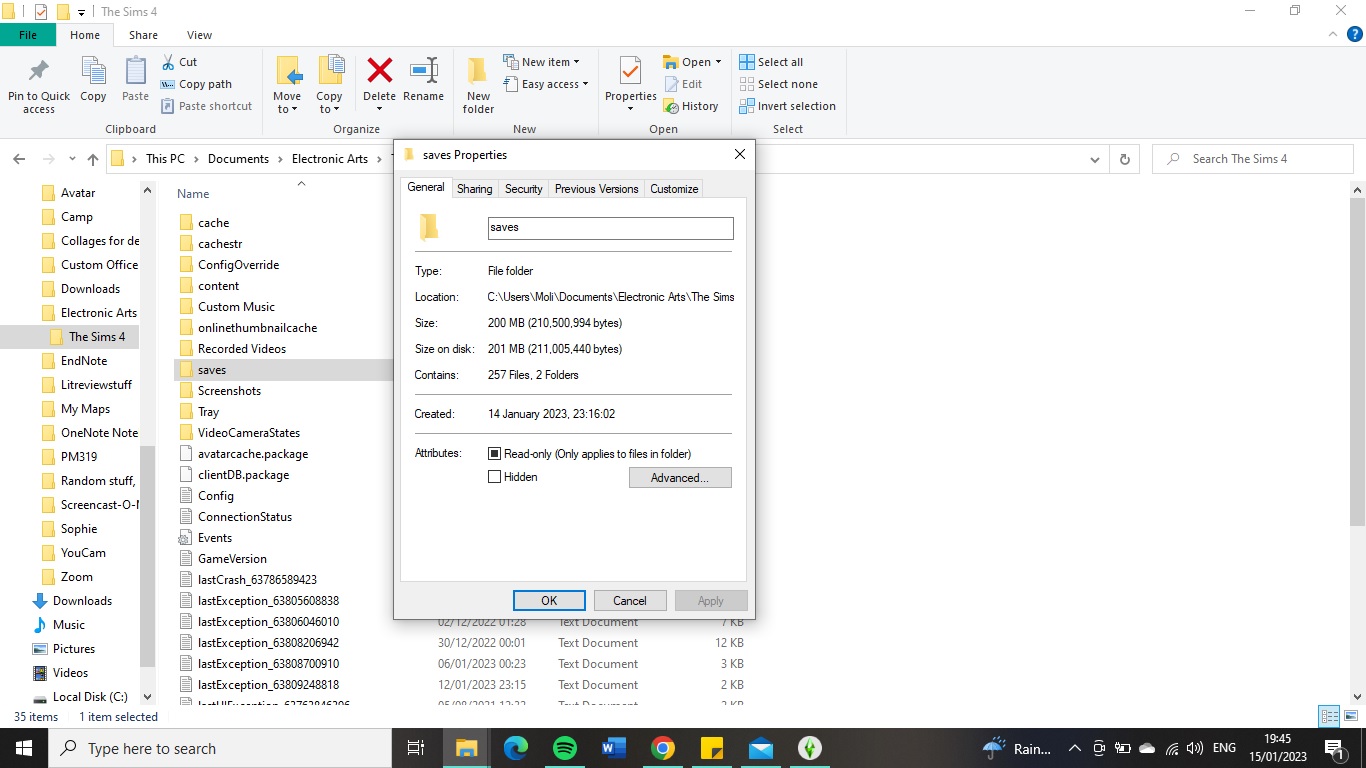
    @v3e500b7yncr  That means you're not looking at the Sims 4 folder the game is reading.  The file path in your screenshot looks right, but it didn't list the part before Documents.  To get its full file path, right-click it and select Properties, then look for the location in the General tab.

    If you want to make sure you're opening the folder the game itself lists, click This PC in a File Explorer window, double-click the C drive, then open Users > Moli > Documents etc.  Avoid anything that says OneDrive.

  • v3e500b7yncr's avatar
    v3e500b7yncr
    3 years ago
    @puzzlezaddict I looked from the C drive route, and I still can't see a mod file there either
    I will go look for the full file path - is that in game or in my files?
  • v3e500b7yncr's avatar
    v3e500b7yncr
    3 years ago

    I think this is what you meant. Unfortunately I don't think it says anything new

  • puzzlezaddict's avatar
    puzzlezaddict
    Hero+
    3 years ago

    @v3e500b7yncr  That is very strange since the game told you it's reading that folder (and the date on the saves folder matches too).  Try disabling mods and custom content, both options, and reenabling them; close Sims 4 in between.

    If this still doesn't generate a new Mods folder, let me know what antivirus you use and whether OneDrive is running at all.  And just to be thorough, look at the file path to the user folder again, using the in-game method, to make sure it hasn't changed in the last couple of days.  It shouldn't have, but better to check.

Featured Places

Node avatar for The Sims 4 Mods & Custom Content

The Sims 4 Mods & Custom Content

Find tips, tutorials and troubleshooting for mods and custom content, and The Sims 4 patch files here.Latest Activity: 14 minutes ago
16,863 Posts