Forum Discussion

Anonymous's avatar
Anonymous
10 years ago
Solved

The Sims 4 CC Hair- Blonde Streaks Bug (FIX)

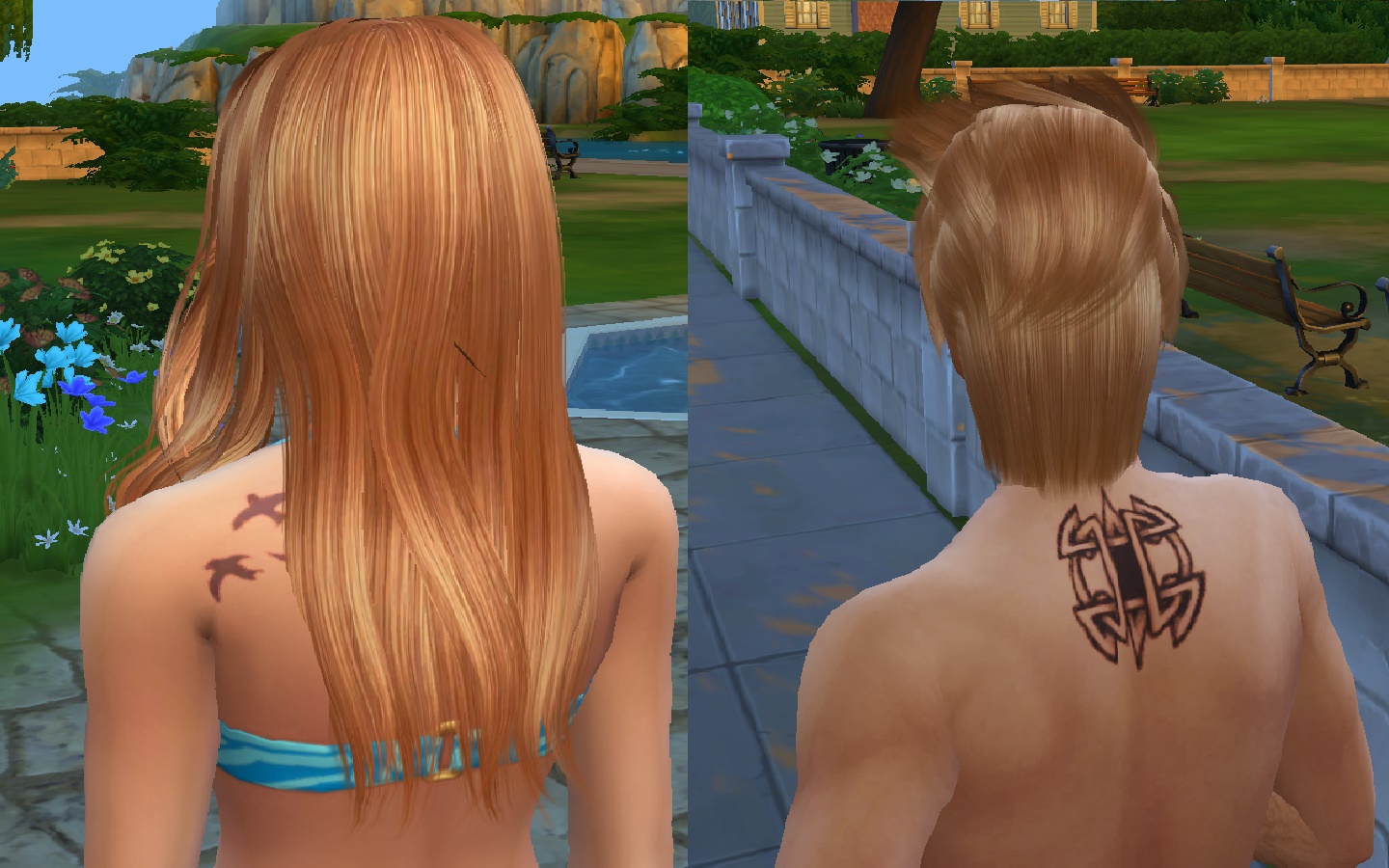
So i found out that the fix for the custom content blonde hair streak bug is to turn off laptop mode, however i had been experiencing very bad lag problems every time i turned it off so i gave up trying to fight it, however, i played around with the settings for a little bit and found that they DID reduce the lag a LOT, eventually it got to a point where my game was completely playable with reduced lag as well as having reasonably good graphics and those horrible blonde streaks in my CC hair were gone!

The settings i use for my game are these:

Sims- Very High

Objects- Medium

Lighting- Medium

Reflections- Low

Visual Effects- Medium

Edge Smoothing- Off

3D Scene Resolution- High

View Distance- Low

Uncompressed Sim Textures- Unchecked

Post Processing Effects- Unchecked

Laptop Mode- Unchecked (YOU MUST LEAVE LAPTOP MODE UNCHECKED TO ENSURE YOU WONT GET THE AWFUL BLONDE HIGHLIGHTS!!!)

I hope this helps some of you to enjoy the sims 4 custom hair while also having your game run smoothly 🙂

P.S: Screenshots are provided to show what the graphics and hair looks like in these settings!

Happy Simming!


  • @lambinabush wrote:

    So i found out that the fix for the custom content blonde hair streak bug is to turn off laptop mode, however i had been experiencing very bad lag problems every time i turned it off so i gave up trying to fight it, however, i played around with the settings for a little bit and found that they DID reduce the lag a LOT, eventually it got to a point where my game was completely playable with reduced lag as well as having reasonably good graphics and those horrible blonde streaks in my CC hair were gone!

    The settings i use for my game are these:

    Sims- Very High

    Objects- Medium

    Lighting- Medium

    Reflections- Low

    Visual Effects- Medium

    Edge Smoothing- Off

    3D Scene Resolution- High

    View Distance- Low

    Uncompressed Sim Textures- Unchecked

    Post Processing Effects- Unchecked

    Laptop Mode- Unchecked (YOU MUST LEAVE LAPTOP MODE UNCHECKED TO ENSURE YOU WONT GET THE AWFUL BLONDE HIGHLIGHTS!!!)

    I hope this helps some of you to enjoy the sims 4 custom hair while also having your game run smoothly 🙂

    P.S: Screenshots are provided to show what the graphics and hair looks like in these settings!

    Happy Simming!


198 Replies

  • luthienrising's avatar
    luthienrising
    Hero+
    2 years ago

    @tinkk26_ Unfortunately, even up-to-date CC can be glitchy and not fully usable. But also, this is a more common issue with alpha hair, and there's only so much you can do to get rid of it depending on your specs. Is this happening with all CC hair or just certain ones? You might try something like a recent Raccoonium or Feral Poodles hair as a test (these are Maxis Match hairs, not alpha; if you're using only alpha hairs, you might then find a pattern in what's working.

  • tinkk26_'s avatar
    tinkk26_
    2 years ago

    I believe it is only certain hairs. I have not experienced this issue with all hairs. And yes everything is backed up. 

  • luthienrising's avatar
    luthienrising
    Hero+
    2 years ago

    @tinkk26_ There's a chance that you don't have the computing power for alpha hairs - the ones with way more fine detail in them. Are the ones that work Maxis Match?

  • omg thank you so much! i struggled with this problem since summer! i tried everythingggg but this solved the issue big thanks❤️

  • Yesterday (11.12.2025.) all of my CC hairs got a weird blonde overlay. I tried CAS, I tried delete cache, repair the game, but something is just not working. I tried everything what chatgpt suggested :D

    I supposed it came from another CC (happened before) but last time I added any stuff was in november and I played since there, so it doesn't seem useful. 

  • PipMenace's avatar
    PipMenace
    Hero
    3 months ago

    Is this for any Sim, no matter what outfit they're wearing, or only a particular sim/outfit? CC hairs may not interact correctly with other CAS items and pick up some of their color... the necklace for example, or the white shirt under that jacket might look like a blonde highlight if the color bled onto the hair.

  • Rebecca_Swan1213's avatar
    Rebecca_Swan1213
    Newcomer
    3 months ago

    Hey go into your game options and look for the check box that says laptop mode turn it off and re start your game and everything should work fine 

Featured Places

Node avatar for The Sims 4 Mods & Custom Content

The Sims 4 Mods & Custom Content

Find tips, tutorials and troubleshooting for mods and custom content, and The Sims 4 patch files here.Latest Activity: 24 minutes ago
16,831 Posts