Unable to Interact with household Pets or Furniture
Product: The Sims 4
Platform:PC
Which language are you playing the game in? Suomi
How often does the bug occur? Every time (100%)
What is your current game version number? 1.94.147.1030
What expansions, game packs, and stuff packs do you have installed? Maalaiselämää, Lumisten vuorten maa, Ekoelämää, Yliopisto, Unelmasaari, Kohti kuuluisuutta, Vuodenajat, Kissat ja koirat, Kaupunkielämää, Kimppapuuhaa, Duunipäivä, Unelmakoti, Noituuksia, Vampyyrit, Ulos syömään, Kylpyläpäivä, Ulkoilma, Pikkukotikamaa, Lemmikkikamaa, Fitnesskamaa, Klassista luksuskamaa, Pihakamaa, Romanttista puutarhakamaa, Leffailtakamaa, Kammokamaa, Kuumaa keittiökamaa, Täydellinen terassi, Ylelliset bileet, Pirteät pastillit kit, Aavikon luksusta kit, Kotikeidas kit Sorry I don't know them in English.
Steps: How can we find the bug ourselves? Try to interact with pets or refrigerators and other furniture.
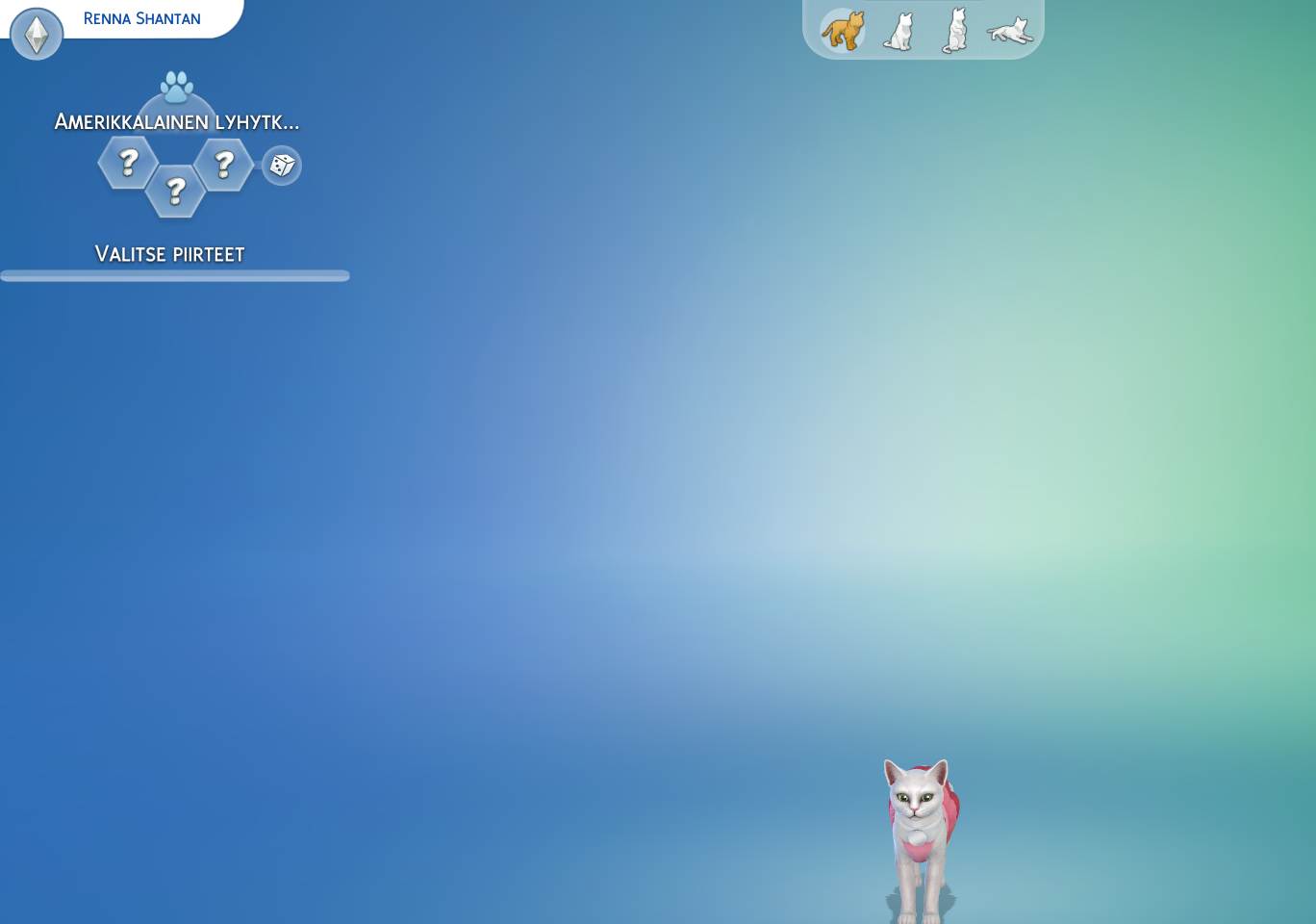
What happens when the bug occurs? I can't interact with pets or refrigerators and other furniture. I can click them, but it doesn't open any interaction options. Also when going to the cas mode, it has removed my pets's nature stuff. Also it doesn't show the nature options anymore either, in other words, I can't edit my sims and save the changes, because you can't do that without the pets having natures chosen.
What do you expect to see? The interaction options. So I could give some attention to the whiney pets and let my sims eat, lol.
Have you installed any customization with the game, e.g. Custom Content or Mods? Yes
Did this issue appear after a specific patch or change you made to your system? Yes
Please describe the patch or change you made. I'm almost certain it happened after the 17th of January, 2023 patch. I've been playing for several weeks regularly and after that patch I was not able to interact with my household pets anymore, or use refrigerators. Removing mods did not remove my issues, it's buggy in my no-mod save file too.
The image shows the non-existent nature options for the cat. It also affects dogs.
Try resetting your user files as described in the factory reset described in this post: http://answers.ea.com/t5/The-Sims-4/FAQ-Troubleshooting-Steps-amp-Known-Issues/m-p/3621199
You won't loose anything. Just make sure to not delete any files and make a backup.
After renaming, repair your game by right clicking on the game in Origin.
Try on a new game with nothing added back first (start new game). If it works, put back your save game and try again. If it still works, you can start putting stuff back.
- Options.ini (or just re-set all your settings manually)
- Tray Folder
- Screenshots/Videos/Custom music
- Rest of the save games (leave out slot_00000001.save which is the autosave and no longer needed - if you still have it)
- Custom content like clothing, hair, skins, make up ....
- ConfigOverride, if you have your own configuration files.
- Mods (one by one, making sure they all still work)
The rest does not need putting back, cause they are mostly cache files that recreate or log files that are not needed for the game.