Forum Discussion


Bluebellflora
5 years agoHero+
@IvaIvanaa
But can you play the pack? can you create a new household, move them in and not have the red and white texture issue?
Do you normally use CC?
But can you play the pack? can you create a new household, move them in and not have the red and white texture issue?
Do you normally use CC?

5 years ago
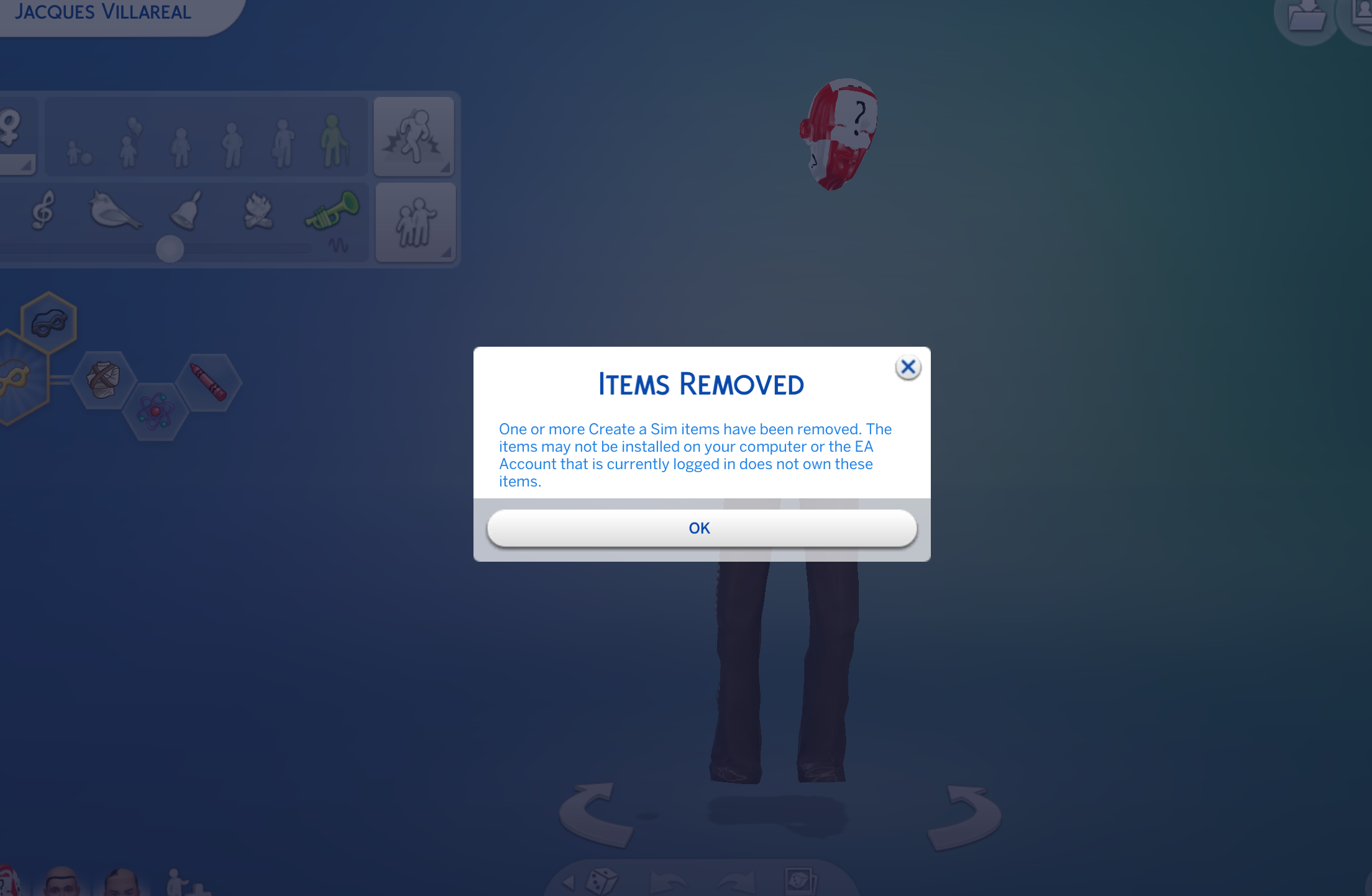
@BluebellfloraI cannot play the pack. The world of Windenburg shows up as unlocked but when I click on it goes to a white screen. After removing the Sims 4 folder and putting it on my desktop and re downloading Get Together after trashing it, none of the CAS items for this pack are available, only as a white and red texture.
I do usually use CC. I’ve had issues with broken CC after patch updates before so I know to take the Mods folder out and get rid of the bad CC, then my game works fine. However with this issue, the first thing I did was take my mods out of the game and it noticed it was still not working. Every attempt at fixing the problem has been without any CC in my game.
EDIT for clarity: CAS items are showing up but are invisible on Sims and are causing the the entire Sim to be the red and white texture. I've added screenshots of CAS and the world shown when I am trying to move a Sim into Windenburg, and what happens when I click on Windenburg.
- Bluebellflora5 years agoHero+
@IvaIvanaa
Hmm. Did you see Crin's post here? https://answers.ea.com/t5/Technical-Issues-PC/CURRENT-ISSUE-Several-Issues-after-incomplete-Installation/td-p/8422889 it has been an issue for months now but trashing that folder should fix it. You could also try a super repair of the base game - https://answers.ea.com/t5/Technical-Issues-Mac/READ-FIRST-Sims-4-Mac-Help-Guides-and-Troubleshooting/m-p/4612394#M815If none of those work then I would uninstall and reinstall, launching a new game before trying to move any of your saves back in.
- 5 years ago@Bluebellflora Thank you! I found the steps for the solution in the thread you linked and my game is working properly now
- Bluebellflora5 years agoHero+@IvaIvanaa
Thanks! Can you remember specifically what fixed it? Having the DLC installed in a separate folder on a Mac causes a similar issue so it isn’t always easy to figure out if it’s that issue or the one in the PC tech forum ☹️
@bubbladubbla
Could you please check the link in my previous post and see if that applies to you? Please also read the first page in this thread for explanation about where packs install to in macOS and how to force a re-download of the affected packs.
Featured Places