Initialisation Error [135dec40:3fbbecd0:00000064:000000]
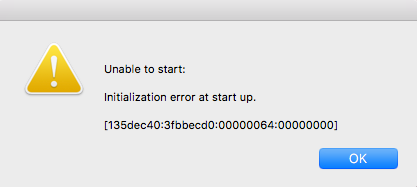


I solved mine like this
1.) changed the language to Spanish in Origin
2.) selected repair (left click game in Origin)
it automatically began to repair and signs popped up that made it seem like it wasn’t gonna work out but I kept clicking repair until it did (this only took a couple minutes.)
3.) started the sims.
TIP!: I saved my “Mods” in a back up folder on my desktop and the stuff under “Save Files” in a folder too. I deleted “the Sims” from the folder “Electronic Arts” Under Documents inside my Finder app on my old MacBook ya hear? (I did this before I selected repair).. I hope you know a 2nd language? The Electronic Arts folder will create a new Sims folder and you just drag and drop your mods back into your mod folder and your save files back to its folder. If there is no save files start a new game in the sims. Save it and exit the game. I believed this will create that “saves” file. If you have any questions I’ll be simming!




