Forum Discussion

5 Replies
- @alajahxx
I haven’t made a video for storing the game on an external drive, only for creating the symlink for the Sims 4 folder 🙂
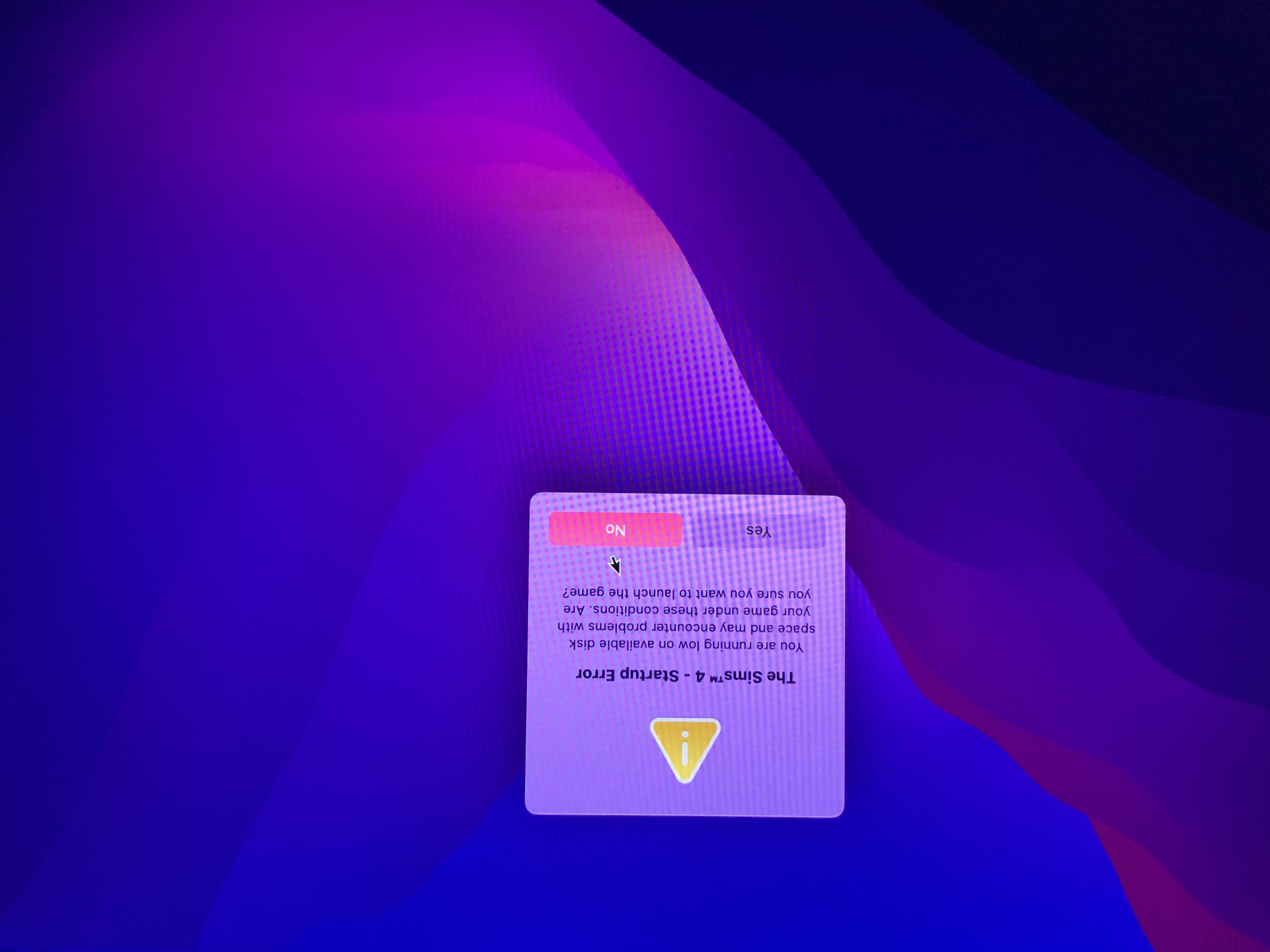
Can you post a screenshot showing the game library location in Origin and a screenshot of the error message?
Empty the trash, unplug the drive, restart your Mac then try again. It was GraceSimsDaily video i followed, sorry about the confusion.
- @alajahxx
It looks like there may be a mounting problem with your drive as the OS has added a 1 to the mount point. You can see this in the Disk Utility screenshot. It can be caused by not properly ejecting the drive or having two drives with the same name plugged in, similar to files of the same name populating in the same Finder location.
Try the suggestion in my previous post and make sure you unplug all peripheral devices before restarting your Mac. Ejecting the disk may be be the problem. However, your solution worked, but this pops up whenever i try to open the game (on both sims 4 and 3). Also when I attempt to download my expansion packs it says the same thing about not having any storage.
Ok. Please can you provide more information about your Mac. Instructions on how to do so and what to provide here - http://answers.ea.com/t5/The-Sims-Mac/READ-FIRST-Sims-4-Mac-Help-Guides-and-Troubleshooting/m-p/4612396/highlight/true#M162
How much internal storage is available on your Mac?
At some point have you reformatted the drive and given it the same name it previously had?
Have you created the symlink to store the Sims 4 folder on the external drive too or just moved the game installation to the external? If you have attempted to create the symlink, was it successful?


Featured Places