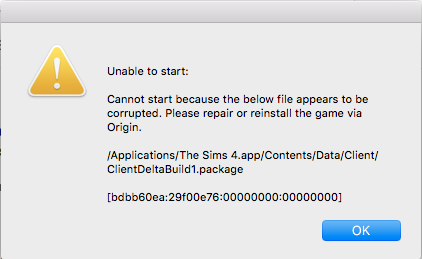
for anyone still struggling with this, i solved my issue by doing this--
(this is probably optional, but i did this and will include it anyway. i repaired my game by right-clicking the TS4 cover in my origin game library, and enabled all incoming connections to origin and TS4 in my firewall.)
then i opened up Finder, pressed Command+Shift+H, then opened Applications<The Sims 4. from there, i moved the folder 'The Sims 4 Packs' to my desktop. next, i went to Documents<Electronic Arts<The Sims 4 and moved the 'Mods' and 'Tray' folders to a flash drive and deleted them from my desktop.
the game finally started for me and i moved my mods and other CC to their new folders in Documents<Electronic Arts<The Sims 4 in small batches/individually and deleted any ones i didn't need. i closed and reopened the game to make sure they still worked and deleted the ones that were corrupted and messed with the game.
for reference, i'm running the latest version game as of 7 july, 2022 (1.89.214.1230) on a 2015 MBP with all DLCs and several GB of mods.
thank you @Tremayne4260 for the help :-)

 8 years ago