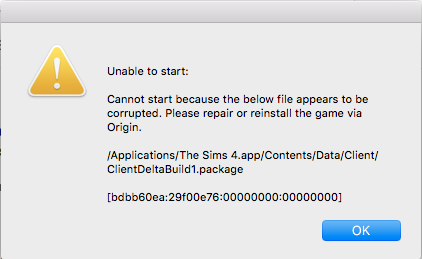
Okay so as someone who tried literally everything in this entire thread as well as changing the registry on my computer and using the DISM tool, I think I just fixed the issue for myself by doing the simplest thing.
Everyone who is still struggling, check if all your mods/cc are sorted into folders. I have been getting error messages from numerous folders saying there were corrupted files there constantly, even after removing them, not just from the folder but from my computer entirely. I decided to test all mods/cc by moving them in batches. I moved all the ones not sorted into folders into the mods folder and everything worked fine. I was surprised because there were so many items there and not a single one had an issue.
I then decided to see if moving the files out of their folders would change anything. I selected a folder that was constantly showing up as having a corrupted file (which I know wasn't corrupted because I just transferred it over from my old laptop and the game is frequently updated, all the mods are functional and kept up to date). Lo and behold, after moving the files into the mods folder outside of their secondary(?) folder, it worked just fine and the game started up.
This might help some of the people still struggling like I was for the entirety of last night. Good luck guys!
(I'll also be checking later to see if it's possible to reorganise the mods later as not having things in their usual folders is annoying for me.)

 8 years ago