meshakwa
1 year agoNewcomer
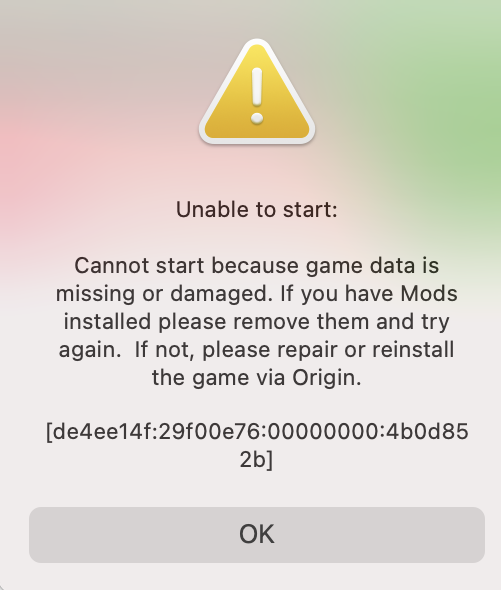
Unplayable Sims 4 Error de4ee14f:29f00e76:00000000:4b0d852b]
Hello, this is my first post and I hope I explain this clearly, but I am in desperate need of some assistance. Up until yesterday, my game was running flawlessly on my iMac but then as I was trying t...
 1 year ago
The Sims 4 Packs folder contains all of your DLC and has to be in the same installation location as the base game. You most likely corrupted the game and possibly EA App by moving the folder not only whilst EA App was open but also whilst downloading content.
- Uninstall the game via EA App
- Check you have no base game and no Sims 4 Packs folder anywhere on your Mac
- Run EA App Recovery by clicking on Help > App Recovery in the menu bar
- Close EA App
- Check all the files and folders related to EA App have been removed. If they haven't, manually trash them. Read this guide on what to look for - https://bluebellflora.com/2024/04/04/ea-app-recovery-for-mac-reset-ea-app-by-clearing-cache-and-other-files-manually/
- Launch EA App and make sure the installation location of your games is where you want it in EA App > Settings > Downloads
- Re-download the game
- Rename your Sims 4 folder in Documents > Electronic Arts so a new one is created when you launch the game
- Launch the game
What happens?